NAPCO Security Group
NAPCO Gemini C-Series Control Panel Programming Instructions--Volume 1
Page 4 Programming Instructions, Volume 1
REMOTE DOWNLOADING RULES FOR FIRE-ONLY SYSTEMS
OR BURGLARY / FIRE COMBINATION SYSTEMS
REMOTE DOWNLOADING RULES FOR FIRE-ONLY SYSTEMS OR BURGLARY/FIRE COMBINATION SYSTEMS
Gemini C-Series PCD-Windows Quickloader Dealer Support
NFPA 72 and UL 864 prohibit remote downloading to a Fire Alarm Control Panel unless a qualified technician is
physically on site. PCD-Windows Quickloader download software version 6.0 was created to implement these re-
mote downloading rules in a manner that satisfies both the regulations imposed by the jurisdictional authorities and
the flexibility demanded by alarm Dealers. Therefore, the following remote downloading rules apply only to Fire-only
systems or Burglary/Fire Combination systems, NOT to Burglary-only systems. Note: Local (site attended) down-
loading and local uploading are permitted without restrictions.
Locked/Unlocked Quickloader Account
In PCD-Windows Quickloader, there is a basic distinction between the programming within a Quickloader account
and the programming within its associated control panel. PCD-Windows Quickloader version 6.0 introduces a new
concept that applies to all Commercial Fire-related Quickloader accounts: A "Locked" or "Unlocked" account.
When a Quickloader account is "Unlocked", all Fire-related programming fields within the account are NOT pro-
tected from changes (unprotected fields are clear or "non-red colored").
When a Quickloader account is "Locked", there are two implications: (1) A Locked Quickloader account
serves to indicate that both the Quickloader account, and its associated control panel programming, are identical. (2)
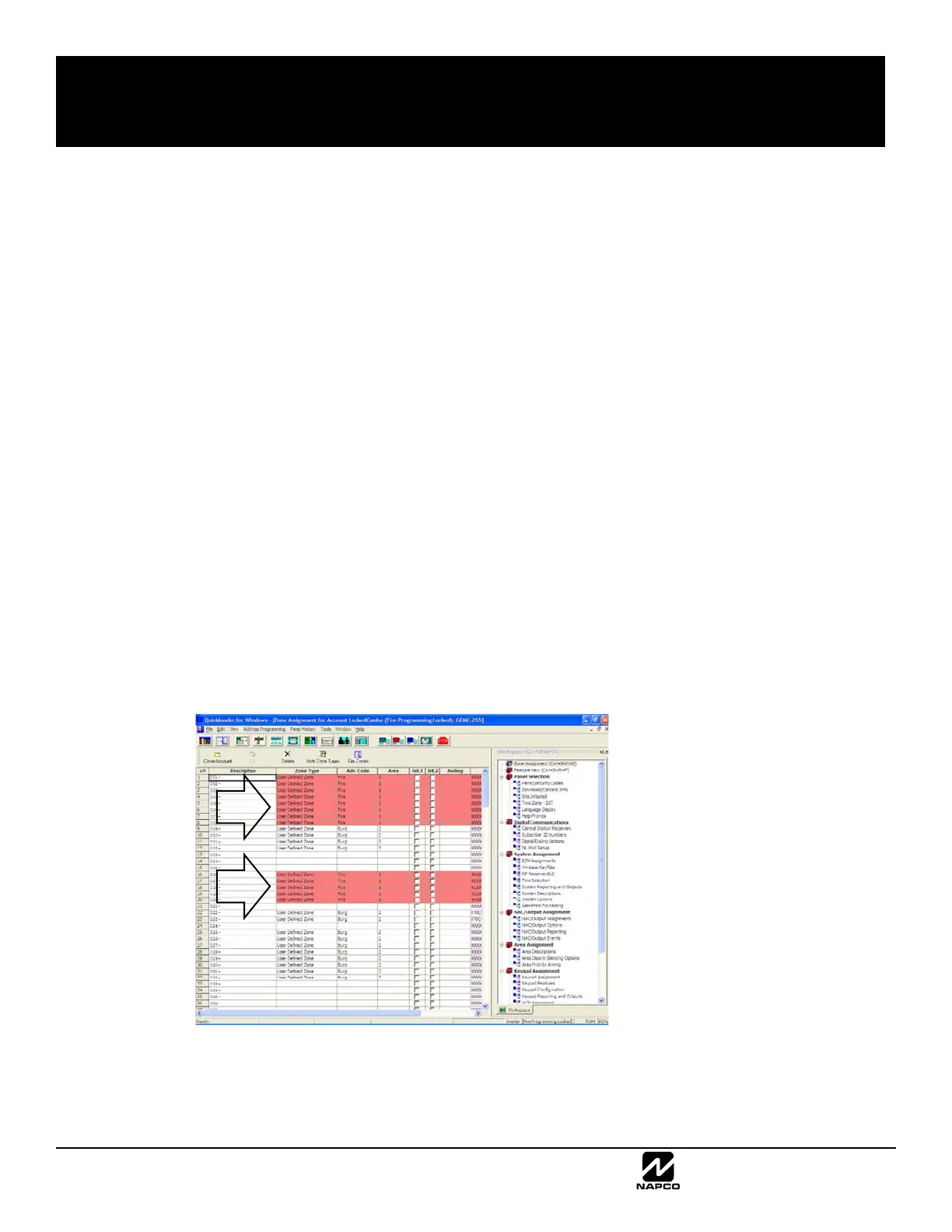
All Fire-related programming fields within the account are protected from changes. To emphasize this protection (and
to prevent inadvertent changes to Fire-related programming), all Quickloader fields that are "Locked" are displayed
with a conspicuous red-colored background. Burglary-related changes in Quickloader are allowed, and CAN be
downloaded to the panel remotely.
The following image is an example of a Locked Quickloader screen, with its Fire-related programming fields displayed
with a red-colored background (arrows):
In addition, a Locked account also serves to assist dealers in avoiding unnecessary visits to the installation site,
should they only need to make Burglary-related programming changes (they can perform these remotely).
As a helpful reminder, when a Locked account is opened in Quickloader, the following dialog appears:









 To Next Page