EasyManua.ls Logo

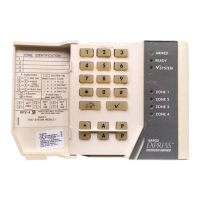
NAPCO XP-600 Express Series - User Manual

NAPCO XP-600 Express Series
11 pages
Print Icon
To Next Page IconTo Next Page
Loading...
Usin
g
Your
XP-600
Security System
$50('
5($'<
6<67(0
9
),5(
$&
=21(
=21(
=21(
=21(
=21(
=21(
NAPCO
Oi218a
page 1
Tuesday, September 16, 1997 08:28
www.ealarm.com.my

Other manuals for NAPCO XP-600 Express Series

Question and Answer IconNeed help?

Do you have a question about the NAPCO XP-600 Express Series and is the answer not in the manual?

Summary

Important - Test Your System Weekly!

Bell; Battery Test

Procedure to test the system's bell or siren and battery backup.

Central Station Communication Test

Steps for testing communication with the central monitoring station.

Arming Your System

Arming Your System When Leaving

Steps to arm the system when exiting the premises.

Protecting Yourself While at Home

How to arm the system for home occupancy.

Emergency Conditions

Emergency Buttons

Describes the function of F, A, P buttons for emergency signals.

Ambush Alarm

Procedure to trigger a silent alarm when forced to disarm the system.

Disarming Your System; Silencing an Alarm

Disarming Your System when Returning

Steps to disarm the system upon entering the premises.

System Troubles

Trouble Identification

How to identify system troubles using keypad beeps and zone lights.

Programming User Codes

Programming; Reprogramming User Codes

Instructions for adding or changing user codes.

Summary

Important - Test Your System Weekly!

Bell; Battery Test

Procedure to test the system's bell or siren and battery backup.

Central Station Communication Test

Steps for testing communication with the central monitoring station.

Arming Your System

Arming Your System When Leaving

Steps to arm the system when exiting the premises.

Protecting Yourself While at Home

How to arm the system for home occupancy.

Emergency Conditions

Emergency Buttons

Describes the function of F, A, P buttons for emergency signals.

Ambush Alarm

Procedure to trigger a silent alarm when forced to disarm the system.

Disarming Your System; Silencing an Alarm

Disarming Your System when Returning

Steps to disarm the system upon entering the premises.

System Troubles

Trouble Identification

How to identify system troubles using keypad beeps and zone lights.

Programming User Codes

Programming; Reprogramming User Codes

Instructions for adding or changing user codes.

NAPCO XP-600 Express Series Specifications

General IconGeneral
ModelXP-600
SeriesExpress Series
Keypads SupportedUp to 8
Outputs2
Power Supply16.5VAC, 40VA

Related product manuals