3. INFO page --- Multipacks
Show all real-time batteries information, including cell voltage, module voltage,
current, temperature.
4. INFO page --- Record
Display: Click display button, show battery information.
Clear: Click clear button, remove battery information.
Save: Click save button, save shown battery information on the screen as ‘.xls’
format.
Auto save: Click auto save button, save battery information automatically for every
1/10/50/100/200/400… up to 10,000 items.
Data export: Click export data button, export all battery information to .xls file
5. PARAM page
Parameter column: shows all protection/alarm threshold and recovery values.
LoadBak Params: load ‘.xml’ parameter setting.
BackUP Params: save the current parameter setting as ‘.xml’ format.
Export Params Data: Export all parameters read to .xls format
Load Origin: load factory parameter settings.
Read: read current protection and alarm parameter. If the value is different with factory
parameter settings, it will display in red color.
6. CONFIG page
For operation and maintenance staff debugging and testing purposes only.
7. STORAGE page
For operation and maintenance staff debugging and testing purposes only.
6. Maintenance
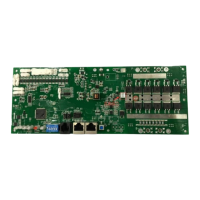
6.1. Procedure of installation the BMS: λ
✓ Fix BMS on battery container λ
✓ Connect B+ and B- λ
✓ Connect FAN on BMS λ
✓ Connect 18Pin connector λ
✓ Connect P+ and P_6.2
6.2. Procedure of disassemble the BMS:
Reverse the procedure as 6.1.


 To Next Page