Page 17
5 Recording screen
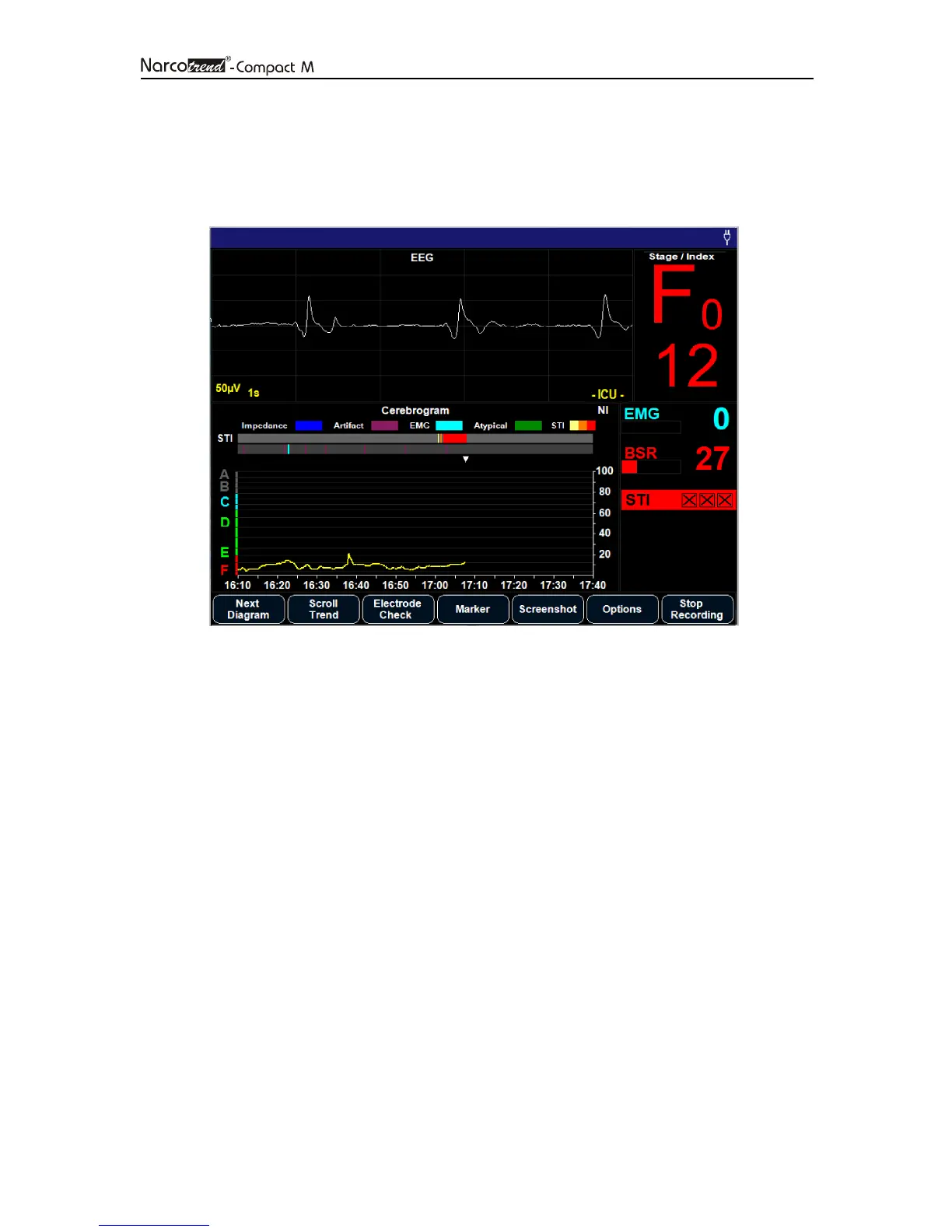
In the recording screen, all information about the recording are displayed. Using the
button bar at the bottom margin of the screen, the program is controlled in the recording
mode.
Fig. 7: Recording screen
5.1 Title line
The title line indicates the following information (from left to right):
• Name
• Date of birth and age in years/months
• Date and time
• Bluetooth / RS232-symbol (when function is switched on)
• Power supply symbol or battery symbol
In the title bar also system messages, such as information about the battery capacity
are displayed.
5.2 EEG
The EEG data currently coming from the patient are indicated in the raw EEG window.
In the case of a 2-channel recording, the top curve indicates Channel 1, and the bottom
curve indicates Channel 2.
Within the EEG window, information about artifacts and status messages are also
displayed.


 To Next Page