Page 24
5.8 Review mode
To start the review mode, press the button S
CROLL
T
REND
. In the review mode it is
possible to access previous EEG epochs and diagrams of the current recording. This
mode enables the user to scroll back and forward within up to 24 hours of the current
recording. The current EEG is still recorded, analysed and saved while the review mode
is active.
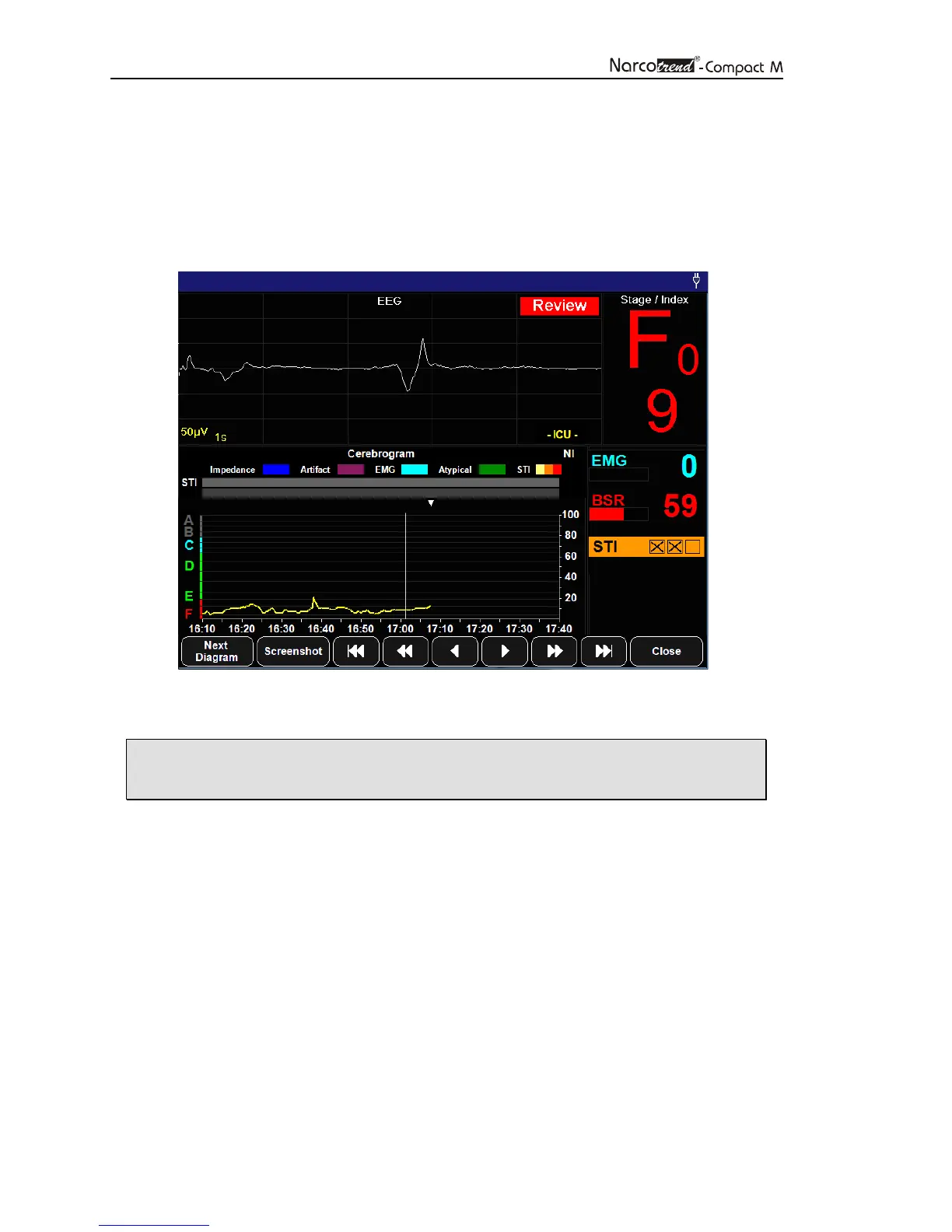
Fig. 13: Recording screen during the review mode
• In the review mode, the current EEG and classification is not shown.
This is indicated by the red flashing message „Review“.
A vertical line in the diagrams with a time axis (e.g. Cerebrogram) marks the recording
time of the displayed EEG and the related parameters.
It is possible to choose any point on the time axis by tapping on the touchscreen or to
navigate through the recording via the following buttons.
The markers that are located within a time range of ± 2 minutes of the selected time will
be displayed in a text box.


 To Next Page