Slide 27© Narda Safety Test Solutions GmbH www.narda-sts.com
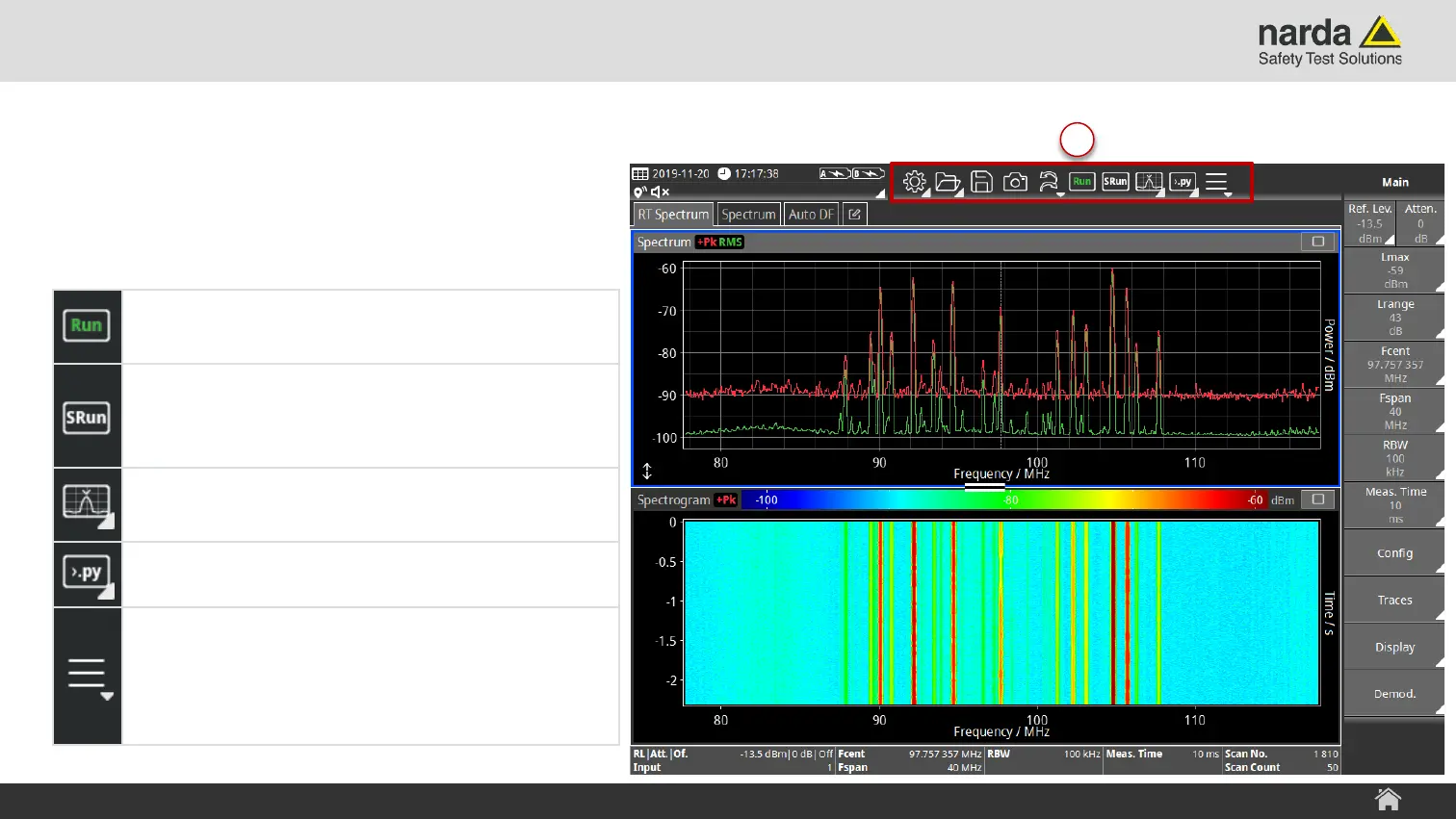
2) Toolbar
› Contains tool buttons that provide quick
and easy access to the most important
device functions
SignalShark - User Interface Manual
Screen Layout
2
Run
Tap to start or stop/hold a measurement.
SRun
Tap to start a single measurement run
according to the Scan Count parameter.
Marker
Tap to open the Marker menu.
Scripting (if installed)
Tap to start NardaScriptLauncher
Additional Functions Menu
Tap to open a dropdown window with additional
functions like:
Volume/Mute, Configure Views, Preset or Help



 To Next Page