Home
NARDA
Test Equipment
SignalShark 3310
Page 66 (Loading Setups and Adjusting Settings)
NARDA SignalShark 3310 - Loading Setups and Adjusting Settings
70 pages
Manual
Save Page as PDF
To Next Page
To Next Page
To Previous Page
To Previous Page
Loading...
Slide
65
© Narda Safety
Test Solutions Gm
bH
www.n
ard
a
-sts.c
om
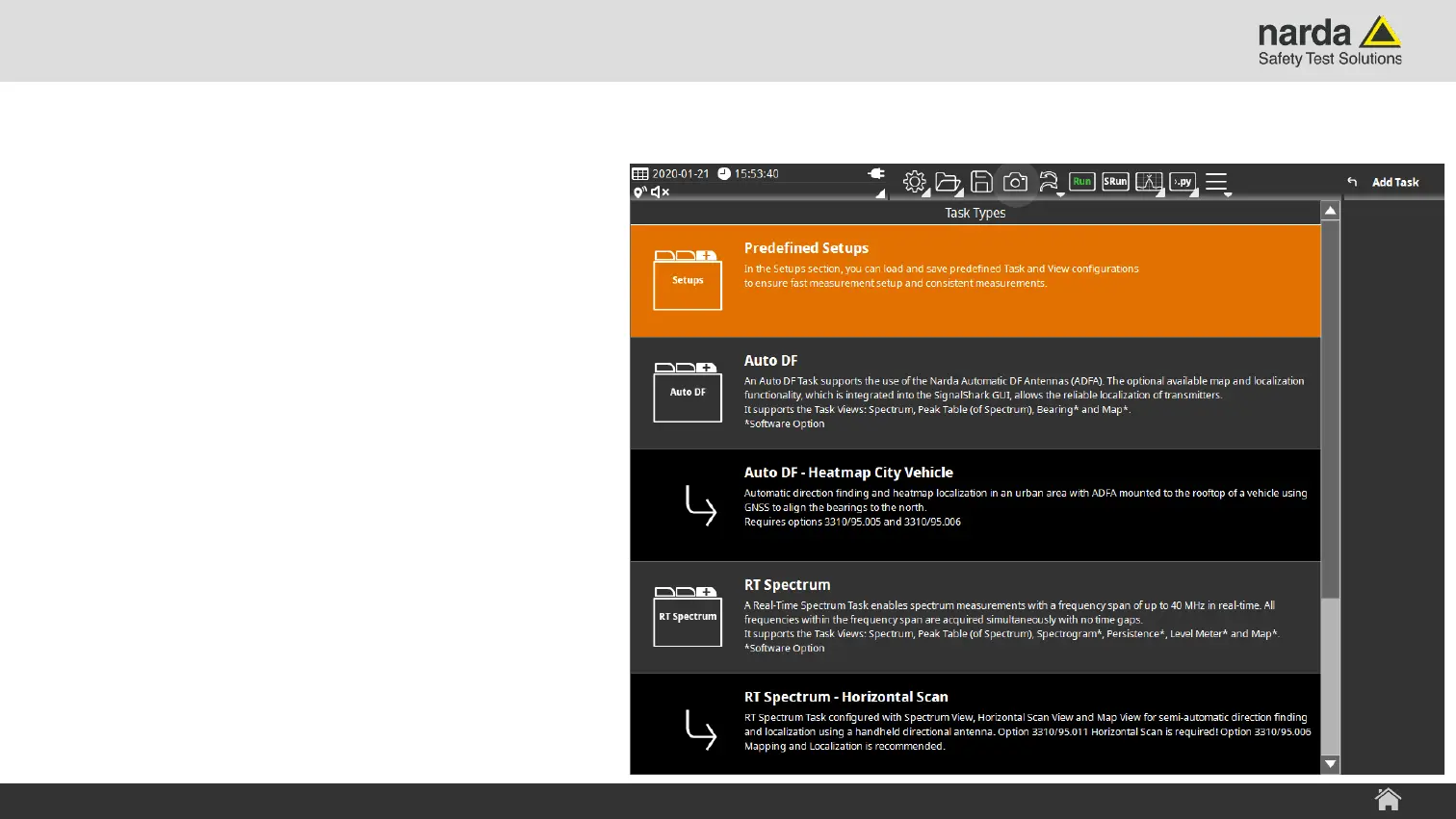
1) Load a Pre
defined Se
tup
›
Open
the “Add
Task
” menu
›
Select the
“Predefined Setups” item
SignalS
hark
-
User In
terface Manu
al
Localiz
ation
i
n three Steps
wi
th
AutoDF
65
67
Table of Contents
Main Page
Connector Panel
8
Battery Operation
10
Front Panel
19
Back Panel
20
Screen Layout
23
System Information Menu
26
Task Types
32
Screen Overview
34
Basic Operation
36
Touch Screen Control
37
Back to the Main Menu
47
Amplitude Menu
49
Frequency Menu
51
Marker Menu
56
Add Marker
57
Adjust Settings
68
Other manuals for NARDA SignalShark 3310
Quick Start Guide
59 pages
Related product manuals
NARDA ELT-400
100 pages



 To Next Page