Slide 66© Narda Safety Test Solutions GmbH www.narda-sts.com
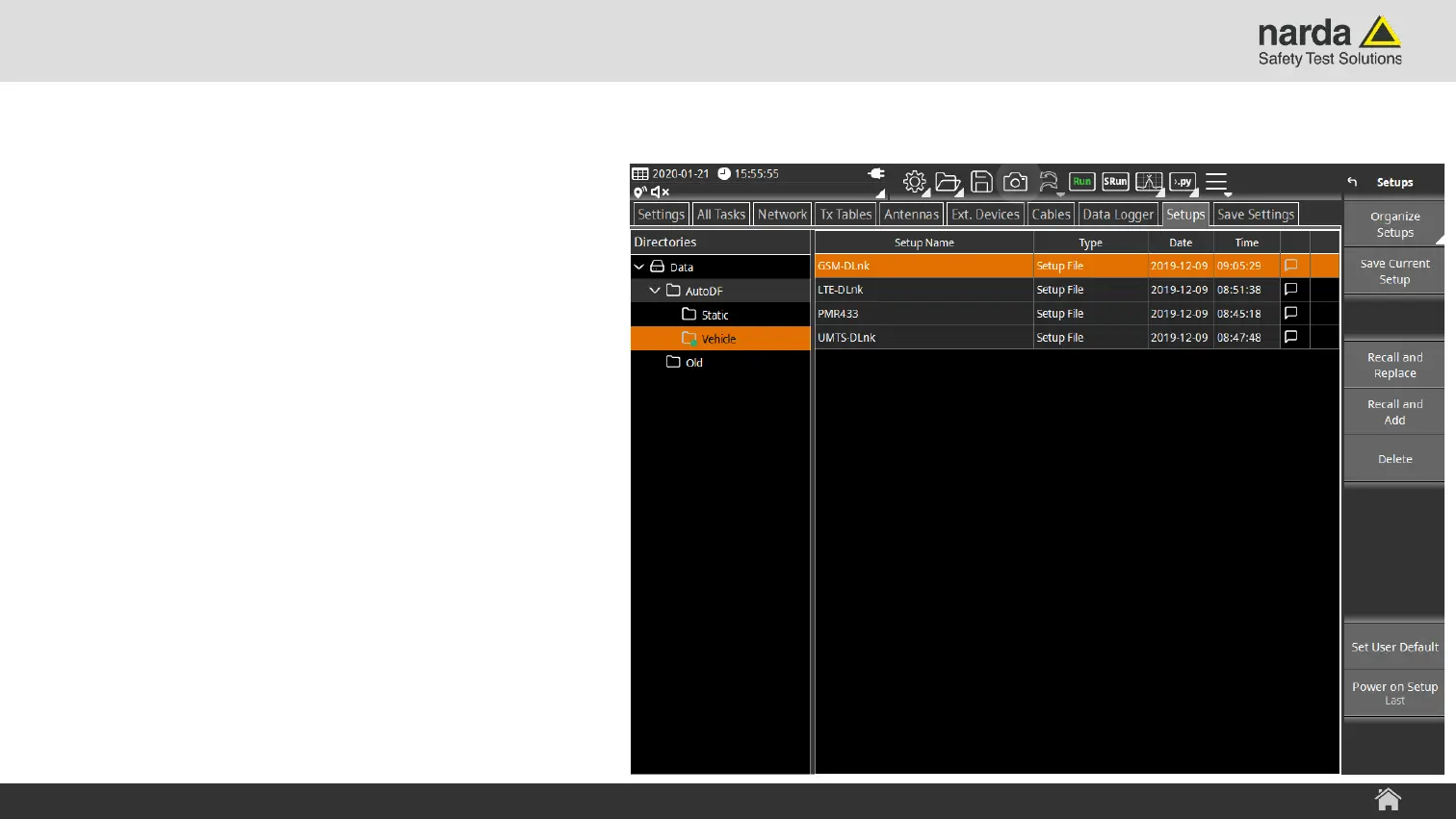
1) Load Predefined Setup
› Select a predefined setup from the
AutoDF folder that fits best to your signal
Static:
› The antenna is installed on a tripod or a
mast
› Map. Mode is “Disc. Localization”
(Tap on “Save” to store a bearing)
Vehicle:
› The antenna is mounted on a vehicle
› Map. Mode is “Cont. Localization”
(Bearings are recorded into a file)
SignalShark - User Interface Manual
Localization in three Steps with AutoDF



 To Next Page