© National Instruments vii GPIB Hardware Guide
Contents
Chapter 1
GPIB Hardware
AT-GPIB/TNT (PnP).....................................................................................................1-1
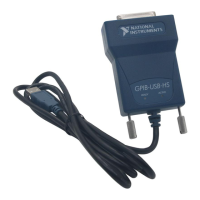
GPIB-USB Interfaces ....................................................................................................1-3
NI PCIe-GPIB, NI PCIe-GPIB+, PCI-GPIB, PCI-GPIB+, PCI-GPIB/LP, and
PCI-8232 .....................................................................................................................1-4
PCMCIA-GPIB..............................................................................................................1-6
NI ExpressCard-GPIB ...................................................................................................1-7
PMC-GPIB.....................................................................................................................1-9
PXI-GPIB and PXI-8232 ...............................................................................................1-11
GPIB-ENET/100............................................................................................................1-13
GPIB-ENET/100 Installation ..........................................................................1-13
Baseplate Identification Label.........................................................................1-14
Startup..............................................................................................................1-14
Software Recognition ......................................................................................1-16
Ethernet Configuration ....................................................................................1-16
Using the NI Ethernet Device Configuration Utility ........................1-17
Changing the Network Settings ........................................................1-18
Static IP Parameters ..........................................................................1-19
Choosing a Static IP Address............................................................1-19
Verifying the Hostname ....................................................................1-20
Firmware Update .............................................................................................1-21
PWR/RDY LED Signaling..............................................................................1-22
Step 1. Count the Long Flashes ........................................................1-22
Step 2. Count the Short Flashes ........................................................1-22
Step 3. Record Your Status Code Number .......................................1-23
CFG RESET Switch........................................................................................1-23
Reset the Default Network Characteristics at Startup.......................1-23
Enter Network Configuration Mode during Normal Operation........1-24
GPIB-ENET/1000..........................................................................................................1-25
GPIB-ENET/1000 Installation ........................................................................1-25
Baseplate Identification Label.........................................................................1-26
Startup..............................................................................................................1-27
Ethernet Connector LEDs................................................................................1-28
Software Recognition ......................................................................................1-28
Ethernet Configuration ....................................................................................1-28
Using the GPIB-ENET/1000 Configuration Web Page....................1-29
Changing the Network Settings ........................................................1-29
Auto IP Addressing...........................................................................1-30


 To Next Page
 Loading...