What Should I Do if the Module Fails the Self-Test?
1. Restart the system.
2. Launch MAX, and perform the self-test again.
3. Power off the chassis.
4. Reinstall the failed module in a different slot.
5. Power on the chassis.
6. Perform the self-test again.
Where to Go Next
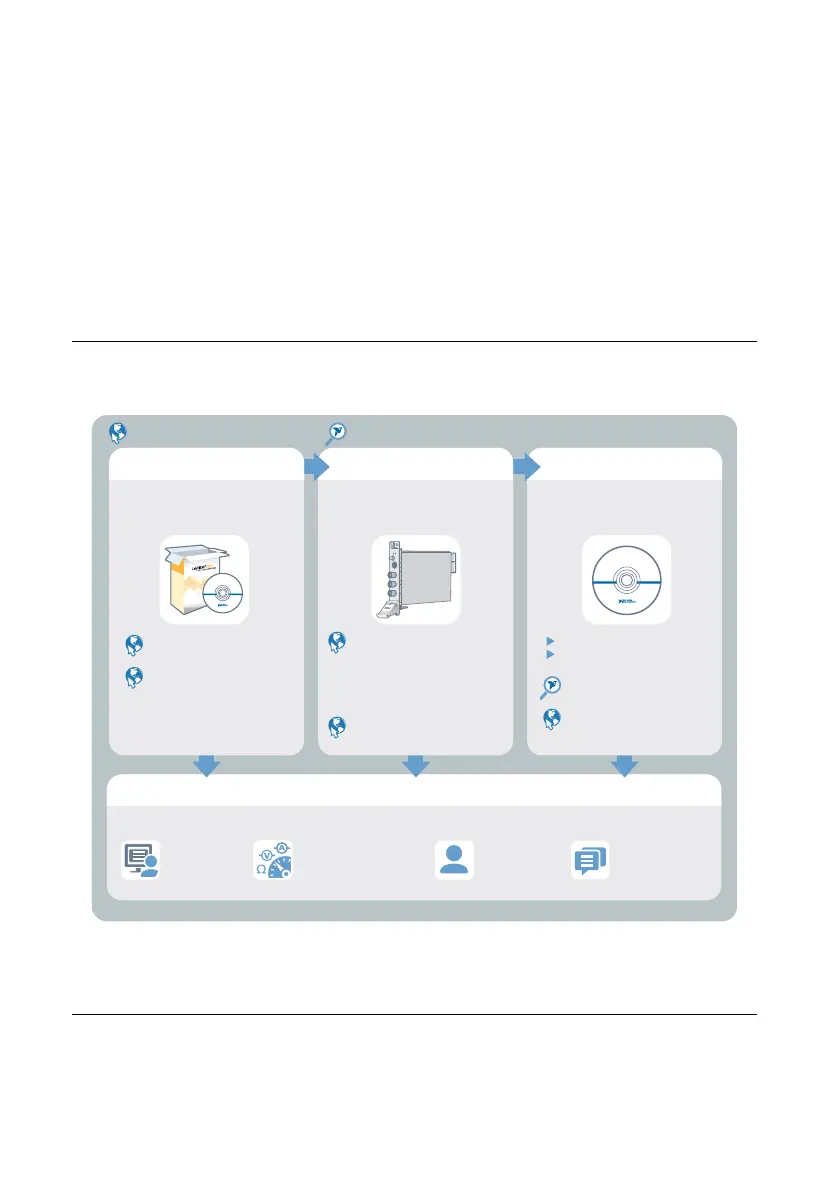
Refer to the following figure for information about other product tasks and associated
resources for those tasks.
more about your products through ni.com.
*This item is also installed with the driver software.
DISCOVER
Services
ni.com/services
NI Community
ni.com/community
Support
ni.com/support
custom applications within
an application programming
interface (API).
NI-DMM Soft Front Panel
NI-DMM Instrument Driver
CREATE
Located online at ni.com/manuals Located using the NI Example Finder
NI Digital Multimeters Help*
NI-DMM Examples*
about hardware features
or review device
specifications.
LEARN
NI Digital Multimeters Help*
NI PXIe-4080 Specifications*
OR
NI PXIe-4081 Specifications*
OR
NI PXIe-4082 Specifications*
the application development
environment (ADE)
for your application.
EXPLORE
NI Digital Multimeters
ni.com/digitalmultimeters
Getting Started with
LabWindows/CVI
Getting Started with
LabVIEW
Worldwide Support and Services
The NI website is your complete resource for technical support. At ni.com/support, you have
access to everything from troubleshooting and application development self-help resources to
email and phone assistance from NI Application Engineers.
NI PXIe-4080/4081/4082 Getting Started Guide | © National Instruments | 15
Artisan Technology Group - Quality Instrumentation ... Guaranteed | (888) 88-SOURCE | www.artisantg.com


 To Next Page
 Loading...