Page 16/40
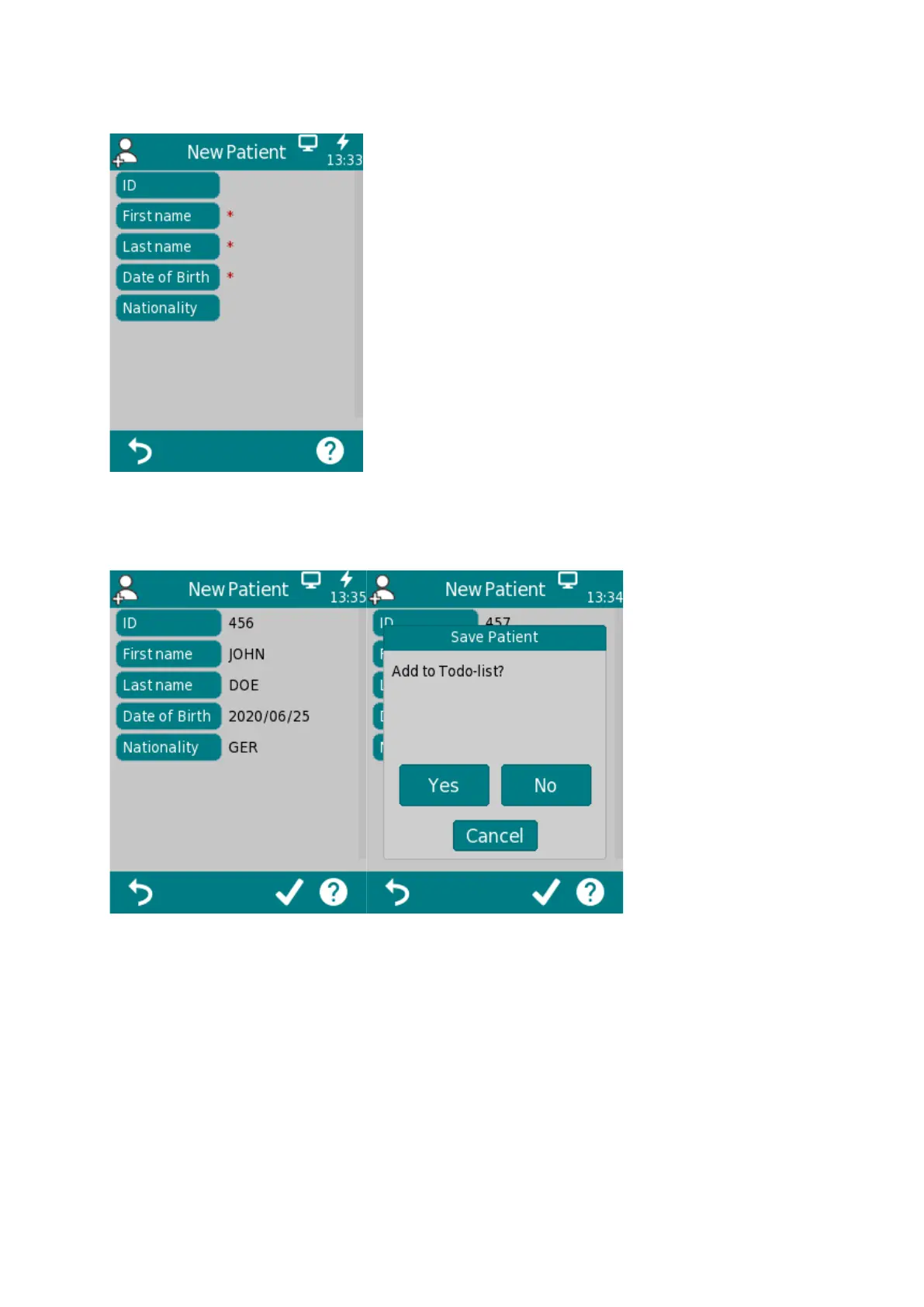
Following information then can be entered using the keyboard on the touch display:
When done, confirm by tapping the check mark. You’ll be automatically asked if you want the patient
added to the To-Do List.
Once a Patient has been saved to the Patient and/or To-Do list, following options are available:
“Start Screen”, “Select Protocol” and “View Results”


 To Next Page
 Loading...