EasyManua.ls Logo

natus EMU40EX - User Manual

natus EMU40EX
63 pages
Print Icon
To Next Page IconTo Next Page
Loading...
EMU40EX
User and Service Manual

Table of Contents

Other manuals for natus EMU40EX

Questions and Answers

  • H
    haleybishopAug 13, 2025
    What to do if my Natus Medical Equipment has interference from other devices?
    • J
      Jesus PotterAug 13, 2025
      If your Natus Medical Equipment is experiencing interference, try unplugging other devices on the same circuit. This includes printers, mechanical beds, vacuum cleaners, and any other potential sources of interference.
  • L
    leahgreenAug 17, 2025
    How to fix improper electrical grounding in Natus Medical Equipment?
    • B
      Brandi ZhangAug 17, 2025
      To correct improper electrical grounding with your Natus Medical Equipment, install a medical-grade ground. This will ensure that your clinic has a properly grounded electrical system.
  • W
    Wesley MorrisonAug 20, 2025
    What to do if cables are not connected properly to my Natus Medical Equipment?
    • S
      sharonedwardsAug 20, 2025
      Ensure all cables are correctly connected between the EMU40EX and the computer. If using a LAN, verify that both the hardware and software are configured correctly.
  • P
    Patrick GomezAug 25, 2025
    What to do if patient electrodes are not connected correctly to natus EMU40EX?
    • X
      xwangAug 26, 2025
      Make sure the patient electrodes are connected to the correct channels in the Breakout Box.
  • D
    Diane OnealAug 28, 2025
    What to do if natus EMU40EX electrodes are causing a short circuit?
    • T
      Timothy RiceAug 28, 2025
      If the electrodes are touching each other, they are likely causing a short circuit, which will result in an artifact. Separate the electrodes to prevent them from touching.
  • J
    Joseph CunninghamSep 1, 2025
    What to do if my natus EMU40EX Medical Equipment still has a problem after shutdown?
    • D
      Donna PetersonSep 1, 2025
      If the problem persists after a standard shutdown, shut down the system for at least 10 seconds. After that, set up the test again from the beginning.
  • D
    danielrogersSep 4, 2025
    What to do if electrodes fit improperly into the Breakout Box of my natus EMU40EX Medical Equipment?
    • G
      Gina BlakeSep 4, 2025
      Ensure the patient electrodes fit properly into the Breakout Box; they should not fit loosely.
  • J
    jamesallisonSep 8, 2025
    What to do if there are breaks in patient electrode cables of natus EMU40EX?
    • K
      kimjamesSep 8, 2025
      Check the patient electrode cables to ensure there are no visible breaks.

Summary

Publishers Notice

Device Description and Intended Use

Intended Use

Describes the purpose and application of the EMU40EX EEG Headbox.

Indications for Use

Lists conditions for which the EMU40EX Amplifier is used.

Intended Users and Target Group

Specifies the target users and patient demographics for the EMU40EX.

Clinical Benefits

Outlines the advantages of using the EMU40EX Amplifier for diagnosis.

Contraindications and Side Effects

Details any known contraindications or side effects of using the EMU40EX.

Safety and Standards Conformity

Standards of Compliance

Lists safety and EMC standards the EMU40EX complies with.

Declaration of Compliance for IEC 60601-1-2

Declares compliance with IEC 60601-1-2 regarding electromagnetic emissions.

FCC Declaration of Compliance

Declares compliance with FCC rules for digital devices.

Warnings and Cautions

General Warnings

Provides general warnings and cautions for operating the EMU40EX system.

Electrical Safety Warnings

Details electrical safety precautions and warnings for the EMU40EX.

Patient Environment Cautions

Lists warnings and cautions related to the patient environment.

Pulse Oximeter Warnings

Outlines specific warnings and cautions for the pulse oximeter function.

Wireless Option Warnings

Provides warnings and cautions related to the wireless connectivity option.

EMI Warnings

Details warnings regarding electromagnetic interference.

Transportation and Cleaning Warnings

Lists warnings for transport and cleaning the system.

Procedures and Handling Guidelines

Electrostatic Discharge (ESD) Handling

Explains procedures for handling Electrostatic Discharge to prevent damage.

Conducted Immunity Procedures

Describes procedures and warnings for conducted immunity.

Glossary of Symbols

System Symbols Explained

Defines various system-specific symbols used in the manual.

System Specifications

Analog and Digital Channel Specs

Details analog and digital channel specifications.

Host Interface and User Interface

Outlines host interface and user interface specifications.

Modes of Operation and Wireless Specs

Lists modes of operation and wireless functionality specifications.

Environmental and Storage Limits

Specifies environmental limits for operation, transport, and storage.

Physical Dimensions and Weight

Product Size and Weight

Provides the physical dimensions and weight of the system components.

Product Images and System Overview

EMU40 EX System Components

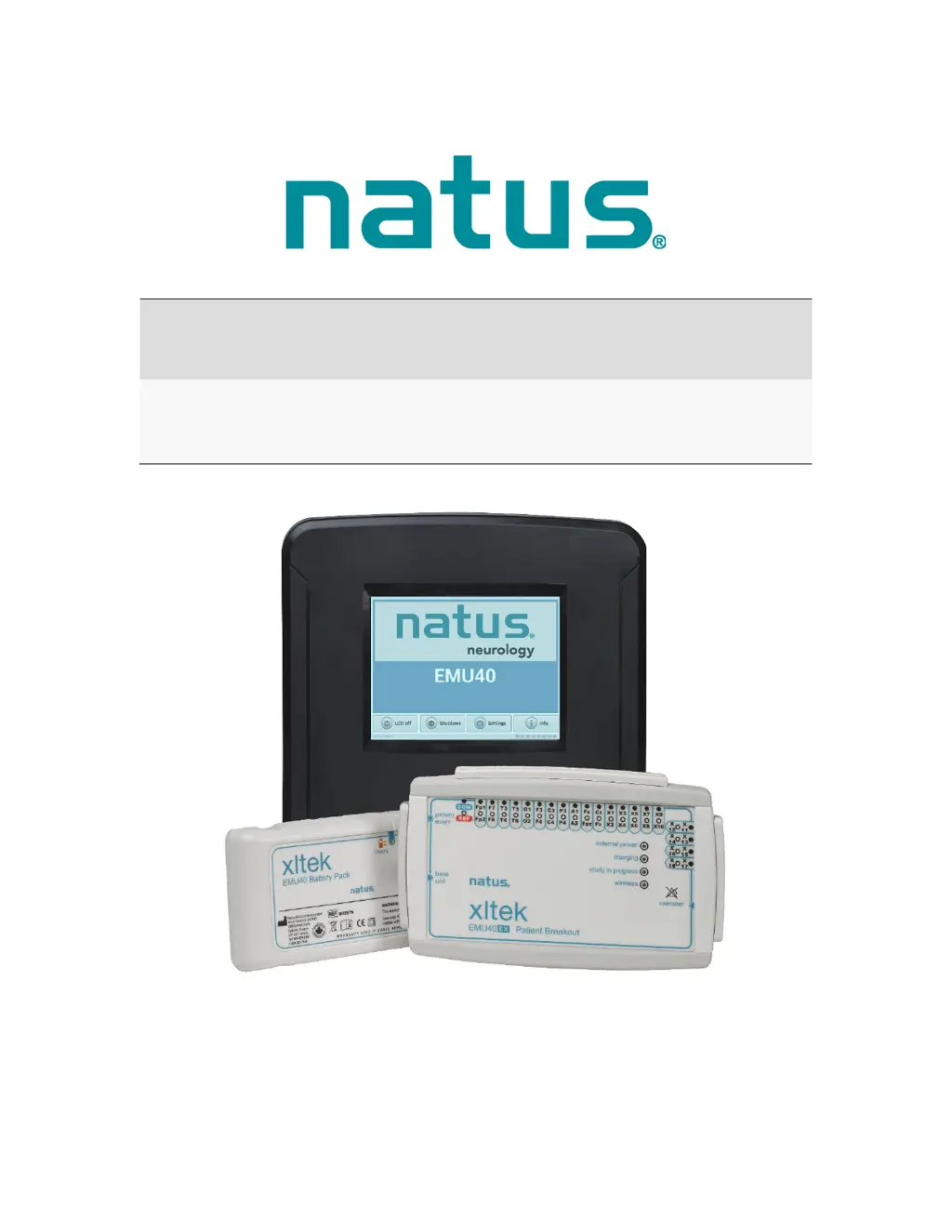
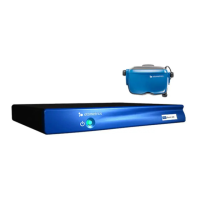
Shows an image of the complete EMU40EX System, including components.

Component Descriptions

Base Unit Ports and Connectors

Details various connectors and ports on the Base Unit.

Breakout Box Overview

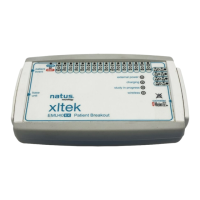
Lists inputs, connections, and status indicators on the breakout box.

Initial Setup and Configuration

Unpacking and System Components

Lists items included and optional components for the EMU40EX.

Connecting to a Computer

Provides instructions for connecting the EMU40EX to a computer via USB or Ethernet.

Setting the IP Address

Explains how to access and configure IP settings for network connectivity.

User Interface and Operation

Touchscreen Icons and Indicators

Details icons indicating connectivity status and system functions.

Amplifier Usage and Features

Provides initial steps, placement, and study starting guidance.

System Architecture and Wireless Modes

EMU40 EX System Description

Describes the components of the EMU40EX EEG amplifier system.

Wireless Operation Modes

Explains system operation with wireless enabled and disabled.

Performance Testing and Verification

Calibration and Channel Testing

Details amplifier calibration and performing channel signal tests.

Impedance Check Procedure

Guides on performing an impedance check using the software.

Pulse Oximeter Functionality

Pulse Oximeter Operation and Specs

Explains oximeter principles, indications, and technical specifications.

Measurement Accuracy and Signal Loss

Lists factors affecting accuracy and causes of pulse signal loss.

Transport, Maintenance, and Disposal

Transport System Specifications

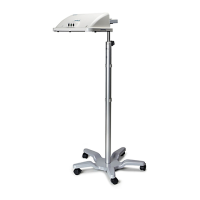
Provides specifications for the system trolley and Natus ErgoJust Cart.

Maintenance, Cleaning, and Disposal

Details maintenance, cleaning instructions, and proper disposal procedures.

Troubleshooting and Support

Troubleshooting Checklist

Offers a checklist of common troubleshooting steps for system issues.

Getting Help and Technical Support

Guides on documenting incidents and contacting technical support.

Accessories and Replacement Parts

Replacement Parts List

Lists available replacement parts for the system.

Optional Accessories List

Lists compatible optional accessories for the system.

natus EMU40EX Specifications

General IconGeneral
Channels40
Input Impedance>100 MΩ
TypeEEG Amplifier
Resolution24 bits
Impedance CheckYes
ConnectivityEthernet
High-pass Filter0.1 Hz, 0.3 Hz, 0.5 Hz, 1 Hz, 5 Hz, 10 Hz
Low-pass Filter100 Hz
Notch Filter50 Hz or 60 Hz
Data StorageExternal
Operating Temperature10°C
Operating Humidity30% non-condensing

Related product manuals