12
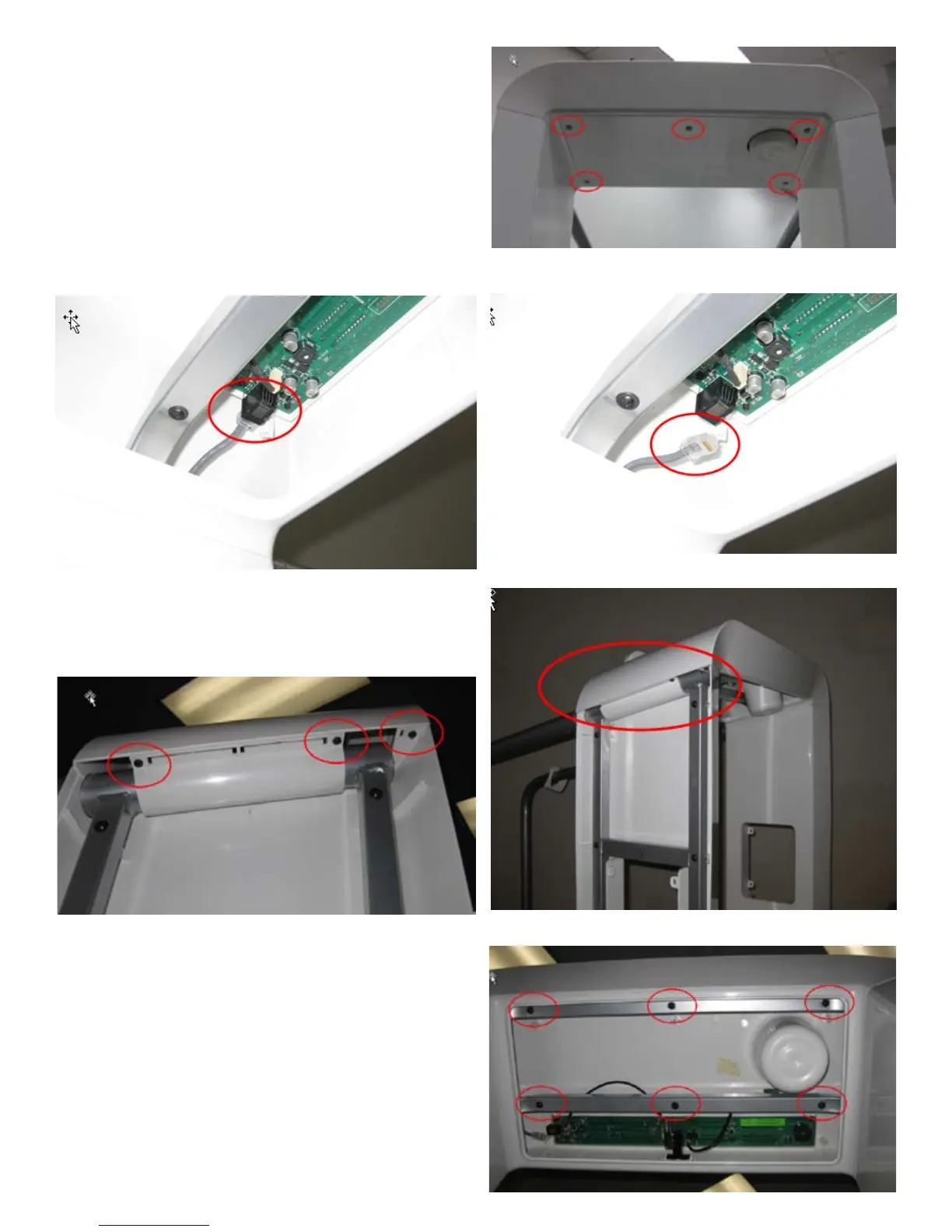
4. Remove the 5 indicated screws from the Console Access Door using a Phillips
screwdriver.
5. Lower the door and set aside (Use Caution! Door can fall when last screw is
removed – tape can be used to temporarily hold door in place).
6. Use ngers to remove the Console Data Cable as shown.
7. Remove the 3 indicated screws from both the right and left sides of the Console
(6 total).
8. Remove the 6 indicated screws from the Console using a #2 Phillips screwdriver.
9. Lift Console off of frame.
10. Installation is the reverse procedure.






 To Next Page