13
Replacing the A/C Inlet
To reduce the risk of electrical shock, always unplug the power cord and wait 5 minutes before cleaning, maintaining or repairing this machine.
Tools Required: #2 Phillips Screwdriver, #2 Standard Screwdriver
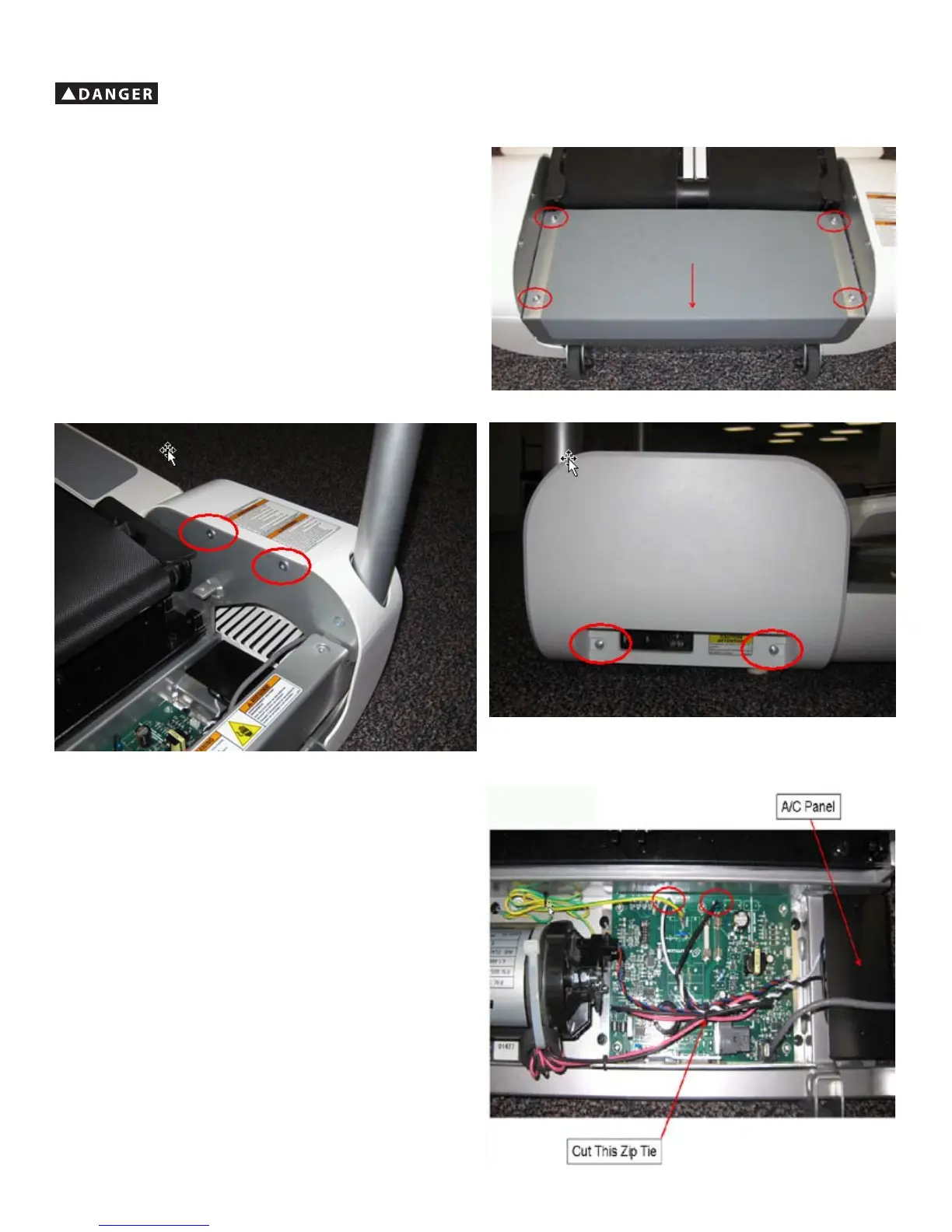
1. Remove the 4 indicated bolts using a 4 mm hex wrench.
2. Slide Rear Step toward back of machine and lift off.
3. Remove the 4 indicated screws using #2 Phillips screwdriver.
4. Remove Right Side Cover off of the machine.
5. Cut off indicated zip tie, being careful to not cut any wires.
6. Disconnect black & white wires by pulling straight up on connectors – do not
pull on the wire itself.






 To Next Page