14
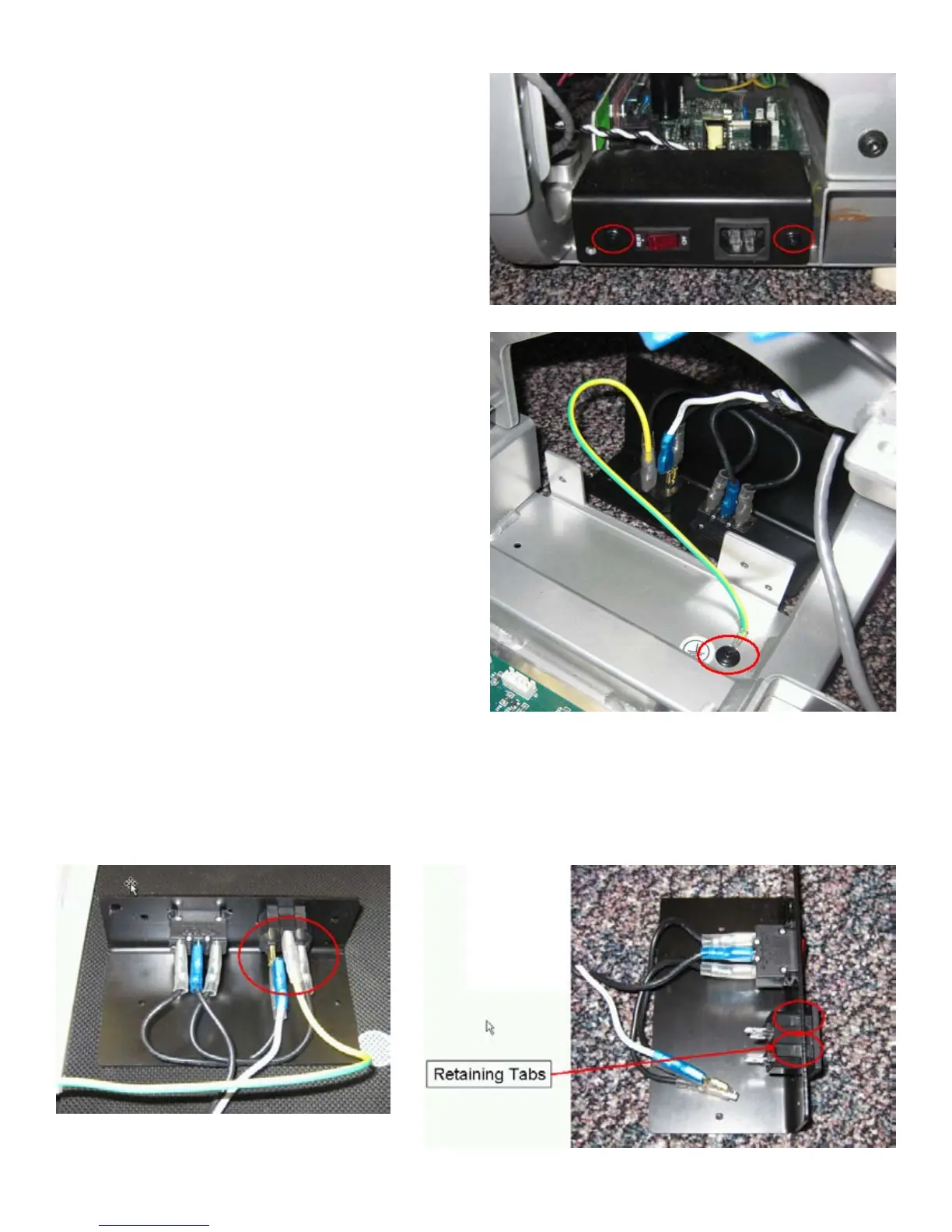
7. Remove the 2 indicated screws using #2 Phillips screwdriver.
8. Pull A/C Panel to side.
9. Remove the indicated ground screw using #2 Phillips screwdriver.
10. Remove the wires from the A/C Inlet, noting their location.
11. Using a #2 Standard screwdriver, press down on the retaining tabs and remove
the A/C Inlet.
12. Push the new A/C Inlet into place.
13. Re-assembly is the reverse of this procedure.






 To Next Page