20
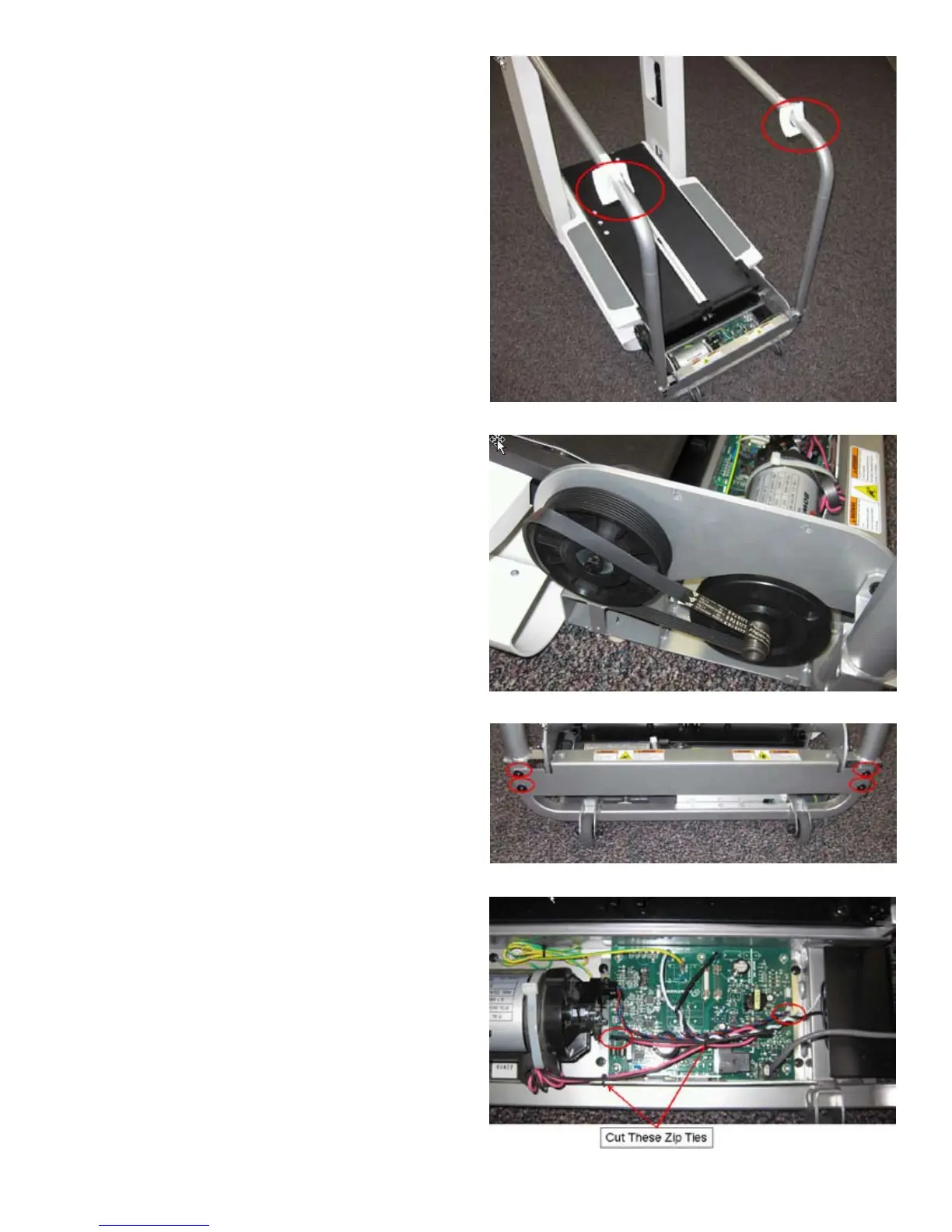
7. Slide both Bar Covers to the Upper Hand Bars and tape them there.
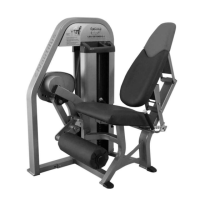
8. Refer to the Drive Belt removal instructions and remove the Drive Belt.
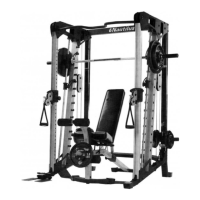
9. Remove the 4 bolts indicated from the Rear Upright Support Bracket using a
4mm hex wrench and remove it.
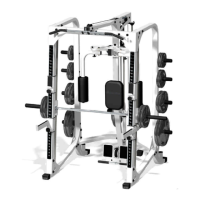
10. Cut off indicated zip ties, being careful to not cut any wires.
11. Disconnect indicated wires by pulling straight up on connectors – do not pull
on the wire itself.






 To Next Page