19
Replacing the Motor
To reduce the risk of electrical shock, always unplug the power cord and wait 5 minutes before cleaning, maintaining or repairing this machine.
Tools Required: #2 Phillips Screwdriver
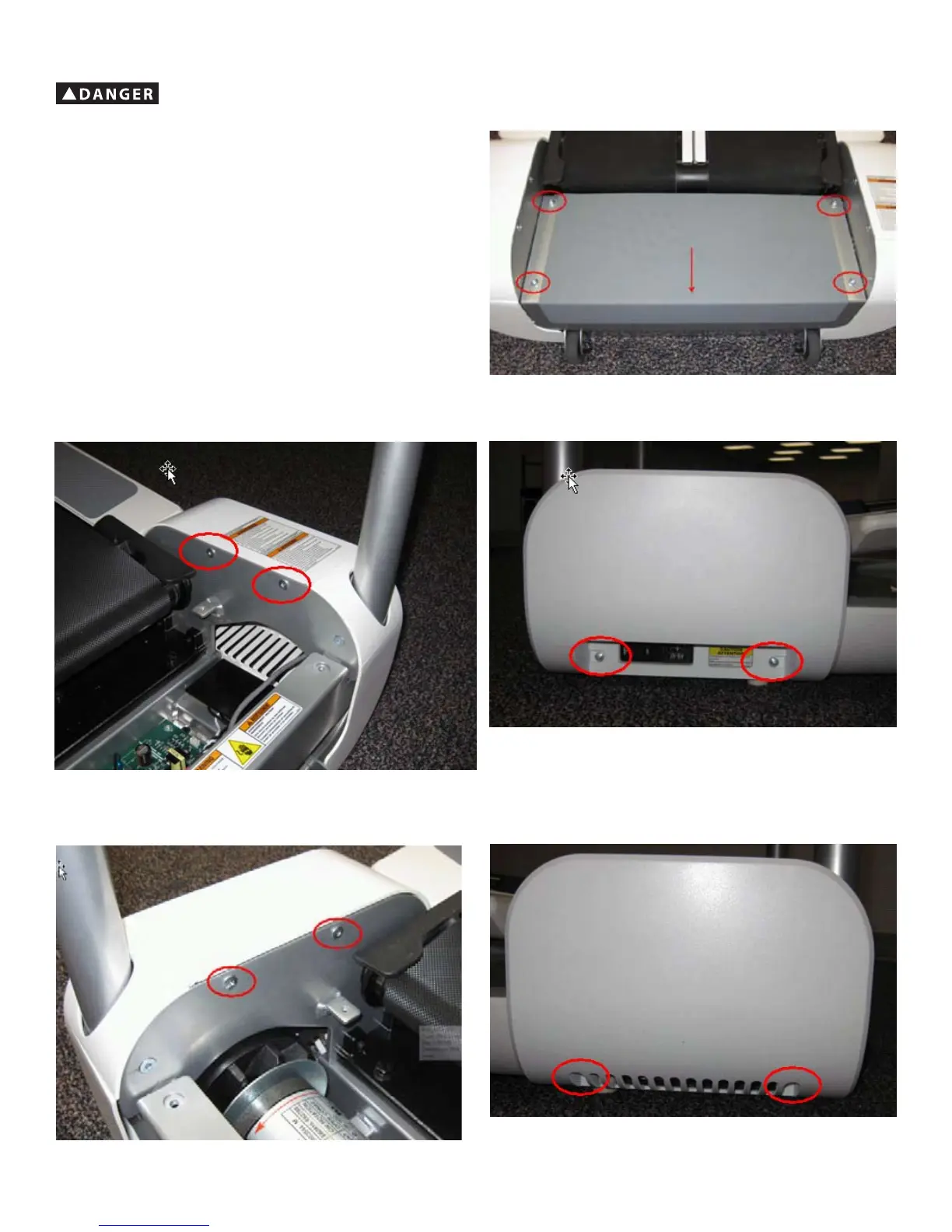
1. Remove the 4 indicated bolts of the Rear Step using a 4 mm hex wrench.
2. Slide Rear Step toward the back of machine, and lift off.
3. Remove the 4 indicated screws of the Right Rear Side Cover using a #2 Phillips screwdriver.
4. Slide the Right Rear Side Cover off of the machine.
5. Remove the 4 indicated screws of the Left Rear Side Cover using a #2 Phillips screwdriver.
6. Slide the Left Rear Side Cover off of the machine.






 To Next Page