22
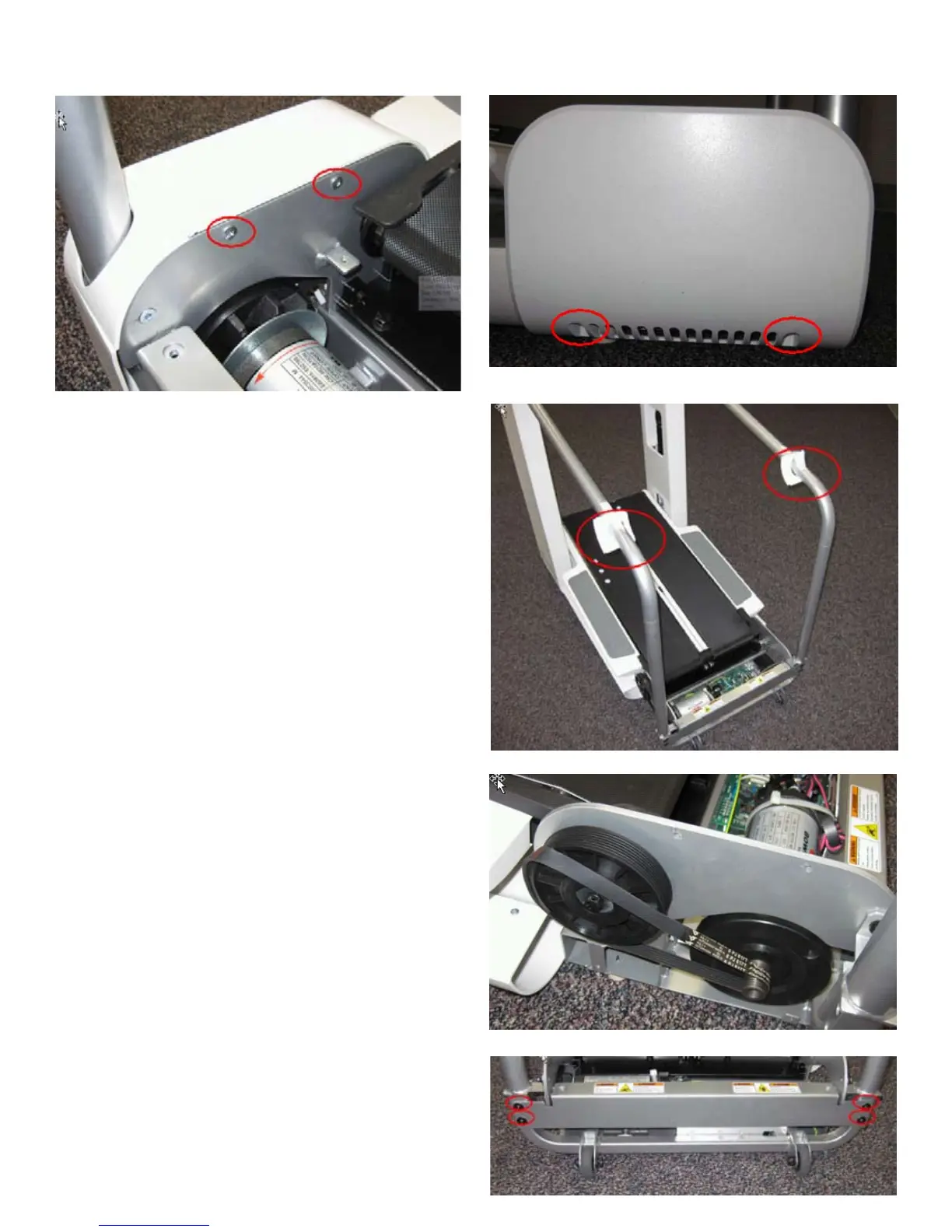
5. Remove the 4 indicated screws of the Left Rear Side Cover using a #2 Phillips screwdriver.
6. Slide the Left Rear Side Cover off of the machine.
7. Slide both Bar Covers to the Upper Hand Bars and tape them there.
8. Refer to the Drive Belt removal instructions and remove the Drive Belt.
9. Remove the 4 bolts indicated from the Rear Upright Support Bracket using a
4mm hex wrench and remove it.






 To Next Page