31
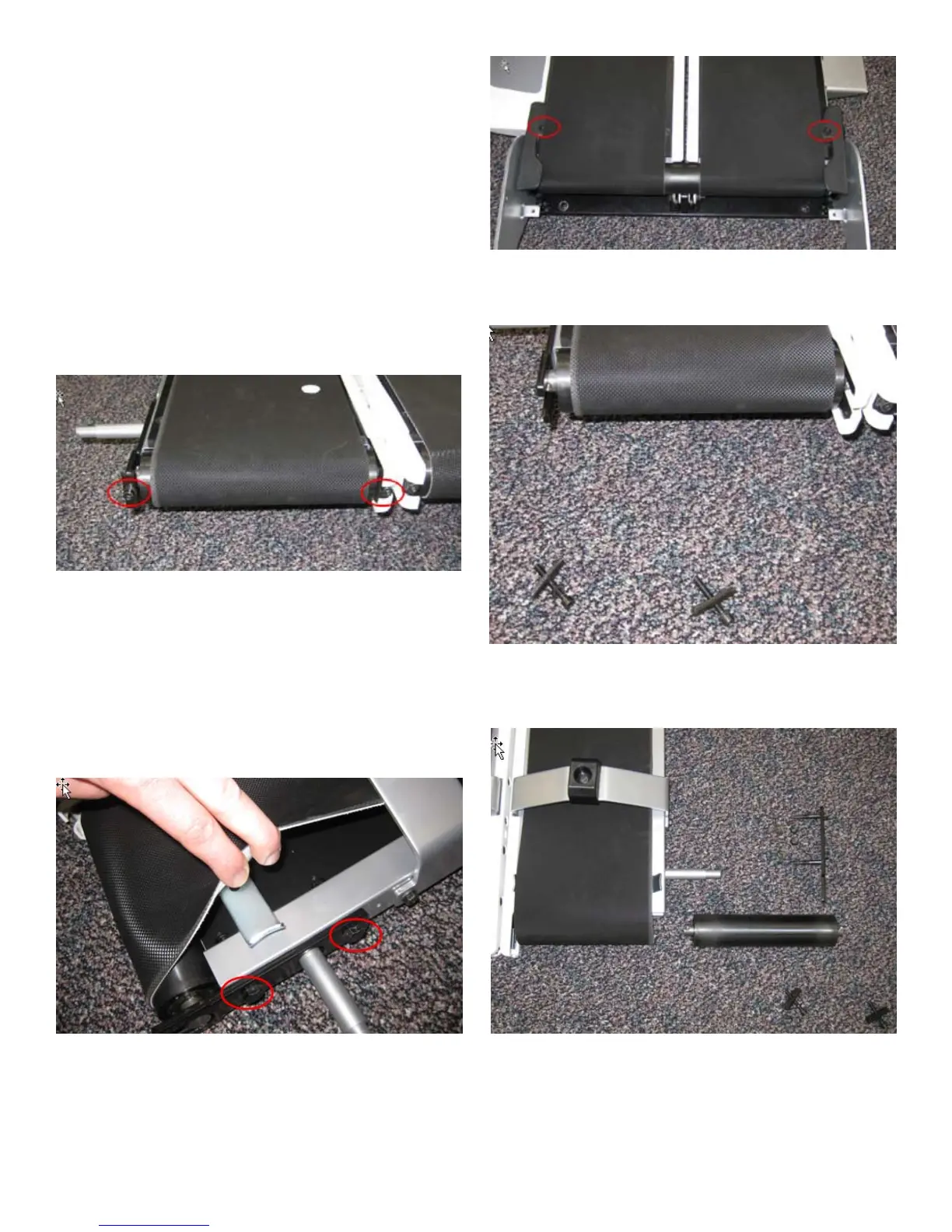
5. Remove the 2 indicated screws from both sides using a #2 Phillips screwdriver
and remove the Belt Guides.
6. Remove the Belt Tensioning Screws and brackets using a 5 mm hex wrench.
7. Remove the 2 Roller Bracket bolts using two 13 mm wrenches.
8. Remove the Front Roller by sliding it out of the belt.
9. Installation is the reverse procedure. Be sure to tension belts properly after
reassembly following the procedures in the Owner’s manual.






 To Next Page