2c
2e
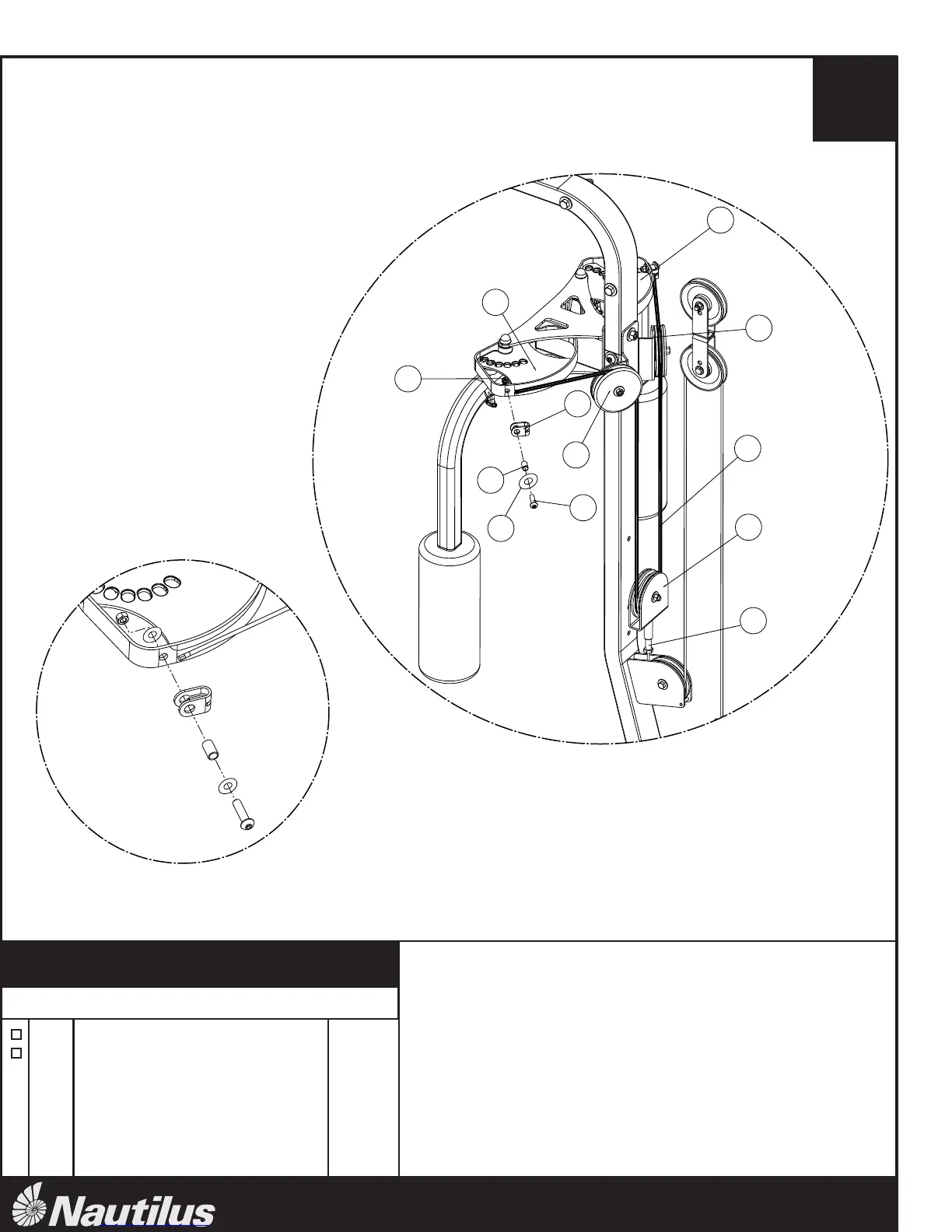
Floating Pulley Bracket Assembly
Pec Cable (w/ Terminations)
1
1
A.
B.
Thread the Lat Cable (A) into the FLOATING PULLEY
BRACKET ASSEMBLY (2c)
C.
Remove the cable termination from both ends of the PEC
CABLE (2e) by removing the Button Head Cap Screw (B),
Spacer (C), U-Bracket (D), 2 - Washers (J), and Nut (E).
TM
6
step
4
Step #4 Materials:
#
Description
Qty.
NT-1830
Attach the other end of the PEC CABLE (2e) to the Right
Cam (I) using the termination on the PEC CABLE (2e).
A
Cable Termination Detail
D.
Attach the PEC CABLE (2e) to the Left Cam Assembly (F)
using the given hardware.
J













 To Next Page