EasyManua.ls Logo

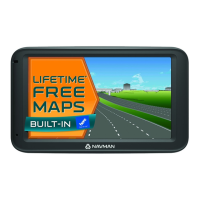
Navman EZY260LMT - User Manual

Navman EZY260LMT
94 pages
Print Icon
To Next Page IconTo Next Page
Loading...
EZY260LMT
MY550LMT
MY650LMMT
User Manual
EZY-Series
MY-Series

Table of Contents

Questions and Answers

  • L
    Lori RuizAug 11, 2025
    How to fix Navman GPS not turning on?
    • J
      joannagonzalezAug 11, 2025
      If your Navman GPS unit isn't turning on or charging, first try charging it by connecting it to a computer via a USB cable. If it charges this way, the problem is likely with the in-car charger. If it still doesn't charge, the issue is with the unit itself. In this case, contact technical support to fix the unit or replace the in-car charger.
  • Y
    Yvonne AllenAug 19, 2025
    Why does my Navman EZY260LMT ask for a product key?
    • G
      gary47Aug 19, 2025
      Your Navman GPS unit doesn't need activation to work. The Activation tab in the NavDesk software is only for subscriptions, travel books, international maps, and map upgrades. Your GPS unit should function immediately without any activation process.
  • J
    Jimmy RichmondAug 26, 2025
    How to change speed limit on Navman GPS?
    • T
      Terry BryanAug 26, 2025
      If your Navman GPS consistently displays a speed limit of 110 kph, even when it's incorrect, it's because the unit's manual speed limit is defaulted to 110 kph. You can change this setting in the "Safety" section of your Settings menu.
  • W
    weavercherylSep 3, 2025
    What to do if Navman GPS can't find a signal?
    • A
      Adam HughesSep 3, 2025
      If you can't get a GPS signal on your Navman device, ensure you're stationary and have a clear view of the sky. If the problem persists, reset the GPS chip through the Settings menu of your unit.

Navman EZY260LMT Specifications

General IconGeneral
Display Resolution480 x 272 pixels
GPS ReceiverHigh-sensitivity GPS receiver
Lifetime Map UpdatesYes
Lifetime Traffic UpdatesYes
BluetoothNo
Voice GuidanceYes
Battery LifeUp to 2 hours
Display TypeLCD
GPS TypeGPS
Maps IncludedAustralia and New Zealand
FeaturesSpeed limit alerts
Screen Size5 inch

Related product manuals