18 TRACKER950 CHARTPLOTTER Installation and Operation Manual
NAVMAN
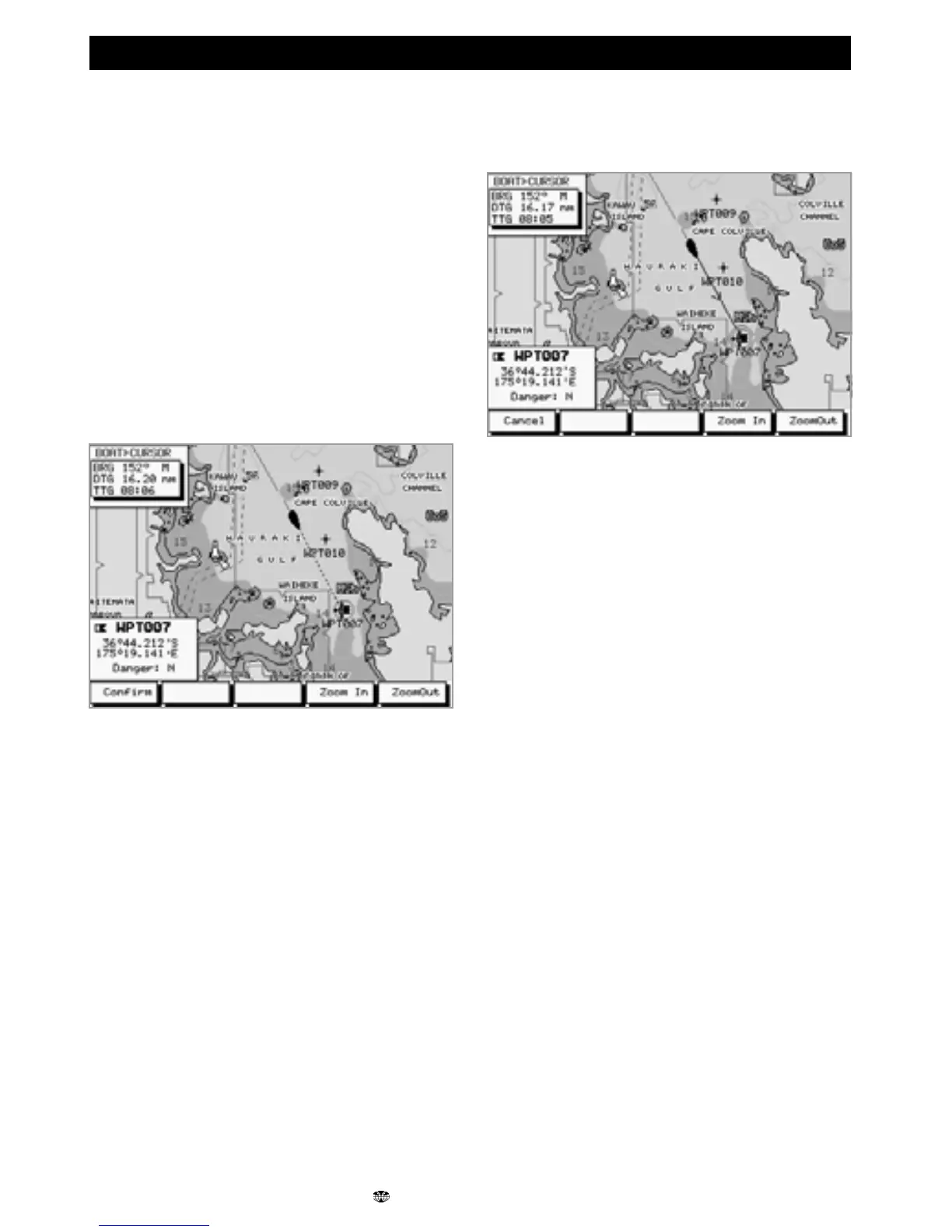
GoTo is a simple way of navigating straight to one
place: to the cursor position or to a waypoint.
To start the GoTo
1 In the Underway screen, zoom in or out until
the boat and destination are visible.
2 Press the GoTo key. A dotted line joins the
boat and cursor positions, showing the
planned course.
3 Move the cursor to the destination; this can
be a waypoint or just the current cursor
position.
Warning: make sure that the course does
not pass over land or dangerous waters.
4 Press the Confirm key to start the GoTo. The
TRACKER950 will start navigating to the
destination.
4-1 GoTo screen
To cancel a GoTo
1 In the Underway screen, press the GoTo key.
2 Press Cancel. The TRACKER950 will stop
navigating to the destination.











 To Next Page