22 TRACKER950 CHARTPLOTTER Installation and Operation Manual
NAVMAN
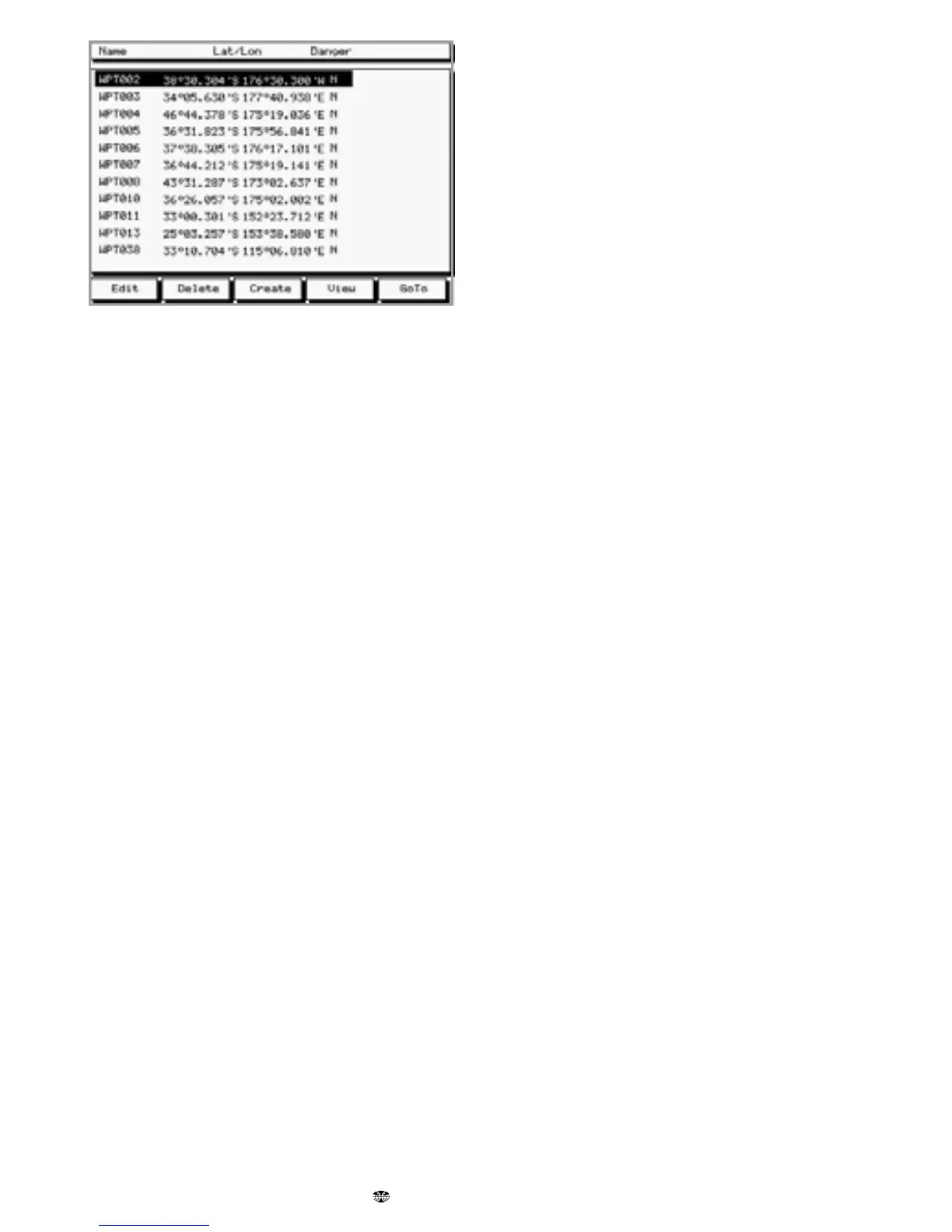
Use the cursor keys to highlight a particular
waypoint. These softkeys keys are available:
Edit: Edit the data for the highlighted
Waypoint (see section 6-1-6).
Delete: Delete the highlighted Waypoint. You
can not delete a waypoint if it is part of a
route or the boat is going to the waypoint.
Create: Create a new waypoint (see section
6-1-4).
View: Display the chart with the waypoint in
the centre of the screen.
GoTo: Start the boat going to the waypoint
(see section 4-1).











 To Next Page