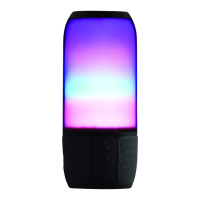
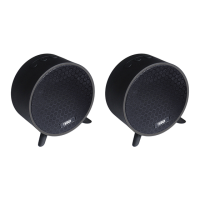
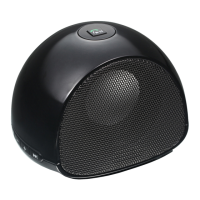
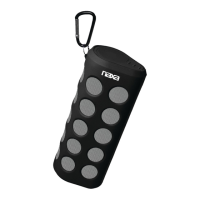
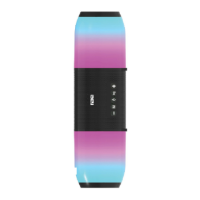
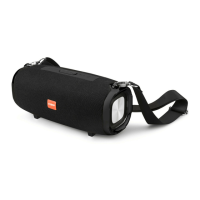
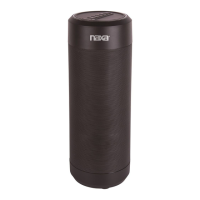
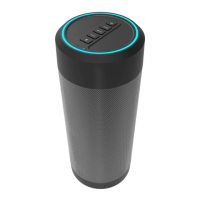
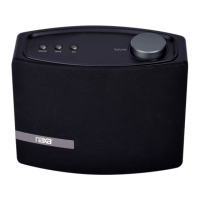
This document is an instruction manual for the Naxa TWS Dual Bluetooth® Speakers Combo, model NAS-3105D.
Function Description
The Naxa NAS-3105D is a TWS (True Wireless Stereo) dual Bluetooth® speaker combo designed to deliver outstanding stereo sound. It allows users to play music wirelessly from Bluetooth® enabled smartphones, tablets, or laptops. A key feature is its TWS function, which enables the connection of two speakers to seamlessly stream music across different rooms, providing a more immersive audio experience. Beyond wireless connectivity, the speakers offer multiple manual connection options for external devices, including memory cards (TF cards), AUX IN, and USB flash drives, making it versatile for various audio sources. The device can also function as a speakerphone when connected to a smartphone, adding a practical utility for hands-free communication. It is equipped with a built-in rechargeable battery for portable use.
Important Technical Specifications
- Bluetooth Version: 5.0V
- Power Output: 5W x 1 (per speaker)
- Speaker Unit: 78mm, 4Ω 5W
- Frequency Range (Bluetooth): 33ft / 10m
- Frequency Response: 100Hz-18KHz
- Battery: 3.7V 1200mAh (rechargeable)
- Play Time: 3-4 hours
- Charging Voltage: 5V
- Supported Modes: TF card, USB, AUX, TWS
Usage Features
The speakers are designed for ease of use across multiple modes:
Powering On and Charging:
The speakers have an integrated rechargeable battery. For initial use, the battery should be fully charged to ensure optimal performance and battery life. Charging is done via the included USB charging cable. The small end of the cable connects to the DC 5V USB charge port on the unit, and the large end connects to a high-power USB port of a powered-on computer or a USB power source. A red Status LED indicates charging, and it turns off when charging is complete.
Bluetooth® Mode:
- To activate Bluetooth® mode, slide the power switch to "On." The speaker will emit a voice prompt "BT Mode," and a blue light will begin flashing.
- Enable Bluetooth® on your mobile device or computer.
- Search for "NAS-3105D" in the Bluetooth® menu and select it to connect.
- A successful connection will be indicated by an audio "Ding" from the speaker.
- If connection fails, restart the device and repeat the steps.
During playback in Bluetooth® mode:
- Hold the Volume Up/Down buttons to control the volume.
- Briefly press the Volume Up/Down buttons to navigate to the next or previous track.
USB Mode:
- Turn on the speaker by sliding the power switch to "On." The speaker will initially sound "BT Mode."
- Press the mode button repeatedly until "USB Mode" is announced.
- Insert a USB flash drive into the USB port.
- Press the play button to start media playback.
During playback in USB mode:
- Hold the Volume Up/Down buttons to control the volume.
- Briefly press the Volume Up/Down buttons to navigate to the next or previous track.
TF Mode (Memory Card Playback):
- Turn on the speaker by sliding the power switch to "On." The speaker will initially sound "BT Mode."
- Press the mode button repeatedly until "TF Mode" is announced.
- Insert a TF memory card into the TF card slot.
- Press the play button to start media playback.
During playback in TF mode:
- Hold the Volume Up/Down buttons to control the volume.
- Briefly press the Volume Up/Down buttons to navigate to the next or previous track.
AUX Mode (Auxiliary Input):
- Turn on the speaker by sliding the power switch to "On." The speaker will initially sound "BT Mode."
- Press the mode button repeatedly until "AUX IN" mode is announced.
- Insert one end of a 3.5mm auxiliary cable (not included) into the 3.5mm AUX port on the speaker.
- Insert the other end of the auxiliary cable into the external media device you wish to listen to music from.
- Press the play button to start media playback on the external device.
During playback in AUX mode:
- Hold the Volume Up/Down buttons to control the volume.
- Briefly press the Volume Up/Down buttons to navigate to the next or previous track.
Controls at a Glance (Physical Buttons and Ports):
- Charge Indicator: Red when charging, off when full.
- Charge Port: For USB charging cable.
- AUX Port: 3.5mm input for external devices.
- USB Slot: For USB flash drives.
- TF Card Slot: For TF memory cards.
- Power Switch: On/Off control.
- Volume Down (-): Decreases volume, previous track (brief press).
- Pause/Play/Mode (M): Toggles playback, switches between modes.
- Volume Up (+): Increases volume, next track (brief press).
Maintenance Features
The manual emphasizes the importance of reading it carefully and saving it for future reference. For any missing items from the box, users are advised to check with their local retailer or contact Naxa Support at www.naxa.com/supportcenter/. For device problems, users should consult the manual or visit www.naxa.com for news, alerts, and documentation. Naxa Technical Support can be contacted at 2320 East 49th St., Vernon, CA 90058, or via http://www.naxa.com/naxa_support/.
FCC Notice:
The device complies with Part 15 of the FCC Rules, meaning it may not cause harmful interference and must accept any interference received. Users are cautioned that any changes or modifications not expressly approved by the grantee may void their authority to operate the equipment. If the equipment causes harmful interference to radio or television reception, users are encouraged to try to correct the interference by:
- Reorienting or relocating the receiving antenna.
- Increasing the separation between the equipment and receiver.
- Connecting the equipment into an outlet on a circuit different from that to which the receiver is connected.
- Consulting the dealer or an experienced radio/TV technician for help.
The equipment complies with FCC radiation exposure limits for an uncontrolled environment and should be installed and operated with a minimum distance of 20cm between the radiator and the user's body.

 Need help?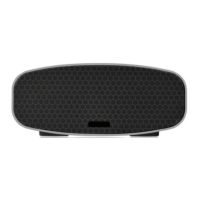

 To Next Page
 General