Page 3
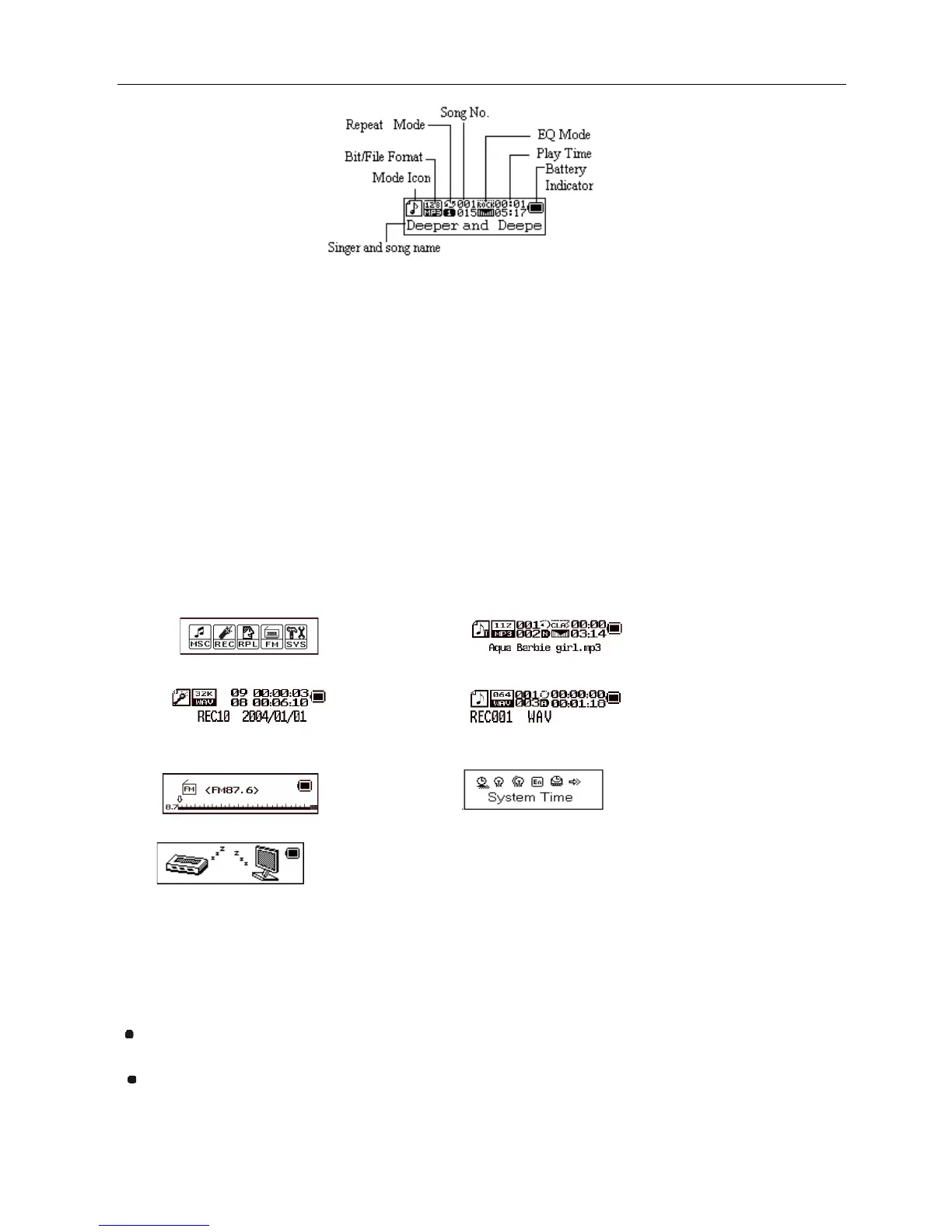
LCD Window
Battery
The player is uses 1 x AAA battery (Not Included)
Basic Operation
Entering Menu System
• Pressing Mode button may enter the menu system, including main menu (long press of mode key at Stop
mode), submenu at Play mode (press to enter) and submenu at stop mode (press to enter).
Entering Different Modes
• You may enter different modes from the main menu.
Main menu: ( press Mode button) Music mode:
Record mode: Voice mode:
FM Radio Mode: System Setting :
USB Mode when connecting to PC
:
You may press Play button to fast exit from any menu or option interfaces.
Adjust volume
Decrease volume by hold on VOL- and increase volume by hold on VOL+.
Turn ON/OFF
Turn ON/OFF by pressing Mode key for a long time.



 To Next Page