Page 11
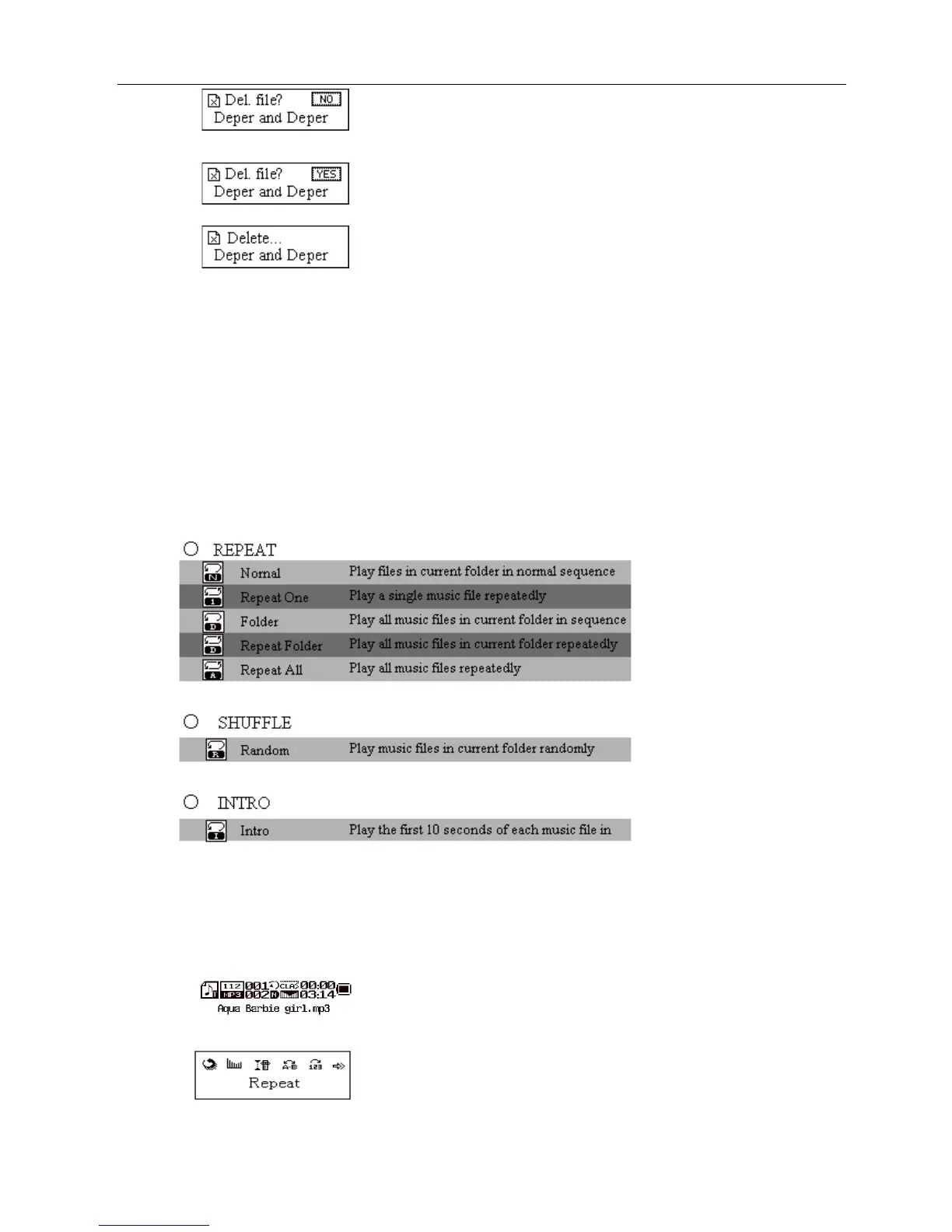
Push Next to switch between “NO” and “YES”.
Press Mode to confirm and deletion starts.
“Delete All” means to delete all the relevant files at current mode in current folder. (For example, at Music Mode
executing “Delete All”, all the music files in current files may be deleted, while recorded files without change.)
When deleting files on PC, please take care to eject the player safely before pulling out USB cable, otherwise files
may not be deleted.
Play Mode (Play Submenu)
When playing music and recorded files, different play modes can be selected. (such as Repeat, shuffle, etc.)
The first option in Play Submenu is Play Mode. The player will play files according to the mode selected.
Tempo Rate (Play Submenu)
When playing music(Only for MP3 formats) or recorded files, different tempo rate can be set (faster or slower)
without changing the tone and sound.
When playing music files
Press Mode to enter Play Submenu
Push Next to select Tempo Rate



 To Next Page