Connecting to the Internet
The controller for the RTB is a web-enabled controller and can be updated
automatically from the Internet.
Operational data on your system can be viewed on www.stokercloud.dk
How to get the controller on the web:
1. Connect the controller to your router through an RJ45 cable, as it is a direct cable
connection, there is no password, etc..
Once the controller is connected a small icon will appear on the controller screen.
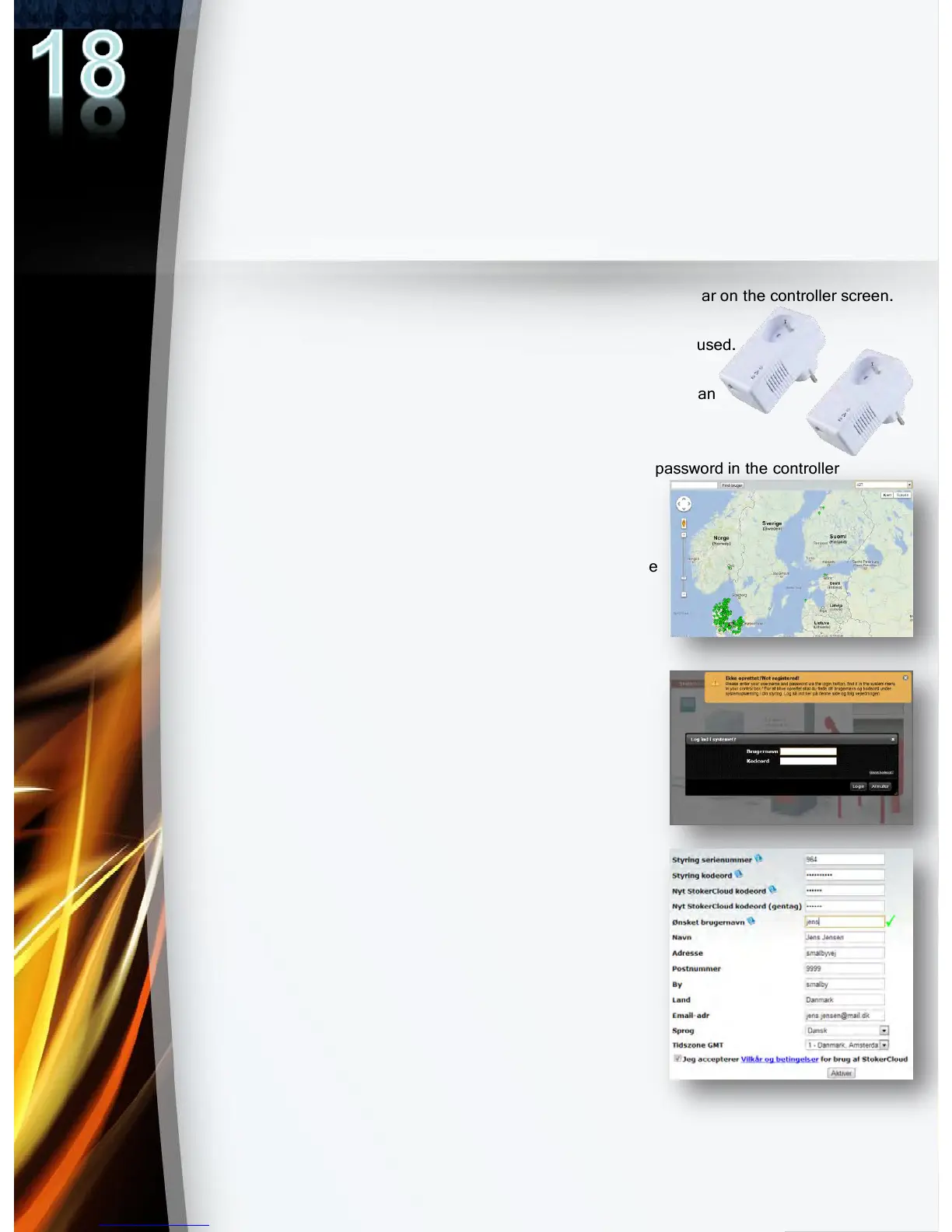
If you do not have the possibility of a direct cable
connection, these adapters (pictured on right) can be used.
They can establish a connection to your router through
your household power cables. This solution allows for an
easy PLUG and PLAY solution.
2. Find your control serial number(username) and password in the controller
under the menu “System."
3. Go to www.stokercloud.dk and find your
controller serial number in the scroll-down at the
top of the page or type your control number in
the search box.
4. LOG IN, and follow the instructions on
Stoker Cloud.
5. Enter your personal information.
New user name and new password.


 To Next Page