10 11
2. PreparetheRemoteControl
①
For first time use, remove the plastic battery insulation tab to
activate the remote control batteries.
②
To replace the batteries, slide off the battery compartment backplate
to open the battery compartment, insert new batteries (matching the
polarity (+/-) indicated), and close the battery compartment.
3. GetStarted
①
Fully charge the built-in battery before using for the first time.
②
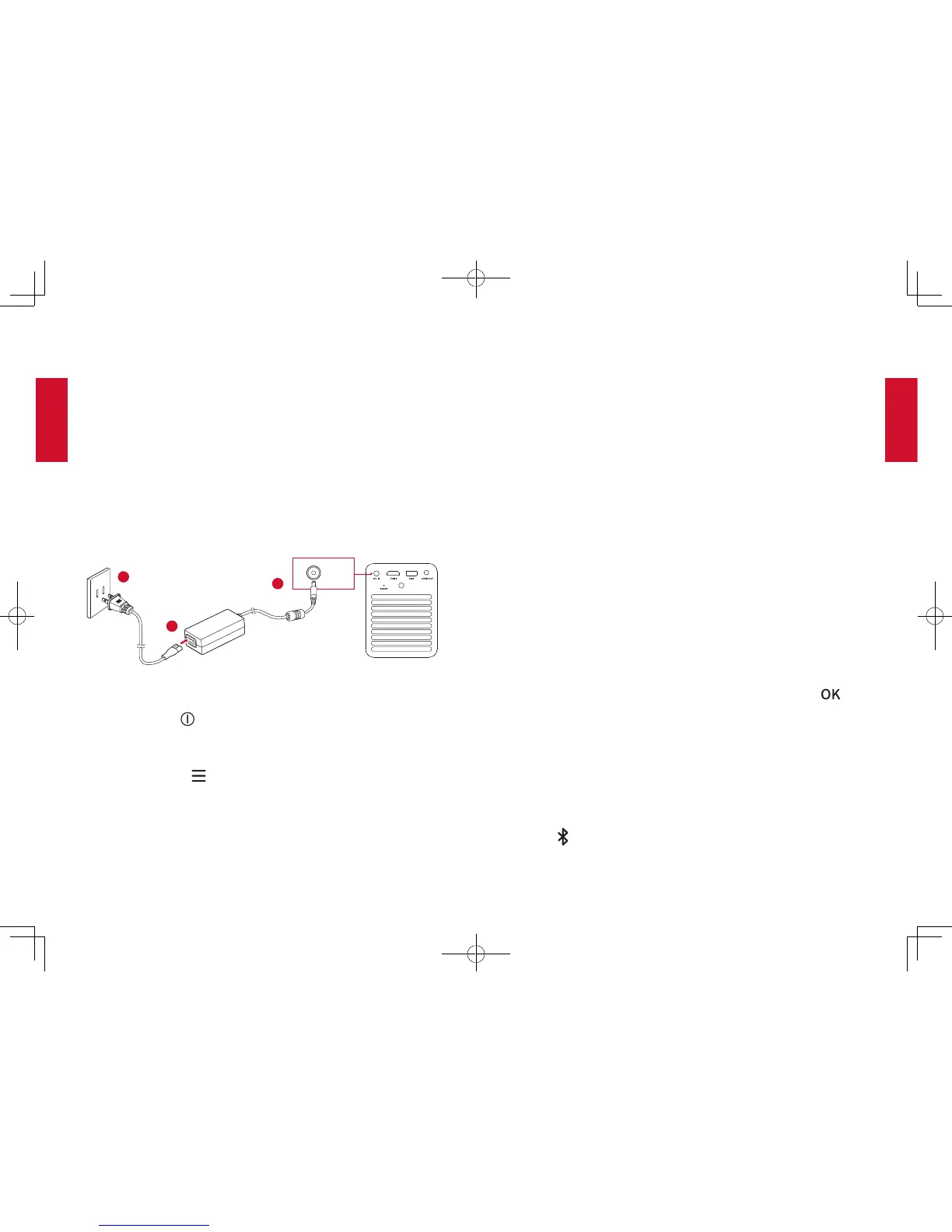
Connect the projector to the outlet by using the provided power
adapter and power cord, the built-in battery will be charged and the LED
indicators will light on.
DC IN
2
1
3
③
Slide down the lens cover, and the projector will automatically turn on.
You can also press on the remote control to turn it on.
④
Angle the projector towards a suitable projection surface or wall.
⑤
To focus the image, slightly move the projector to engage auto-focus
or press and hold the on the remote control to manually adjust.
For first time use, follow the on-screen instructions to complete the
basic set-up.
NebulaApp
To easily control this projector, we recommend you to download the
dedicated Nebula app, Nebula Connect. Using this app, you can use
your smartphone’s keyboard to input text and use the screen as a
mouse.
①
Download the Nebula Connect app from the App Store (iOS devices)
or Google Play (Android devices).
②
Enable Bluetooth on your smartphone and select
[Nebula]
as the
device to be connected.
③
Open the Nebula Connect app and follow the on-screen instructions
to complete connection setup.
Settings
Go through the set-up process main settings when you turn on the projector
for the first time.
1. Network
This projector can be connected to the Internet via a wireless (Wi-Fi)
connection.
①
On the home menu, select
[Settings]
>
[Network]
and press ..
②
Follow the on-screen instructions to complete the network
connection.
2. Bluetooth
Bluetooth Speaker Mode
You can use this projector as a standalone Bluetooth speaker.
①
Press on the projector to switch to Bluetooth speaker mode.
②
Enable Bluetooth on your smartphone and select
[Nebula]
as the
device to be connected.



 To Next Page