English
English
04 05
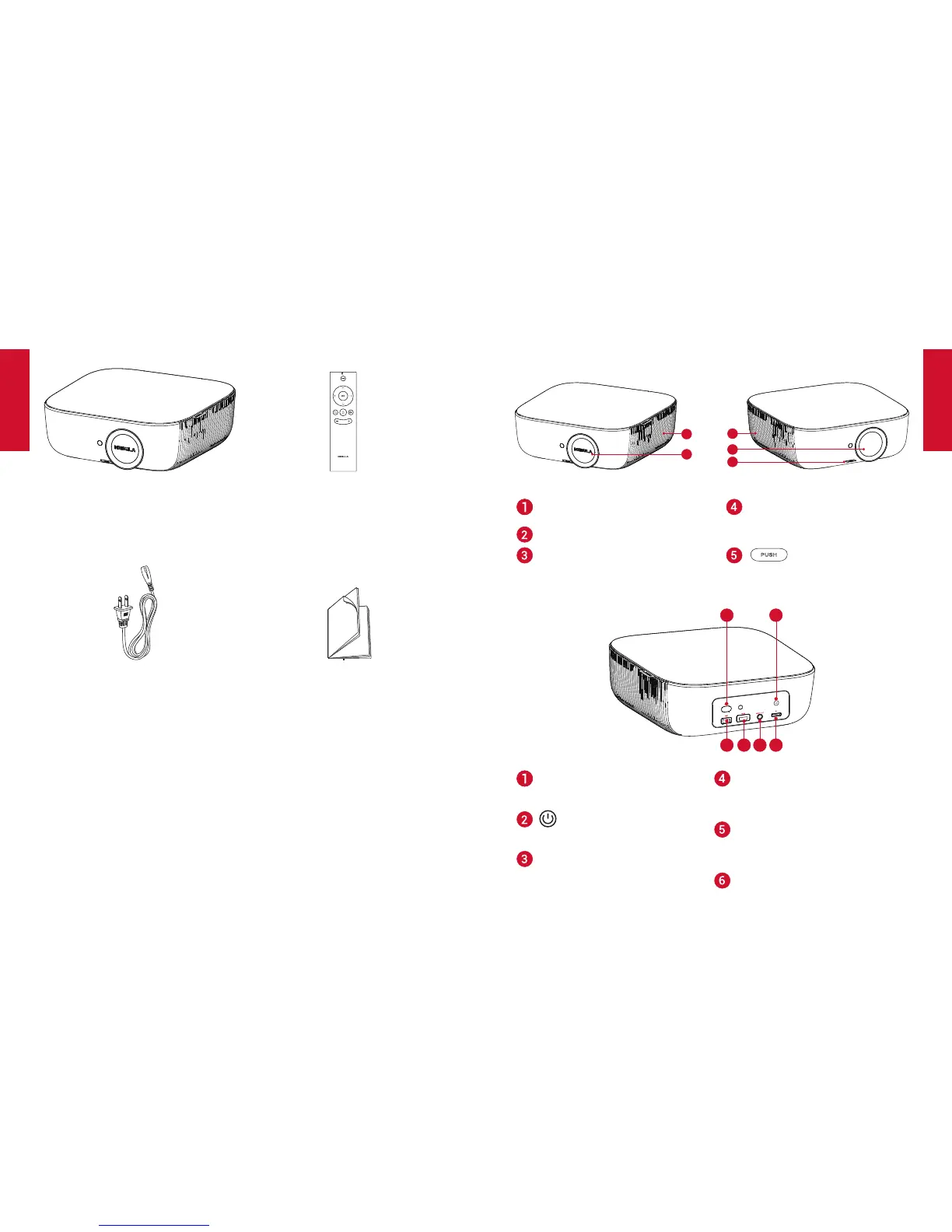
What’sIncluded
Main unit
Power cord
Remote control with batteries
Manual
Overview
1. FrontView
3
2
1
4
5
Loudspeaker/Airventilation
(inlet)
Lens
• Rotate to adjust focus
Lens cover
Air ventilation (outlet) button
3
5
4
6
1
2
AC-IN
• Connect to power supply
• Presstopoweron/off
USB
• Connect to a USB storage
device
HDMI
• Connect to a playback
device with HDMI output
AUDIO OUT
• Connect to headphone or
externalspeaker
SD card slot
• Insert an SD card



 To Next Page