English
English
06 07
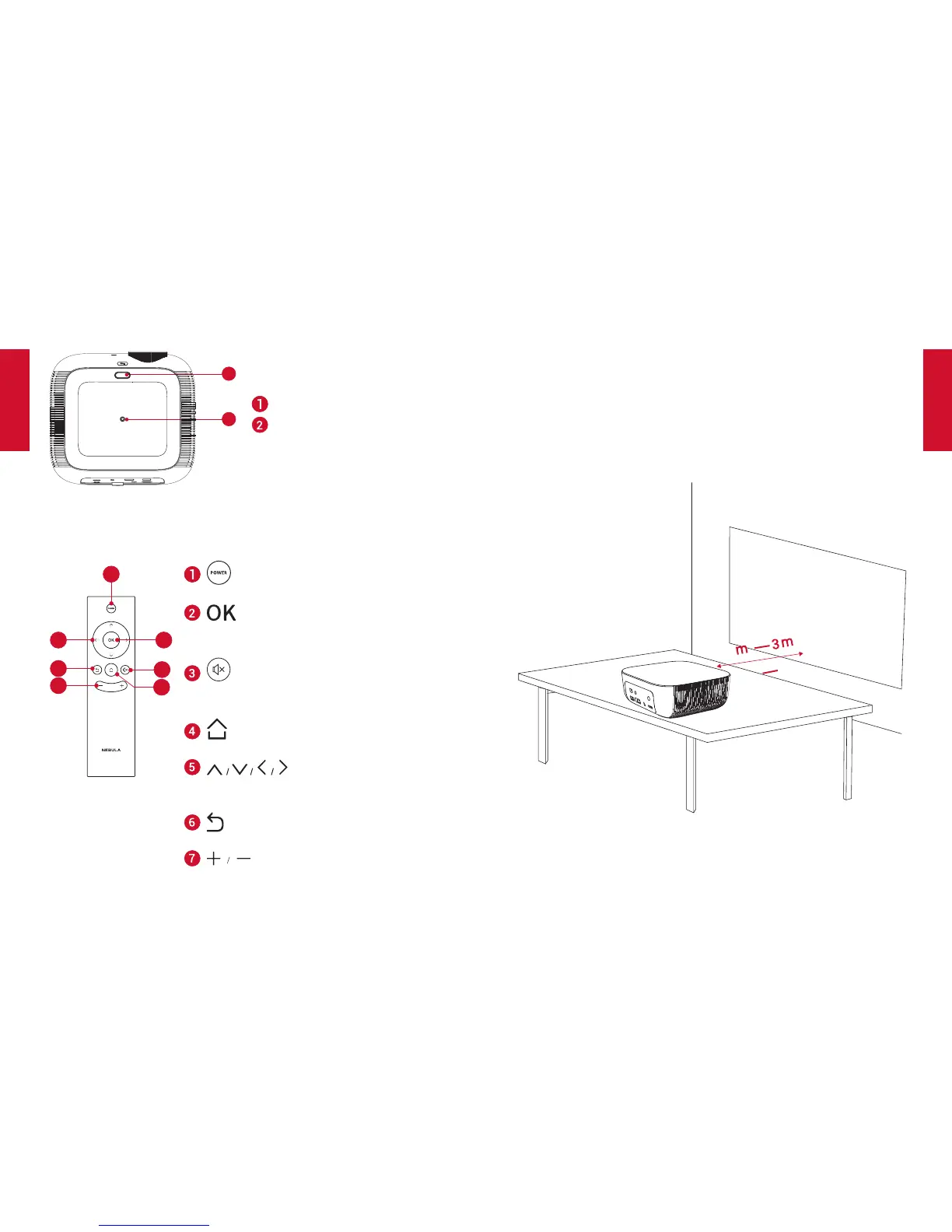
2. BottomView
1
2
Flip stand slot
Tripod socket
3. Remote Control
2
7
3
4
6
5
1
• Poweron/offorswitchtostandby
• Presstoconrmaselectionorentry
• Pause/resumeduringplay
• Press to mute or unmute the
loudspeaker
• Press to access the home menu
Navigation buttons
• Navigate menus or adjust the
selected contents
• Return to a previous menu
• Volumeup/down
GettingStarted
1. Placement
PlaceNebulaPrizmonaflat,stablefoundationsquarelyinfront
of the projection surface. For best results, the projection surface
shall be white and flat. The distance between this projector and the
projection surface must be a minimum of 1 meter (39.4 inches)
andamaximumof3meters(118inches).
1
39.4”
118”



 To Next Page