EasyManua.ls Logo

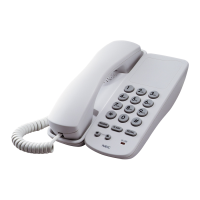
NEC AT-50 - User Manual

NEC AT-50
19 pages
Print Icon
To Next Page IconTo Next Page
Loading...
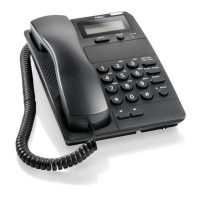
AT-50 USER GUIDE
GVT-053680-001
Issue 2.0
December, 2018
Caller ID Business Telephone

Questions and Answers

  • C
    Corey TateAug 1, 2025
    What to do if my NEC Telephone has no dial tone or won't dial out?
    • S
      Steven AdamsAug 1, 2025
      If your NEC Telephone isn't providing a dial tone or dialing out, try the following: First, check that the hook switch is not depressed. Second, make sure the line cord is securely connected. Third, ensure that the Dialing Mode Switch is in the correct position. Finally, unplug the phone, wait 30 seconds, and then plug it back in.
  • F
    fwebbAug 17, 2025
    Why can't the other party hear me on my NEC AT-50?
    • J
      Joshua CherryAug 17, 2025
      If the other party cannot hear you when using your NEC Telephone, confirm that both the phone cord and the handset curly cord are securely plugged in. Also, check that the MUTE key LED is off.

Summary

SAFETY INSTRUCTIONS

INSTALLATION

Connecting the Telephone Network

Instructions for connecting the telephone to the KTS/PBX network and important notes.

Wall Mounting

Procedure for mounting the telephone on a wall using screws and proper alignment.

INITIAL SETUP

BASIC OPERATION

Making a Call using the Handset

Step-by-step guide on how to make a call using the telephone handset.

Receiving a Call using the Handset

Instructions on how to answer an incoming call and conduct a conversation.

FEATURES

Caller ID (CID)

Details on displaying, reviewing, and dialing back Caller ID information.

TROUBLESHOOTING

Troubleshooting Guide

Common problems and their solutions for the telephone, including no dial tone and no ring.

QUICK REFERENCE

Feature Access Code

List of feature access codes and their corresponding option codes for configuration.

NEC AT-50 Specifications

General IconGeneral
BrandNEC
ModelAT-50
CategoryTelephone
LanguageEnglish

Related product manuals