EasyManua.ls Logo

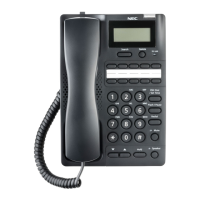
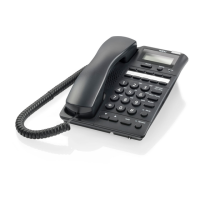
NEC AT-55P - User Manual

NEC AT-55P
22 pages
Print Icon
To Next Page IconTo Next Page
Loading...
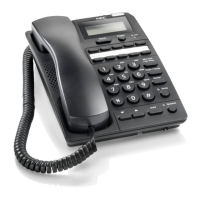
AT-55P USER GUIDE
GVT-090878-001
Issue 1.0
January, 2019
Caller ID Hands-Free Business Telephone

Questions and Answers

  • K
    kaiserpeterAug 12, 2025
    How to fix NEC Telephone when I cannot be heard?
    • P
      perrytimothyAug 12, 2025
      If you cannot be heard when using your NEC Telephone, ensure that both the phone cord and the handset curly cord are securely plugged in. Also, check to make sure the MUTE key LED is off.
  • H
    Heidi LoganAug 19, 2025
    Why is my NEC Telephone not ringing?
    • X
      xpriceAug 19, 2025
      If your NEC Telephone is not ringing, ensure that there are no other devices connected to the same line.
  • D
    Dr. Steve SullivanAug 27, 2025
    How to troubleshoot one-touch dialing on NEC AT-55P?
    • C
      Christopher AllenAug 27, 2025
      If you cannot use one-touch dialing on your NEC Telephone, first ensure that a number has been correctly stored in the one-touch key. A row of “-“ indicates an empty one-touch key.
  • N
    Natasha GoodmanSep 3, 2025
    What to do if my NEC AT-55P Telephone will not dial out?
    • J
      jonathanponceSep 3, 2025
      If your NEC Telephone will not dial out, check that the hook switch is not depressed and that the line cord is properly connected. If using speakerphone, ensure the SPEAKER key LED is lit. Also, make sure the Dialing Mode Switch is set to the correct position. As a last resort, unplug the phone, wait 30 seconds, then plug it back in.

NEC AT-55P Specifications

General IconGeneral
BrandNEC
ModelAT-55P
CategoryTelephone
LanguageEnglish

Related product manuals