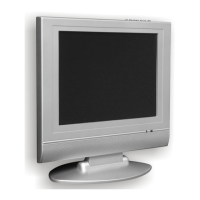
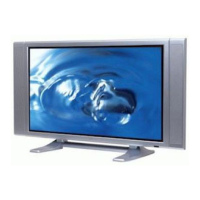
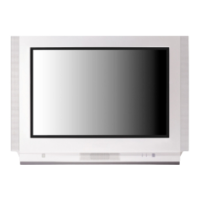
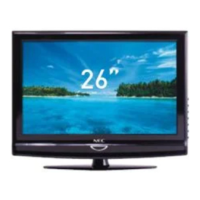
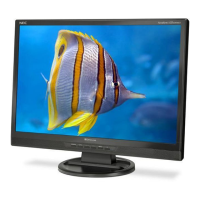
This document is an instruction manual for NEC Colour Televisions, specifically models N-3480, N-4880, and FS-5170. It provides comprehensive information on the setup, operation, and maintenance of these television sets.
Function Description:
The NEC Colour Television is designed for receiving and displaying television broadcasts. It features a range of controls for adjusting picture and sound quality, channel selection, and various convenience functions. The television supports multiple TV standards, including PAL/SECAM-B/G, D/K, I, and NTSC (AV ONLY), making it adaptable to different regional broadcasting systems. It can be operated via both local controls on the unit itself and a remote control unit, offering flexibility in user interaction. The device also includes external input capabilities for connecting other audio/video equipment and supports Teletext functionality for accessing additional information services.
Important Technical Specifications:
- TV Standard: PAL/SECAM-B/G, D/K, I, NTSC (AV ONLY)
- Main Voltage: 240V~, 50Hz
- Power Consumption:
- N-3480: 57W
- N-4880: 70W
- FS-5170: 73W
- Sound Output Power: 3W (60% MOD. at 1KHz THD. 10%)
- Dimensions (WxHxD) & Weight:
- N-3480: 366 x 338 x 376 mm, 10.5Kg
- N-4880: 496 x 446 x 464 mm, 19.5Kg
- FS-5170: 516 x 466 x 476 mm, 24.5Kg
- Aerial Connection: Requires a 75 ohm coaxial cable for outdoor aerials; indoor aerials may be sufficient in strong signal areas.
Usage Features:
- Local and Remote Control: The television can be controlled using buttons on the front panel (MAIN ON/OFF, CHANNEL DOWN/UP, VOLUME DOWN/UP, TV/VIDEO, MENU, STAND-BY) and a comprehensive remote control unit. The remote control includes dedicated buttons for operation, number input (0-9), picture modes, TV/VIDEO switching, channel selection (CH UP/DOWN, CURSOR UP/DOWN), volume control (VOL UP/DOWN, CURSOR RIGHT/LEFT), MENU, SLEEP, RECALL, MOVE, SKIP, DELETE, MODE, and color keys (Green, Red, Yellow, Cyan) for Teletext.
- Installation: Instructions are provided for inserting batteries into the remote control (two 1.5V, type AA), connecting the aerial, and plugging into the mains (240V~, 50Hz). A specific note advises switching off the MAIN ON/OFF button for at least 15 minutes if the set is moved or placed in a different direction to prevent color strain.
- Switching On/Off: The set can be switched on using the MAIN ON/OFF button on the TV, followed by CH UP/DOWN or ON/OFF/NUMBER buttons on the remote. It returns to stand-by mode by pressing the ON/OFF button on the remote. The STAND-BY INDICATOR illuminates in stand-by mode.
- Tuning TV Channels:
- MENU Access: The MENU button calls up a menu with Picture, Timer, Language, and Install sub-menus.
- Language Selection: Users can choose their preferred language (English, Français, Deutsch, Arabic, Farsi) from the Language menu.
- Automatic Channel Memory (Auto Setup): Automatically searches and stores channels from VHF-L, VHF-H, and UHF bands.
- Manual Channel Setting: Allows manual tuning, searching for channels, and fine-tuning for better picture/sound quality.
- Sound System Selection: Users can select sound systems (BG, DK, I) if strange or noisy sound is heard.
- Daily Use:
- Programme Selection: Direct selection using number buttons (0-9) or sequential selection with CH UP/DOWN buttons.
- Volume and Picture Control: Volume adjusted via local or remote controls. Picture settings (NORMAL 1, NORMAL 2, FAVOURITE) can be cycled through using the PICTURE button. Detailed picture adjustments (Brightness, Contrast, Colour, Sharpness, Tint, BlueBack) are available in the Picture menu.
- Timer Functions: Includes setting the clock and a "Wake up Time" function to switch on the TV to a specific program at a set time.
- Sleep Timer: Allows selection of various sleep intervals (00:00, 00:20, 00:40, 01:00, 01:20, 01:40, 02:00) after which the TV will turn off.
- Automatic Switch-Off: The TV automatically turns off after 30 minutes if no broadcast signal is present (does not operate in AV mode).
- Recall: Displays current status (programme number, station name, clock, system) for about 5 seconds.
- Child Lock: A security feature activated by a specific sequence of remote control buttons (RED, GREEN, YELLOW, POWER) to prevent unauthorized use. Indicated by a blinking STAND-BY INDICATOR.
- Mode: Cycles through active system settings: AUTO → PAL → SECAM → *N4.43 → *N3.58 (NTSC 4.43, NTSC 3.58). Note: *N4.43 and *N3.58 are not available for Australian models.
- OSD Half-Tone Function: Pressing RECALL with the MENU displayed makes the OSD (except text) half-toned.
- Local Control Key Mode: Allows accessing the MENU and SUB MENUs using local PR UP/DOWN and VOL UP/DOWN buttons, with specific timing for MENU button press to switch between MENU and AV mode.
- Connecting External Equipment:
- Earphone Jack: 3.5mm Ø jack for private listening, which mutes the speaker.
- Front/Back AV Jack: For connecting external audio/video equipment. Switching to AV mode is done via the TV/VIDEO button. Note that front and back AV jacks are common; only one should be used at a time.
- Teletext:
- Switching On/Off: Accessed via the TELETEXT button. Returns to TV mode by pressing TELETEXT again. Operates at Level 1.5.
- Colour Buttons: Red, Green, Yellow, Cyan buttons for selecting pages in TOP/FLOF (FASTEXT) Teletext.
- Selecting Pages: Direct page entry using number buttons or sequential browsing with UP/DOWN buttons.
- Index Page: Switches to programme preview or overview page.
- Page Hold: Freezes a subpage on screen.
- Calling Up Subpage Directly: Allows direct entry of subpage numbers.
- Watching Television During Teletext Mode (Text Mix): Displays the regular programme alongside Teletext information using the CANCEL button. The MIX button allows viewing an aerial channel in the background with Teletext.
- Reveal Answer: Reveals hidden answers on certain Teletext pages.
- Doubling Character Size: Cycles through character sizes (upper half, lower half, normal).
- Volume, Brightness, Contrast Control in Teletext: These controls can be adjusted in Teletext mode using the MENU button and LEFT/RIGHT buttons.
Maintenance Features:
- Cleaning: Unplug the television from the wall outlet before cleaning. Use only a lightly dampened soft cloth; avoid liquid or aerosol cleaners.
- Troubleshooting Guide: A table is provided to help diagnose common issues such as no picture/sound, excessive noise, diagonal stripes, "snow" on screen, and ghost images. It suggests checks like power connection, volume/brightness/contrast settings, antenna cable condition, and antenna direction.
- Safety Precautions: Emphasizes placing the unit on a flat, level surface in a dry, dust-free area with adequate ventilation. Warns against placing liquids on the unit, inserting foreign objects, removing the back cover (high voltage risk), placing near heat sources, and using unstable carts/stands. Advises disconnecting during thunderstorms and for extended periods. Recommends using manufacturer-specified replacement parts for repairs and seeking qualified service for any issues.

 Need help?

 To Next Page
 General