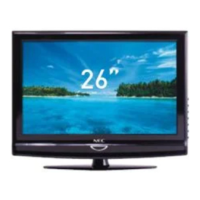
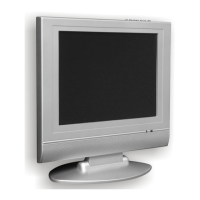
This document is the user manual for the NEC 38cm (15-inch) LCD TV, model NLT-15C. It provides comprehensive information on the television's features, operation, and maintenance.
Function Description:
The NEC NLT-15C is a 38cm (15-inch) LCD television designed for home entertainment. It functions as a display unit for various video and audio sources, including broadcast television, external video devices (VCRs, DVD players, video game systems), and personal computers (PCs). The TV supports multiple TV systems (PAL/SECAM BG, DK, PAL I, SECAM L, SECAM L', NTSC(AV)) and includes teletext functionality. It is designed for easy operation with both on-unit controls and a remote control.
Important Technical Specifications:
- Model: NLT-15C
- Display Type: LCD TV
- Display Size (diagonal): 38cm (15 inches)
- LCD Panel: TFT-LCD
- Resolution: 1024x768
- TV System: PAL/SECAM BG, DK, PAL I, SECAM L, SECAM L', NTSC(AV)
- Channel Coverage:
- PAL-D/K: VHF (1-21), UHF (13-57), CATV (Z1-Z37)
- PAL-B/G: VHF (2-12), UHF (21-69), CATV (X~Z+2, S1~S41)
- PAL-I: VHF (2-12), UHF (21-69)
- SECAM-B/G: VHF (2-12), UHF (21-69), CATV (X~Z+2, S1~S41)
- SECAM-D/K: VHF (1-12), UHF (21-69)
- SECAM-L': VHF (2-4)
- SECAM-L: VHF (5-12), UHF (21-69), CATV (X~ZC57, S1~S41)
- Teletext: TOP/FLOF TELETEXT
- Maximum Audio Output: 1.5W x 2
- Power Consumption: 30W
- Unit Weight: 3.3 kg
- Unit Dimensions (WxDxH): 466mm x 133mm x 340mm
- Terminals:
- Video In: RF (TV/CATV 75ohms coaxial x1), VGA (x1), Video RCA 75ohms (x1), S-Video (x1)
- Audio In: 3.5mm Stereo mini phone Jack for VGA, L/R RCA for Video or S-Video (x1)
- Other: 21-pin Euro-Scart (x1), DC+12V
Usage Features:
- Remote Control Operation: The TV is primarily operated via a remote control, which allows for power on/standby, input selection (TV/SCART/PC/AV/S-VIDEO), menu navigation, volume adjustment, channel changing, mute, auto adjust (PC mode), teletext functions (TEXT, MIX, HOLD, PICTURE, INDEX, SIZE, REVEAL, SUBPAGE), and direct channel selection using numeric buttons.
- On-Unit Controls: Basic functions like power, input selection, menu access, volume up/down, and channel up/down are also available on the main unit.
- Multiple Input Sources: Supports connections for various external devices including:
- Decoder/VCR: Via a 21-pin Euro-SCART connector. The unit automatically identifies CVBS (VIDEO) and RGB signals, prioritizing RGB.
- AV or S-Video Devices: Such as VCRs, video cameras, and home video game systems, using RCA (Audio L/R, Video) and S-Video terminals. The S-Video terminal is recommended for better video quality if supported by the source.
- DVD Player: Connects via RCA (Audio L/R, Video) and S-Video input jacks.
- PC: Connects via VGA input for video and a 3.5mm stereo mini phone jack for audio.
- Menu System: An intuitive On-Screen Display (OSD) menu system allows users to adjust video settings (brightness, contrast, color, sharpness), audio settings (volume, balance, audio preset, treble, bass), and general settings (language, blue screen, noise reduction, input source, reset).
- TV Operations:
- Manual Fine Tuning: Allows for precise adjustment of picture and sound for optimal reception.
- Manual Scan: Enables searching for and storing TV programs on specific channels.
- Auto Search: Automatically searches for and stores all available TV stations. Users can select the sound system (I, B/G, D/K, L, L') before initiating the search.
- Channel Swapping (SWAP): Facilitates reordering of stored channels.
- Channel Skipping (SKIP): Allows users to hide unwanted channels from the sequential channel changing (PRO +/-) but still access them via numeric buttons.
- NICAM/A2 Broadcast Selection: Supports stereo, bilingual, and monaural reception modes for NICAM signals.
- IGR (German Stereo System) Broadcasts: Supports stereo and bilingual reception modes for IGR signals.
- PC (VGA) Operations: Includes specific adjustments for PC display, such as brightness, contrast, color setting, H-position, V-position, phase, and clock. An "Auto CONFIG" feature automatically adjusts phase, clock, and image position for the best display.
- Teletext Functionality: Provides access to teletext information with features like page navigation (PAGE UP/DOWN), color-coded fast text, direct page selection, reveal hidden information, display size adjustment, hold mode, and index page display. A "Mix" function allows superimposing teletext on a TV picture.
Maintenance Features:
- Safety Precautions: The manual emphasizes important safety precautions, including proper power source connection, power cord protection, avoiding overloading, preventing liquid/object entry, and referring all servicing to qualified personnel. It also advises against using the apparatus near water, in high humidity, or immediately after moving it from a cold to a warm environment to prevent condensation.
- Cleaning: Recommends cleaning the unit only with a dry cloth and unplugging it from the wall outlet before cleaning. Liquid or aerosol cleaners should not be used.
- Ventilation: Stresses the importance of not blocking ventilation openings to prevent overheating and prolong product life.
- Panel Protection: Highlights that the LCD panel is made of glass and can break if dropped or impacted, advising caution to prevent injury from broken glass.
- Pixel Defect Information: Explains that a few non-active pixels (fixed points of blue, green, or red) may appear on the screen due to the high technology of the LCD panel, but this does not affect performance.
- Remote Control Battery Replacement: Provides clear instructions for replacing the AAA batteries in the remote control when it fails to operate.
- Troubleshooting Guide: Includes a section to help users diagnose and resolve common issues such as no power, no picture, no sound, poor picture quality, and remote control malfunctions, before contacting customer support. It advises checking connections, input modes, tuning, and battery replacement.
- Factory Reset: The "Reset" option in the GENERAL MENU allows users to restore the TV to its factory default settings.
- Professional Servicing: Strongly advises against attempting to repair a defective TV by oneself and to seek qualified service personnel for any repairs or when the unit exhibits abnormal conditions.


 To Next Page
 General