5
TUNING THE TV CHANNELS
MENU
Press the MENU button to call up the MENU.
The MENU consists of 4 sub-menus:
PICTURE, TIMER, LANGUAGE, INSTALL menu.
INSTALL menu disappeared on the AV mode.
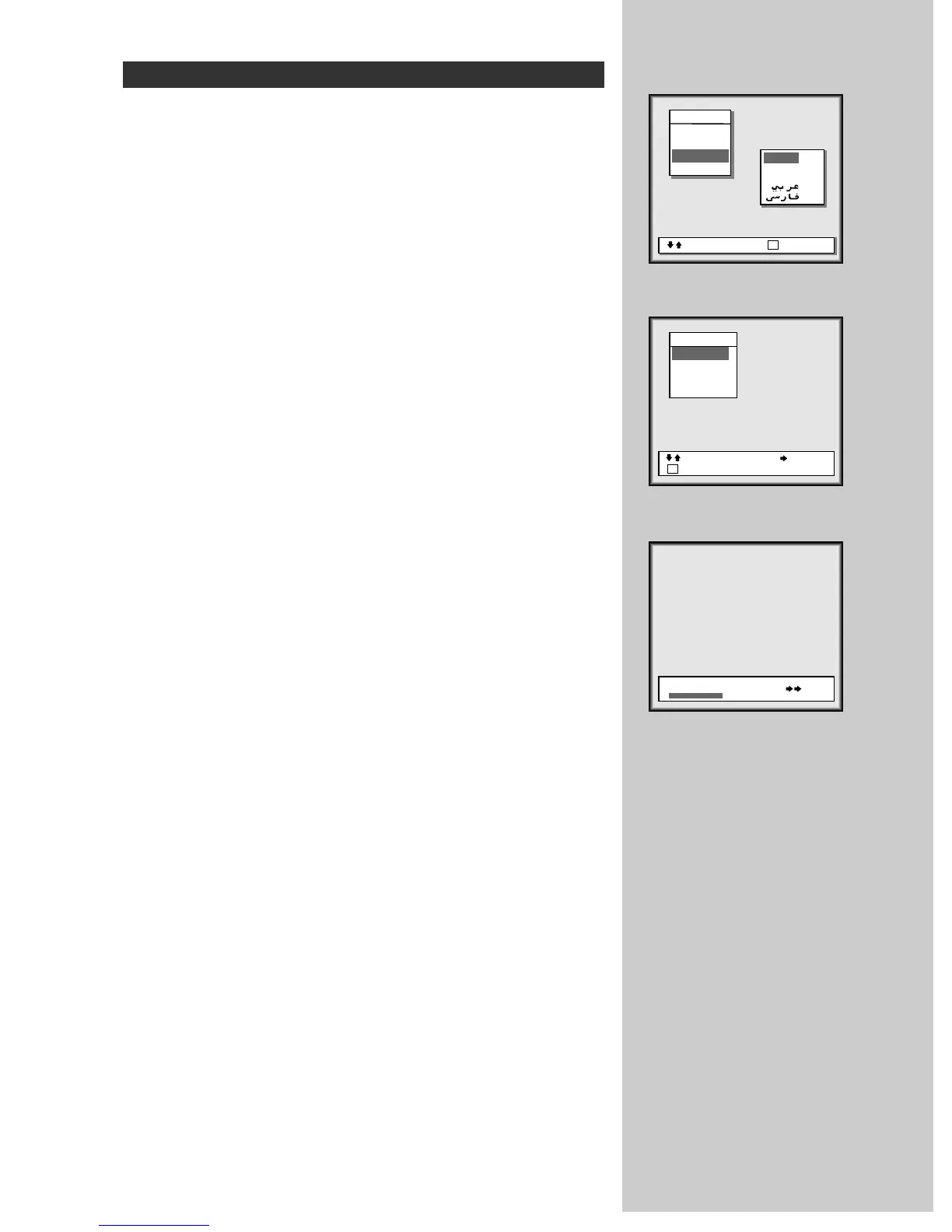
LANGUAGE SELECTION [figure 1]
Select the LANGUAGE menu at the MAIN MENU by placing the
cursor on the LANGUAGE with UP/DOWN buttons(CHV/W) and
press the RIGHT button(VOLB).
You can choose the language you require with the UP/DOWN but-
tons.
Press the MENU button to return to the MEIN MENU.
AUTOMATIC CHANNEL MEMORY [figure 2,3]
Select the INSTALL menu at the MEIN MENU.
Place the cursor at Auto setup menu.
Press the RIGHT button(VOLB). The channel will search from the
VHF-L, then VHF-H and UHF.
Please wait until the EDIT menu appears.
If you want to cancel automatic channel memory, press the MENU
button.



 To Next Page