33
3. Convenient Features
❹ Changing Eco Mode/Checking Energy-Saving Effect
Using Eco Mode [ECO MODE]
TheECOMODE(NORMALandECO)increaseslamplife,whileloweringpowerconsumptionandcuttingdownon
CO
2
emissions.
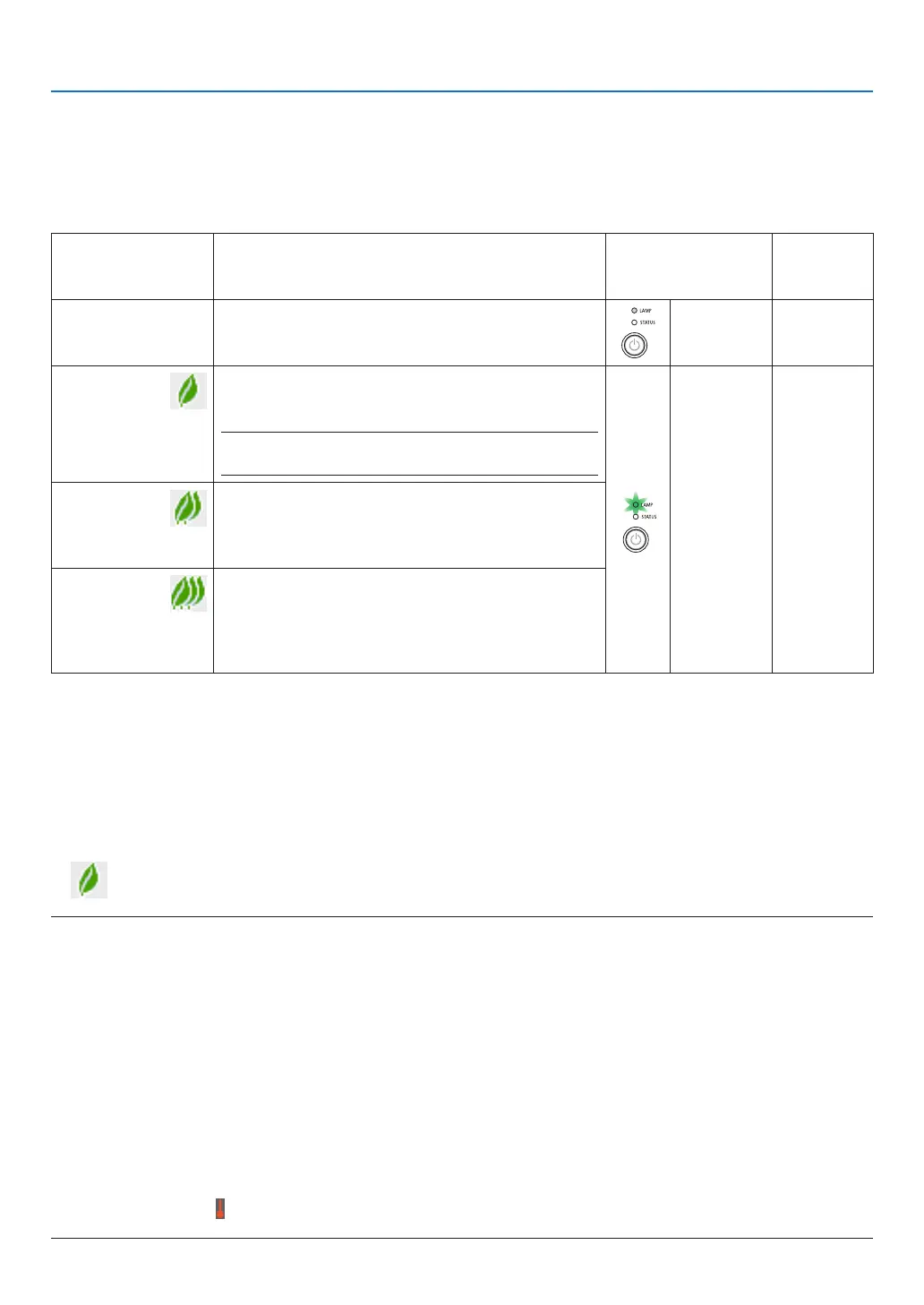
Fourbrightnessmodesofthelampcanbeselected:[OFF],[AUTOECO],[NORMAL]and[ECO]modes.
[ECOMODE] Description
StatusofLAMP
indicator
Statusof
ECOindi-
cator
[OFF]
Thelampbrightnessis100%.
Off Off
[AUTOECO] Lamppowerconsumptionwillbecontrolledbetween
[OFF]and[ECO]automaticallyaccording to picture
level.
NOTE:Abrightgradationmaybelessvisibledependingon
theimage.
Steady
Greenlight
Steady
Greenlight
[NORMAL] Lamppowerconsumption.(approx.81%brightnesson
M402W/M402X/M352WS/M332XSandapprox.76%
onM362W/M362X/M302WS)Thelamplifewillextend
byloweringthelamppower.
[ECO] Lamppowerconsumption(approx.60%brightness).
ThelamplifewillextendlongerthantheoneonNOR-
MALmode bycontrollingpowerappropriate forthe
lamp.Themaximumpowerbecomesequivalenttothe
powerinNORMAL.
Toturnonthe[ECOMODE],dothefollowing:
1. PresstheECOButtonontheremotecontroltodisplay[ECOMODE]screen.
2. PresstheECObuttonagaintoselectamodeyouwish.
• EachtimetheECObuttonispressed,thechoiceswillbechanged:
OFF → AUTO ECO → NORMAL → ECO → OFF
TIP:
• TheleafsymbolatthebottomofthemenushowsthecurrentselectionofECOmode.
NOTE:
• TheECOMODEandDYNAMICCONTRASTfeaturescontrolthelamppower.Somepicturesmaybecomeextremelybrightwhen
usingbothECOMODEandDYNAMICCONTRASTfeaturestocontrolthelamppower.Toavoidthisphenomena,turnofftheECO
MODEandDYNAMICCONTRAST.
• Immediatelyafterthemenuitemisselectedfor[ECOMODE],thescreenmayicker.Thisisnotmalfunction.
• The[ECOMODE]canbechangedbyusingthemenu.
Select[SETUP]→[GENERAL]→[ECOMODE].
• Thelampliferemainingandlamphoursusedcanbecheckedin[USAGETIME].Select[INFO.]→[USAGETIME].
• Theprojectorisalwaysin[NORMAL]for90secondsafterthelampisturnedonandwhilethePOWERindicatorisblinkinggreen.
Thelampconditionwillnotbeaffectedevenwhen[ECOMODE]ischanged.
• Afteralapseof1minutefromwhentheprojectordisplaysno-signalguidance,ablue,blackorlogoscreen,[ECOMODE]will
automaticallyswitchto[ECO].
• Iftheprojectorisoverheatedin[OFF]mode,theremaybeacasewherethe[ECOMODE]automaticallychangesto[NORMAL]
modetoprotecttheprojector.Whentheprojectorisin[NORMAL]mode,thepicturebrightnessdecreases.Whentheprojector
comesbacktonormaltemperature,the[ECOMODE]returnsto[OFF]mode.
Thermometersymbol[ ]indicatesthe[ECOMODE]isautomaticallysetto[NORMAL]modebecausetheinternaltemperature
istoohigh.



 To Next Page