EasyManua.ls Logo

NEC MultiSync P403 - User Manual

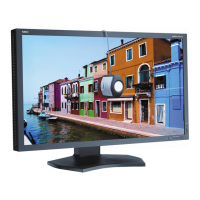
NEC MultiSync P403
55 pages
Print Icon
To Next Page IconTo Next Page
Loading...
MultiSync P403
MultiSync P463
MultiSync P553
Please fi nd your model name in the label on the backside of monitor.
Large Format Display
User’s Manual

Other manuals for NEC MultiSync P403

Questions and Answers

  • J
    Joshua CarrollAug 31, 2025
    Why is the image on my NEC MultiSync P403 Monitor unstable?
    • C
      Carl JohnsonAug 31, 2025
      If the image on your NEC monitor is unstable, unfocused, or swimming, ensure the signal cable is completely attached to the computer. Use the OSD Image Adjust controls to focus and adjust the display by increasing or decreasing the fine adjustment. Also, check to see if SURROUND is ON and check the Internal/External speaker switch.
  • D
    Diane DouglasAug 30, 2025
    What to do if the power button on my NEC MultiSync P403 Monitor does not respond?
    • S
      stevenwilsonAug 30, 2025
      If the power button on your NEC monitor isn't responding, unplug the power cord from the AC outlet to turn off and reset the monitor. Also, check the monitor’s main power switch.
  • A
    Aaron ValdezAug 29, 2025
    Why is the red LED blinking on my NEC monitor?
    • T
      tanya34Aug 29, 2025
      If the RED LED on your NEC monitor is blinking, and the monitor powered off because the internal temperature was too high, wait until the temperature reduces, and then power the monitor on again. Check the monitor and your display card for compatibility and recommended settings. Inspect the signal cable connector for bent or pushed-in pins. If the monitor automatically goes into OFF after signal loss, press the power button. Also, check the DVI MODE setting when DVD player or computer equipment is connected to the DVI input.
  • J
    Jose HumphreyAug 28, 2025
    How to troubleshoot no sound on NEC MultiSync P403?
    • S
      Samantha WatersAug 28, 2025
      If there is no sound from your NEC monitor, first check that the audio cable is properly connected. Then, ensure that mute is not activated and the volume is not set to the minimum. Finally, verify that your computer supports an audio signal through DisplayPort.
  • M
    markmartinAug 27, 2025
    Why is the LED on my NEC MultiSync P403 not lit?
    • M
      Mr. William SmithAug 27, 2025
      If the LED on your NEC monitor isn't lit, make sure the power switch is in the ON position and the power cord is properly connected. Also, ensure your computer isn't in a power-saving mode by touching the keyboard or mouse. Finally, check the OSD to confirm that the power indicator option is set to ON.
  • W
    William BrownAug 26, 2025
    How to fix a NEC MultiSync P403 with no picture?
    • L
      Lisa BishopAug 27, 2025
      If your NEC monitor displays no picture, ensure the signal cable is securely connected to both the display card and the computer. Also, verify that the display card is properly seated in its slot. Check that the main power switch on both the monitor and the computer are in the ON position. Finally, confirm that a supported mode has been selected on the display card or system.
  • C
    cbradshawAug 25, 2025
    How to fix selected resolution not displayed properly on NEC monitor?
    • K
      Krystal PenaAug 26, 2025
      To fix the selected resolution not being displayed properly on your NEC monitor, use the OSD Display Mode to enter the Information menu and confirm that the appropriate resolution has been selected. If not, select the corresponding option.
  • D
    Diana ThompsonAug 25, 2025
    How to adjust display image size on NEC Monitor?
    • E
      erika36Aug 25, 2025
      If the display image on your NEC monitor is not sized properly: * Use the OSD Image Adjust controls to increase or decrease the coarse adjustment. * Make sure that a supported mode has been selected on the display card or system being used.

Summary

Important Safety Information

Safety Warnings and Cautions

Critical safety alerts and precautions for monitor usage.

Power Cord Guidelines

Instructions for selecting and using the correct power cord.

Safety, Maintenance, and Ergonomics

Operational Safety Precautions

Rules for safe operation, handling liquids, and ventilation.

Recommended Use and Cleaning

Tips for optimal performance, eye comfort, and cleaning procedures.

Installation and Mounting

Mounting Requirements and Location

Guidelines for selecting a suitable installation site and ensuring stability.

Mounting Accessories and Anti-Tipping

How to attach mounting hardware and prevent the monitor from falling.

Hardware Overview

Setup and Operation

Initial Setup and Power Connection

Steps for setting up the monitor, installing batteries, and connecting power.

Advanced Display and Control Features

NEC MultiSync P403 Specifications

General IconGeneral
Panel life- h
Panel typeSPVA
Pixel pitch- mm
Response time8 ms
Display diagonal40 \
Display brightness700 cd/m²
Display technologyLED
Native aspect ratio16:9
Vertical scan range50 - 85 Hz
Horizontal scan range31.5 - 91.1 kHz
LED backlighting typeEdge-LED
Contrast ratio (typical)4000:1
Display number of colors-
Display diagonal (metric)101.6 cm
Active display area (W x H)885.6 x 498.15 mm
Supported graphics resolutions640 x 480 (VGA), 800 x 600 (SVGA), 1024 x 768 (XGA), 1280 x 1024 (SXGA), 1280 x 768 (WXGA), 1360 x 768 (WXGA), 1600 x 1200 (UXGA), 1920 x 1080 (HD 1080), 3840 x 2160, 4096 x 2160
Ethernet LAN (RJ-45) ports2
Product colorBlack
Product designDigital signage flat panel
Bezel width (bottom)15.5 mm
Panel mounting interface300 x 300 mm
Compatible productsC-tick; CE; FCC Class B; PSB; TÜV GS; UL/C-UL or CSA; VCCI
Operating hours (hours/days)24/7
Sustainability certificatesRoHS
RMS rated power20 W
Power consumption (standby)1 W
Power consumption (typical)135 W
Operating temperature (T-T)0 - 40 °C
Operating relative humidity (H-H)20 - 80 %
Cables includedAC, DVI
CertificationC-tick; CE; FCC;' PSB; RoHS; TÜV GS; UL/C-UL CSA; VCCI
Weight and Dimensions IconWeight and Dimensions
Depth66.5 mm
Width920.6 mm
Height532.2 mm
Weight17000 g

Related product manuals