27
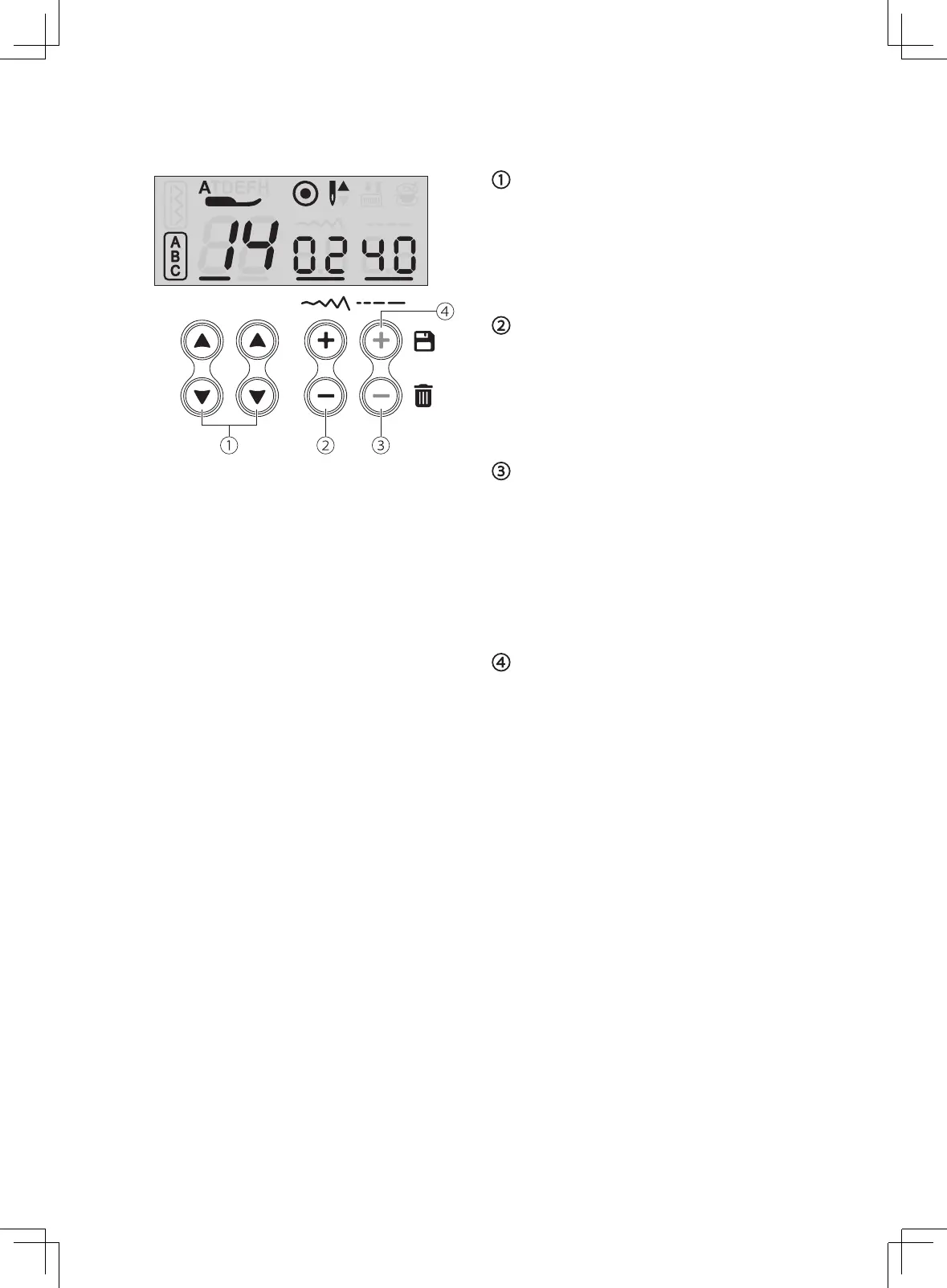
Memory function buttons
Clear button
Press the clear button to delete the stitch that
you want to clear.
If you want to delete all saved stitches, long
press the clear button.
Stitch selecting buttons
Use the arrow button up or down to select
stitch.
Memory button
Press the memory button to store the
combination of stitches desired.
Memory stitch selecting button
Press the "+" or "-" button to display the
current stitch unit.



 To Next Page