26
Selecting stitch
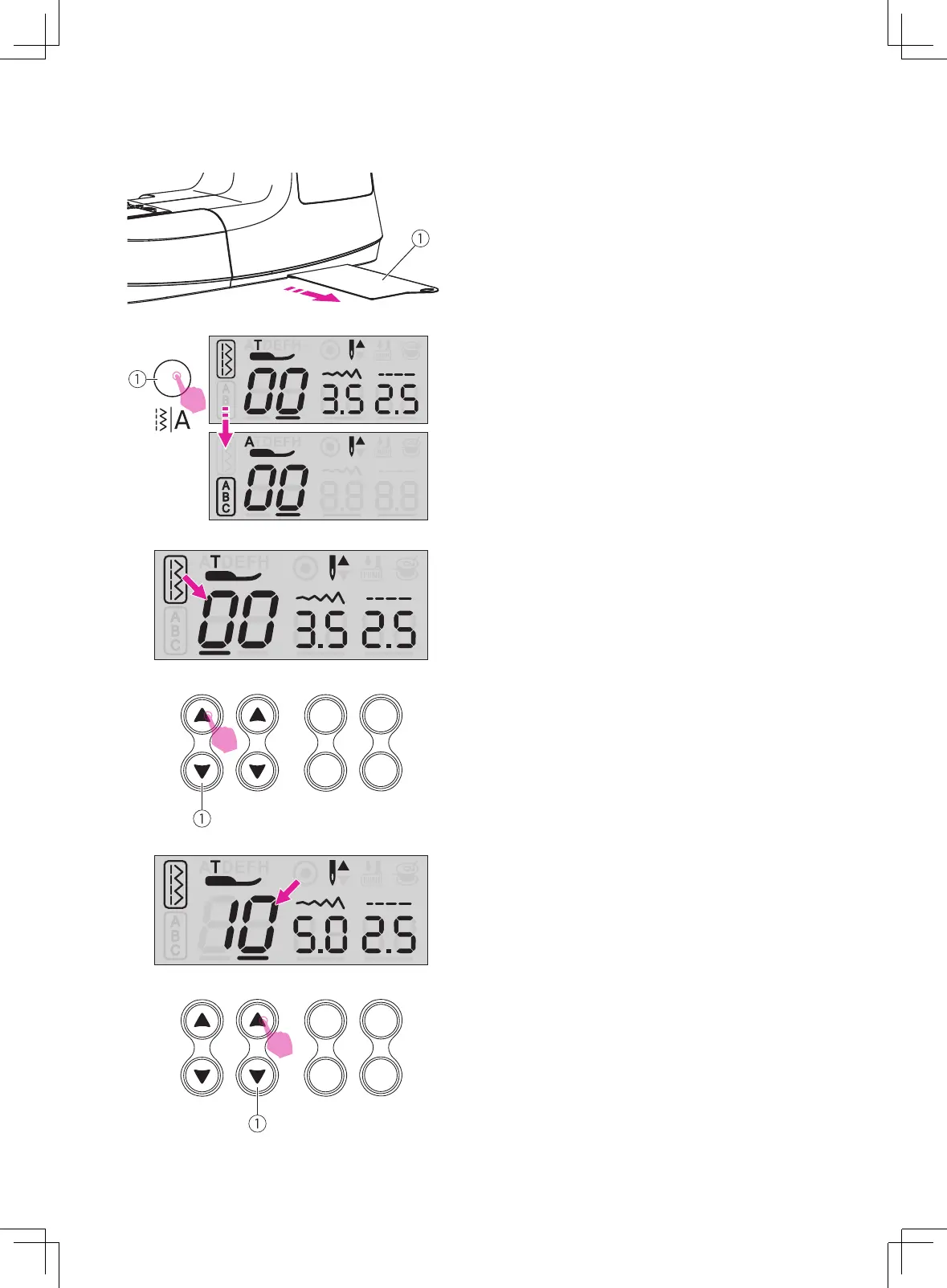
Select the desired stitch from those shown on
the stitch pattern plate.
①
Stitch pattern plate
Press stitch selecting buttons adjustment up
or down for right digit position between 0~9.
①
Stitch selecting buttons
The LCD screen will be set at Regular Pattern
Group. By pressing the pattern group switch
button to select the stitch mode.
①
Pattern group switch button
Press stitch selecting buttons adjustment up
or down for left digit position between 0~9.
①
Stitch selecting buttons



 To Next Page