28
Memory program
You can save frequent-use combining stitches for future use, such as names. Since
stored stitches are not lost after the sewing machine is turned off, they can be recalled at
any time.
Note
- Multiple stitches selecting from Alphabet Patterns can be combined and sewn together.
- This machine has 1 program memory and can be retained 40 units of stitches.
- The stitch in Regular Pattern Group can not be memorized.
v
Combine stitches
Turn the power switch to on ("I").
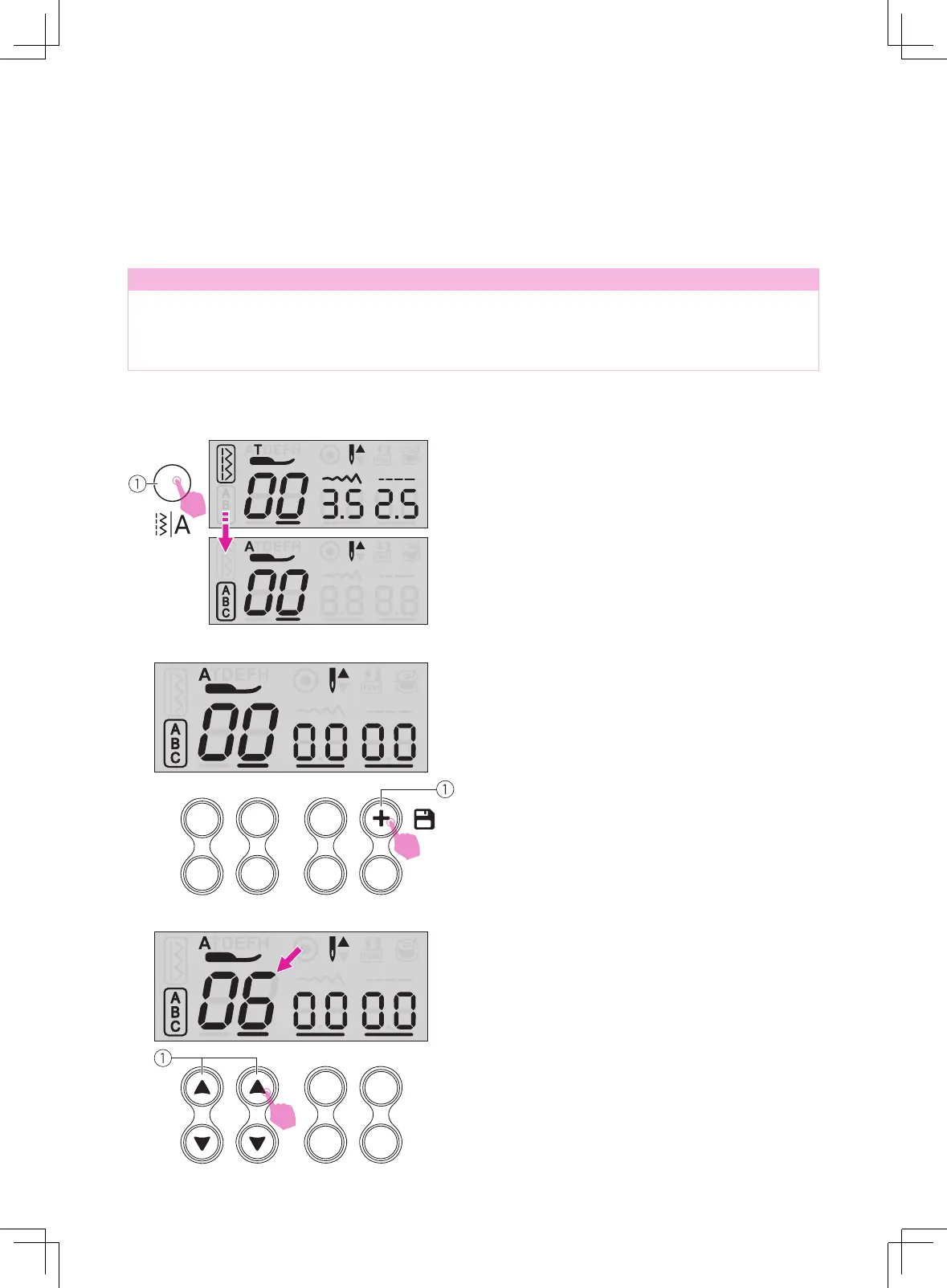
Press the mode selection button to Alphabet
Mode.
①
Mode selection button
Press the memory button to enter the memory
mode.
①
Memory button
Press the stitch selecting buttons desired
stitch number directly. (e.g. 06)
The selected stitch displays on the LCD
screen.
①
Stitch selecting buttons



 To Next Page