EasyManua.ls Logo

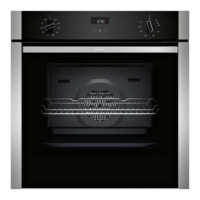
NEFF B6ACH7H 0B Series - User Manual

NEFF B6ACH7H 0B Series
40 pages
Print Icon
To Next Page IconTo Next Page
Loading...
Oven
[en] User manual and installation
instructions
2
B6ACH7H.0B

Other manuals for NEFF B6ACH7H 0B Series

Questions and Answers

  • L
    Lauren StokesAug 16, 2025
    What to do if my NEFF B6ACH7H 0B is not working?
    • T
      Tiffany GarciaAug 16, 2025
      If your NEFF Oven is not working, start by checking the circuit breaker in your fuse box to ensure it hasn't tripped. Also, verify if there's a power cut by checking other appliances or lights in your kitchen.
  • L
    Larry DoughertyAug 19, 2025
    How to open NEFF B6ACH7H 0B Oven door if the childproof lock is on?
    • C
      Carmen LawsonAug 20, 2025
      If your NEFF Oven door cannot be opened and the display is on, the childproof lock may be activated. Deactivate the childproof lock using the appropriate button.
  • B
    Brett BruceAug 22, 2025
    Why is my NEFF Oven not heating up, but the display is on?
    • J
      James Taylor Jr.Aug 23, 2025
      If your NEFF Oven does not heat up but the display lights up, the demo mode might be activated. To deactivate it: 1. Briefly disconnect the oven from the power supply by switching the circuit breaker off and on again. 2. Within 5 minutes, deactivate demo mode by changing the last basic setting to a different setting.
  • J
    Jasmine YoungAug 26, 2025
    Why is the time flashing on my NEFF B6ACH7H 0B display?
    • M
      Michael TuckerAug 26, 2025
      If the time is flashing on your NEFF Oven display, it usually indicates that there has been a power cut. Reset the time to resolve this.
  • A
    Aaron CooperAug 28, 2025
    What to do if '??' lights up on my NEFF B6ACH7H 0B display?
    • M
      mariah24Aug 28, 2025
      If '??' lights up on the NEFF Oven display and you cannot adjust any settings, it means the childproof lock is activated. Deactivate it using the designated button.
  • M
    Maria NelsonAug 31, 2025
    What to do if NEFF B6ACH7H 0B door cannot be opened after cleaning?
    • K
      Kevin RoweAug 31, 2025
      If your NEFF Oven door cannot be opened after using a cleaning function ('play' is displayed), it is likely because the appliance is still too hot. Allow the appliance to cool down until the indicator in the display turns off.
  • J
    joshua28Sep 3, 2025
    How to make the time appear on my NEFF B6ACH7H 0B Oven display when it is switched off?
    • D
      Dr. Aaron CordovaSep 3, 2025
      If the time does not appear on your NEFF Oven display when it's switched off, the basic setting for the time display has likely been changed. You need to adjust this basic setting to make the time visible.
  • K
    Kevin LongSep 6, 2025
    What does it mean when '??' flashes on my NEFF B6ACH7H 0B Oven display?
    • S
      scottmartinSep 6, 2025
      If '??' flashes on the display and the NEFF Oven won't start, the cooking compartment is probably too hot for the selected operation. To resolve this: 1. Switch off the appliance and allow it to cool down completely. 2. Restart the operation once it has cooled.
  • P
    pamelajohnsonSep 9, 2025
    What does '??' mean on my NEFF B6ACH7H 0B display?
    • R
      rmartinezSep 9, 2025
      If '??' appears on your NEFF Oven display, it indicates that the maximum cooking time has been reached. Switch off the appliance and configure new settings if needed.
  • L
    Lucas AguilarSep 12, 2025
    What does a message with '??' on my NEFF B6ACH7H 0B display mean?
    • C
      Courtney RivasSep 12, 2025
      If a message with '??' appears on the NEFF Oven display, it suggests an electronics fault. First, press the button and reset the time if necessary. If the error persists, call the after-sales service, providing the exact error message and the E no. of your appliance.

Summary

Safety Information

Intended Use

Use for meals/drinks in domestic households, up to 4000m. Do not use with external timer/remote.

User Group Restrictions

For children aged 8+, reduced abilities if supervised. Do not let children play with appliance.

Safe Use Practices

Place accessories correctly. Risk of fire from combustible objects. Stifle flames if smoke appears.

Fire, Burn, Scald, Injury, and Electric Shock Hazards

Fire Safety Precautions

Greaseproof paper can catch fire. Use small quantities of high alcohol drinks. Open door carefully.

Burn Hazard Warnings

Appliance parts are hot. Keep children away. Use oven gloves. Alcoholic vapours can ignite.

Scalding Hazard Warnings

Accessible parts are hot. Keep children away. Hot steam escapes. Do not pour water into hot compartment.

Injury Hazard Warnings

Scratched glass can crack. Do not use abrasive cleaners. Sharp edges on parts. Hinges can trap fingers.

Electric Shock Hazards

Improper repairs are dangerous. Use trained staff and genuine parts. Damaged cord is dangerous.

Environmental Protection and Saving Energy

Familiarising Yourself with Your Appliance

Control Panel Overview

Overview of control panel buttons, function selector, display, and temperature selector.

Heating Types and Functions

Heating Type Guide

Overview of heating types like CircoTherm, Bread baking, Pizza, Grill, Roasting.

Basic Operation

Setting Heating Type and Temperature

Use function selector for heating type and temperature selector for temperature.

Time-Setting Options

Setting the Cooking Time

How to set, change, and cancel the cooking time.

Setting the End Time

How to delay the cooking end time and set the start time.

Childproof Lock and Rapid Heating

Home Connect Features

Setting Up Home Connect

Requirements for connecting appliance to mobile device via app.

Operating via Home Connect App

Remotely set and start appliance via app. Risk of fire warning.

Cleaning and Servicing

Suitable Cleaning Products

Warnings about unsuitable cleaning products and recommended agents for surfaces.

Cleaning Functions

Pyrolytic Self-Cleaning Function

How to use the self-cleaning function for the cooking compartment.

Setting the Cleaning Function

Step-by-step guide to setting and using the cleaning function.

Appliance Door

Detaching the Appliance Door

Step-by-step guide to detach the appliance door for cleaning.

Attaching the Appliance Door

Step-by-step guide to re-attach the appliance door after cleaning.

Troubleshooting

Common Malfunctions and Solutions

Lists common faults like appliance not working, not heating, door issues, time display problems.

How it Works

Installation Instructions

General Installation Instructions

Safety, unpacking, unit requirements, ventilation, and securing.

Electrical Connection Safety

How to safely connect the appliance to the electrical system.

Securing the Appliance

How to correctly position and secure the appliance in its unit.

NEFF B6ACH7H 0B Series Specifications

General IconGeneral
BrandNEFF
ModelB6ACH7H 0B Series
CategoryOven
LanguageEnglish

Related product manuals