EasyManua.ls Logo

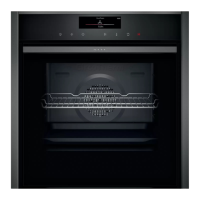
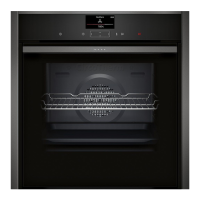
NEFF B6ACH7HH0B - User Manual

NEFF B6ACH7HH0B
40 pages
Print Icon
To Next Page IconTo Next Page
Loading...
Oven
[en] User manual and installation
instructions
B6ACH7HH0B

Questions and Answers

  • K
    Kristen SmithAug 2, 2025
    What to do if my NEFF B6ACH7HH0B is not working?
    • B
      Breanna NelsonAug 2, 2025
      If your NEFF Oven isn't working, there could be a couple of reasons. First, check the circuit breaker in the fuse box to ensure it hasn't tripped. Second, verify if there has been a power cut by checking whether the lighting in your kitchen or other appliances are working.
  • M
    Michael BarkerAug 6, 2025
    What to do if my NEFF Oven does not heat up but lights up in the display?
    • B
      Brian ThompsonAug 6, 2025
      If your NEFF Oven lights up in the display but doesn't heat up, demo mode may be activated. Briefly disconnect the appliance from the power supply by switching the circuit breaker in the fuse box off and back on again. Then, deactivate demo mode within five minutes by changing the basic setting.
  • L
    Lauren HarrisAug 11, 2025
    What does it mean if a message appears in the display of my NEFF Oven?
    • B
      Brian PhillipsAug 11, 2025
      If a message appears in the display of your NEFF Oven, it indicates an electronics fault. Try pressing the button and resetting the time if needed. If the error message continues to appear, it is recommended to call the after-sales service, quoting the exact error message and the E no. of your appliance.
  • T
    Thomas ClarkAug 15, 2025
    Why does the time flash in the display of my NEFF Oven?
    • E
      edaltonAug 15, 2025
      If the time flashes in the display of your NEFF Oven, it indicates that there has been a power cut. To resolve this, reset the time.
  • B
    Brenda JacobsAug 19, 2025
    Why does the cooking compartment of my NEFF Oven get too hot for the selected operation?
    • R
      Ronald DavisAug 19, 2025
      If the cooking compartment is too hot for the selected operation, switch off the NEFF Oven and allow it to cool down. Then, restart the operation.
  • J
    Janice ClarkeAug 25, 2025
    Why does the time not appear in the display of my NEFF B6ACH7HH0B?
    • G
      greenkennethAug 25, 2025
      If the time does not appear in the display of your NEFF Oven, the basic setting may have been changed. Change the basic setting for the time display.
  • A
    Ariel WilsonAug 27, 2025
    What to do if my NEFF Oven door cannot be opened and the display goes out?
    • T
      Thomas AlvarezAug 27, 2025
      If the appliance door cannot be opened and the display goes out, the cleaning function may have locked the appliance door. Allow the appliance to cool down until the display goes out.

Summary

Safety

General Information

Read and keep manual for reference and safety.

Intended Use

Specifies the appliance's designed purpose and usage limitations.

Restriction on User Group

Outlines age and ability restrictions for appliance users.

Safe Use

Details essential safety practices for operating the appliance.

Preventing Material Damage

General

Provides general guidance on avoiding damage to the appliance.

Environmental Protection and Saving Energy

Disposing of Packaging

Instructions for environmentally friendly disposal of packaging materials.

Saving Energy

Tips and methods to reduce energy consumption during appliance use.

Familiarising Yourself with Your Appliance

Controls

Overview of the control panel functions and layout.

Buttons

Explanation of the touch-sensitive buttons and their functions.

Display

Description of the display symbols and relevant information shown.

Types of Heating

Overview of different heating modes and their applications.

Functions

Description of additional functions available on the appliance.

Temperature and Setting Levels

Details on setting temperature and other operational levels.

Cooking Compartment

Information about the interior features like rails and lighting.

Accessories

Locking Function

Explanation of the accessory locking mechanism for safety.

Sliding Accessories into the Cooking Compartment

Correct procedure for inserting accessories for optimal use.

Before Using for the First Time

Initial Use

Essential steps for initial setup and first-time operation.

Cleaning the Appliance Before Using It for the First Time

Procedure for cleaning the appliance before its first use.

Basic Operation

Switching on the Appliance

Instructions for powering the appliance on.

Switching off the Appliance

Instructions for powering the appliance off.

Setting the Type of Heating and Temperature

Guide to selecting heating modes and setting temperatures.

Time-Setting Options

Overview of the Time-Setting Options

Summary of available time-related functions.

Setting the Timer

How to set and use the appliance timer.

Setting the Cooking Time

Procedure for setting the duration of cooking.

Setting the End Time

How to schedule the appliance to finish cooking at a specific time.

Setting the Time on the Clock

Instructions for setting the current time on the appliance.

Childproof Lock

Automatic Childproof Lock

Information on the automatic childproof lock function.

Childproof Lock

How to activate and deactivate the manual childproof lock.

Rapid Heating

Setting Rapid Heating

Guide to using the rapid heating function for faster preheating.

Sabbath Mode

Starting Sabbath Mode

Instructions for activating and using Sabbath mode.

Basic Settings

Overview of the Basic Settings

List and description of configurable basic settings.

Changing Basic Settings

Procedure for modifying the appliance's basic settings.

Discarding Changes to the Basic Settings

How to cancel unsaved changes to basic settings.

Home Connect

Setting Up Home Connect

Steps to connect the appliance to the Home Connect app.

Home Connect Settings

Adjusting network and Home Connect settings.

Operating the Appliance with the Home Connect App

Using the app to control the appliance remotely.

Software Update

Information on updating the appliance's software.

Cleaning and Servicing

Cleaning Products

Recommendations for suitable cleaning agents.

Cleaning the Appliance

General instructions for cleaning the appliance's surfaces.

Checking the Cooking Compartment Seal After Cleaning

Procedure to check and adjust the seal after cleaning.

Cleaning Functions

Pyrolytic Self-Cleaning

Using the pyrolytic cleaning function for self-cleaning.

Cleaning Aid EasyClean

Using the EasyClean function for intermediate cleaning.

Shelf Supports

Detaching the Shelf Supports

Steps to remove shelf supports for cleaning or replacement.

Attaching the Shelf Supports

Instructions for reattaching shelf supports.

Removing the Pull-out Rail

Procedure for detaching the pull-out rails.

Attaching the Pull-out Rail

Instructions for reattaching the pull-out rails.

Appliance Door

Detaching the Appliance Door

Step-by-step guide to removing the appliance door.

Attaching the Appliance Door

Step-by-step guide to refitting the appliance door.

Removing the Door Panes

Instructions for safely removing door panes for cleaning.

Fitting the Door Panes

Procedure for correctly refitting the door panes.

Troubleshooting

Malfunctions

Common faults, their causes, and troubleshooting steps.

Replacing the Oven Light Bulb

Guide to safely replacing the oven light bulb.

Disposal

Disposing of Old Appliance

Information on the correct and environmentally friendly disposal of the old appliance.

Customer Service

Product Number (E-Nr.) and Production Number (FD)

Locating and noting the appliance's E-Nr. and FD numbers.

How it Works

Cooking Tips

General advice and tips for preparing food.

Notes on Baking

Specific guidance and shelf position recommendations for baking.

Notes on Roasting and Grilling

Specific guidance for roasting and grilling various foods.

Food Selection

Recommended settings for various foods, including temperature and time.

Yoghurt

Instructions and settings for making yoghurt.

Test Dishes

Information for test institutes regarding appliance testing.

Installation Instructions

General Installation Instructions

Essential safety and preparation guidelines before installation.

Appliance Dimensions

Technical drawings showing appliance dimensions for installation.

Installation Below a Worktop

Specific dimensions and instructions for under-worktop installation.

Installing Below a Hob

Minimum clearances required when installing under a hob.

Installation in a Tall Unit

Installation guidelines for fitting the appliance into a tall cabinet.

Corner Installation

Considerations for installing the appliance in a corner unit.

Electrical Connection

Instructions for safely connecting the appliance to the electrical system.

Installing the Appliance

Steps for physically fitting the appliance into its designated space.

Removing the Appliance

Procedure for safely disconnecting and removing the appliance.

NEFF B6ACH7HH0B Specifications

General IconGeneral
Current13 A
Connected load2990 W
Power plug typeNo plug
AC input voltage220 - 240 V
AC input frequency50 / 60 Hz
Power connection typeHard-wired
Energy efficiency scaleA+++ to D
Energy efficiency index (EEI)95.3
Energy consumption (conventional)1.04 kWh
Energy consumption (forced convection)0.81 kWh
Oven sizeMedium
Oven typeElectric
Rotisserie-
Cleaning typePyrolytic + Steam
Self-cleaningYes
Steam cookingNo
Pyrolyze power4800 W
Number of ovens1
Cleaning technologyHydrolytic
Total oven(s) interior capacity71 L
Maximum temperature (conventional)275 °C
Door hingedown
Cord length1.2 m
Control typeRotary
Display typeLCD
CertificationCE, VDE
Door materialGlass
Control positionFront
Housing materialStainless steel
Appliance placementBuilt-in
Door temperature (max)30 °C
Effective tray surface area1290 cm²
Timer typeDigital
Package depth660 mm
Package width690 mm
Package height675 mm
Lamp typeHalogen
Lamps quantity1 lamp(s)
Weight and Dimensions IconWeight and Dimensions
Depth548 mm
Width594 mm
Weight40374 g
Depth with door open635 mm
Installation compartment depth550 mm
Installation compartment width568 mm
Installation compartment height595 mm
Interior dimensions (W x D x H)480 x 415 x 357 mm
Installation compartment width (min)560 mm
Installation compartment height (min)585 mm

Related product manuals