34 | English
Neff C77V60N01 | 09/2008
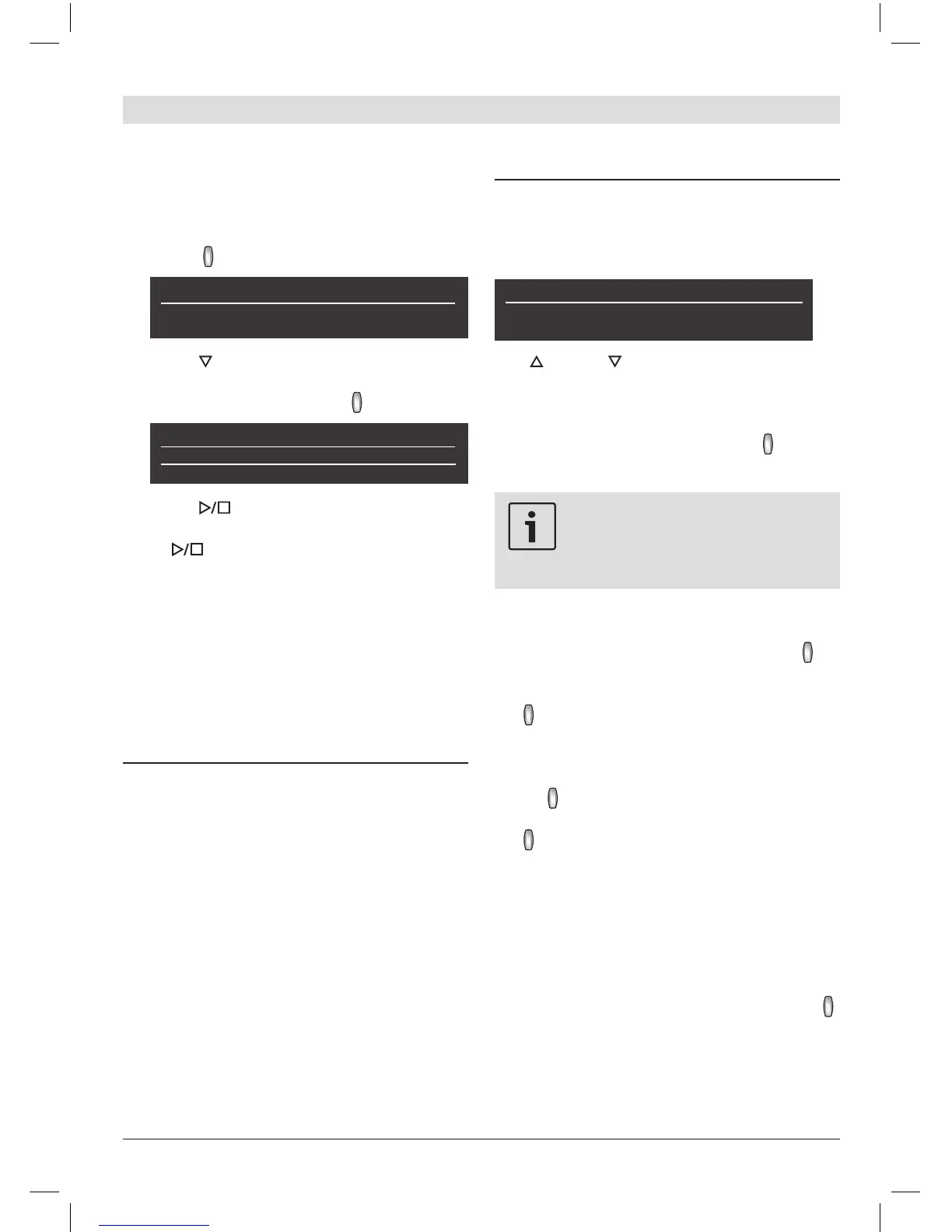
Place a cup or glass under the coffee
outlet.
Select Hot water with the navigation
button (4):
Hot milk Hot water Short rinse
∼
85ºC
Press (5) to switch to the temperature
selection. Set the required temperature
with the navigation button (4):
Hot water
∼
80ºC
∼
85ºC
∼
90ºC
Press (6); hot water runs out of the
milk frother outlet for about 40 seconds.
Press (6) again to cut the process short.
Information and settings
Use i (1) to display information (press briey)
and adjust settings (hold down for at least
three seconds).
Displaying information
In the Info menu (press i (1) briey) you can
call up the following information:
when it is necessary to descale the ap-
pliance
when it is necessary to clean the appli-
ance
when it is necessary to change the lter
how much coffee has been dispensed
since the appliance was rst put into
operation
how many milk drinks have been dis-
pensed
how much hot water has been prepared
1.
2.
3.
4.
Displaying settings
Hold down i (1) for at least 3 seconds; the
different setting options are then displayed:
Settings
Language Water hardness
English
Use (2) and (5) to switch between the
different setting options. The currently active
setting is always shown in a larger font. You
can change the setting that is currently dis-
played using the navigation button (4).
To exit the menu, press i (1) again.
The changes you have made
are saved automatically. It is
not necessary to conrm them
additionally.
The following setting options are available
to you:
Language: Press the navigation button to
select the display language.
Water hardness: Press the navigation but-
ton to select the required water hardness
(1, 2, 3 or 4) (refer also to “Checking and
setting the water hardness”).
Coffee temperature: Press the navigation
button to set the coffee temperature.
Auto off after: Press the navigation but-
ton to enter the time span after which
the appliance should automatically switch
to “energy saving mode” following the last
drink preparation. A time between 5 minutes
and 8 hours can be set. The default time is
one hour, but this can be shortened to save
energy.
Contrast: The display contrast can be set
from –20 to +20 with the navigation button
(4). The default setting is 0.
Illumination: The lighting can be set to on,
off or off after 10 minutes (factory set-
ting).



 To Next Page