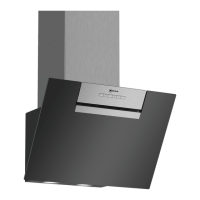
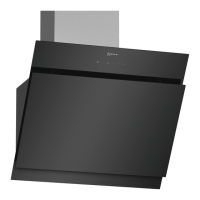
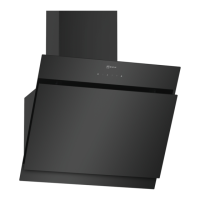
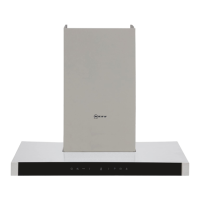
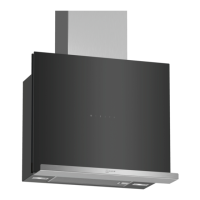
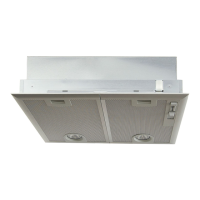
This document provides the user manual and installation instructions for NEFF extractor hoods, specifically models D65IFN1S0, D85IFN1S0, D65IFN1S0B, and D85IFN1S0B.
Function Description
The NEFF extractor hood is designed for extracting cooking vapor in private households and enclosed domestic environments, up to an altitude of max. 4000 m above sea level. It can operate in two primary modes: air extraction and air recirculation.
In air extraction mode, the appliance cleans drawn-in air using grease filters and then conveys it to the exterior via a pipe system. This mode requires an adequate supply of fresh air in the room, especially if other room-air-dependent heat-producing appliances (e.g., gas, oil, wood, or coal-operated heaters) are in use simultaneously, to prevent the risk of poisoning from flue gases being drawn back in. The air pressure in the room where the heating appliance is installed must not fall below 4 Pa (0.04 mbar).
In air recirculation mode, the drawn-in air is cleaned by both grease filters and an odour filter, and then conveyed back into the room. This mode offers unrestricted operation in terms of room pressure. An odour filter is essential for this mode to bind odours.
The appliance features a control panel for configuring all functions and obtaining information about the operating status. This includes switching the appliance on/off, selecting fan settings (1, 2, 3), activating intensive mode, and controlling the lighting (on/off and brightness adjustment).
Important Technical Specifications
- Models: D65IFN1S0, D85IFN1S0, D65IFN1S0B, D85IFN1S0B
- Operating Modes: Air extraction, Air recirculation
- Maximum Altitude: 4000 m above sea level
- Room Pressure Limit (Air Extraction Mode): Not below 4 Pa (0.04 mbar)
- Networked Standby Power Consumption: Max. 2 W
- Appliance Weight: Max. 30 kg (for installation)
- Connecting Cable Length: Approx. 1.30 m
- Recommended Exhaust Air Pipe Diameter: 150 mm
- WLAN (Wi-Fi) Frequencies:
- 2.4 GHz band (2400-2483.5 MHz): Max. 100 mW
- 5 GHz band (5150-5350 MHz + 5470-5725 MHz): Max. 150 mW (for indoor use only)
- Protection Class: 1 (requires protective earth connection)
- Compliance: European Directive 2012/19/EU (WEEE), European Directive 2014/53/EU (RED Declaration of Conformity)
Usage Features
- Basic Operation:
- Switching On/Off: Press the power button. The appliance starts at fan setting 2.
- Fan Settings: Select from settings 1, 2, or 3.
- Intensive Mode: Activates for particularly strong odours or vapours. After approximately 6 minutes, it automatically switches back to fan setting 3.
- Lighting Control: Switch lights on/off and adjust brightness by pressing and holding the light button.
- Home Connect Integration:
- The appliance is network-capable, allowing control via the Home Connect app on a mobile device.
- Intelligent Hood Control: When paired with a compatible hob, the appliance can automatically adjust fan settings and switch on/off based on cooking data.
- Performance Profile: Users can set a personal performance profile (noise-optimised or performance-optimised) via the app.
- Filter Saturation: The app allows setting the saturation indicator based on the filter used.
- Cooktop-based Hood Control: Control appliance functions via a Home Connect-compatible hob.
- Fan Run-on: Removes remaining odours and dries the odour filter after cooking.
- Interval Ventilation: Regularly ventilates the kitchen by switching the ventilation system on and off for selected times.
- Voice Control: Compatible with Amazon Alexa for voice commands.
- Colour Temperature Setting: Adjust the light's colour temperature from cold to warm via the app.
- Software Updates: The appliance's software can be updated via the Home Connect app for optimisation, troubleshooting, or security.
- Remote Diagnostics: Customer Service can access the appliance remotely for diagnostics.
- Energy Saving Tips:
- Switch on the appliance during cooking to prevent condensation.
- Adjust fan speed to the amount of steam produced; lower speeds consume less energy.
- Only use intensive mode as required.
- Switch off lighting when not needed.
- Clean or replace filters regularly to maintain effectiveness.
- Use cooking lids to reduce vapours and condensation.
- Only use additional functions if required to reduce power consumption.
Maintenance Features
- Cleaning Products: Suitable cleaning products can be obtained from after-sales service or the online shop.
- General Cleaning:
- Always disconnect from power before cleaning (unplug or switch off fuse).
- Do not use steam- or high-pressure cleaners.
- Allow the appliance to cool down before cleaning.
- Avoid harsh, abrasive, or high-alcohol content detergents, hard scouring pads, or sponges.
- Clean stainless steel surfaces in the direction of the finish.
- Clean painted surfaces with a damp sponge cloth and hot soapy water.
- Clean aluminium with a soft cloth and glass cleaner.
- Clean plastic and glass with a soft cloth and glass cleaner.
- Apply a thin layer of stainless steel cleaning product to stainless steel surfaces.
- Cleaning Controls and Lights: Clean with a damp sponge cloth and hot soapy water, then dry with a soft cloth. Do not use wet sponge cloths due to electric shock risk.
- Cleaning Magnetic Mounting Bracket: Clean with a damp sponge cloth and hot soapy water, then dry with a soft cloth.
- Grease Filters:
- Removal: Open the glass panel fully, grip the filter from below, open the lock, and fold down the filter. Remove filters horizontally to prevent dripping.
- Manual Cleaning: Soak in hot soapy water, use special grease solvent for stubborn dirt, clean with a brush, rinse thoroughly, and allow to drain. Clean every two months.
- Dishwasher Cleaning: Place filters loosely in the dishwasher (do not squeeze). Use a temperature of no more than 70 °C. Light discolouration may occur but does not affect performance. Clean every two months.
- Fitting: Insert filters, fold upwards to engage locks, and ensure locks are engaged.
- Filter Saturation Indicator: The Home Connect app allows setting the saturation indicator based on the filter type.
- Troubleshooting: The manual provides a table for common malfunctions, causes, and troubleshooting steps (e.g., power supply issues, lighting not working, Home Connect problems). For complex issues, contact Customer Service.

 Need help?
 General

 To Next Page