PROGRAMMING INSTRUCTIONS
Front Panel Layout
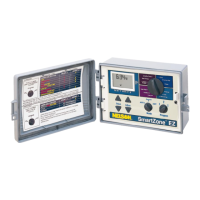
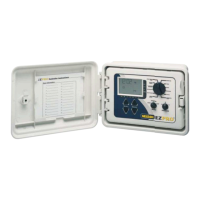
Looking at the front panel (see figure 3), you see a large LCD, 4 rubber buttons, one large
rotary dial, and two small rotary dials. The rubber buttons are marked SELECT and ADJUST
and are the heart of Nelson’s exclusive SELECT&ADJUST™ programming. The keys are
identified with for increasing or decreasing the segment you’re working on.
SELECT&ADJUST™ works on the principle that you first SELECT what you want to set, and
ADJUST the variables of what you selected. For example, if you want a run time of 10 minutes
on zone 5, you would use the SELECT keys to select zone 5 and, once on zone 5, you
would use the ADJUST keys to set the run time to 10 minutes.
There are instances when only SELECT or only ADJUST are required. They will be explained
in this guide where appropriate.
10


 To Next Page