5 Operating Instructions
5-3
3
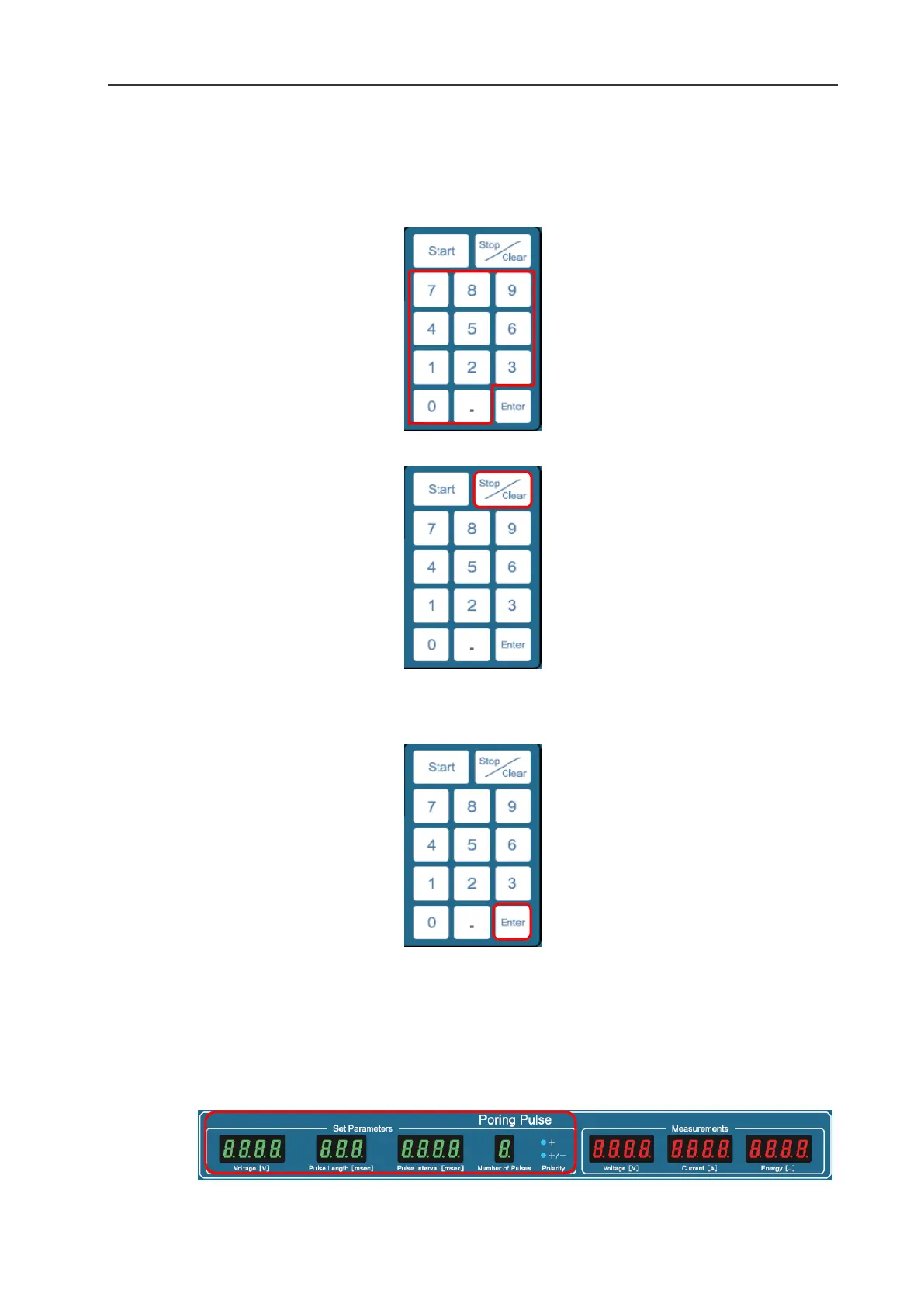
Enter the desired value by pressing the numerical keys.
4
If you would like to cancel an entered value, press the Stop/Clear button.
5
Press the Enter button to save the desired value. When the value is saved, a short beep will sound
twice.
*If a value out-side of the specification range is selected and the Enter button is pressed to confirm the
selection, a long beep will sound three times and the previously selected value will be automatically
cancelled. Please re-enter a correct value within the specification range.
6
The entered values are displayed in the Set Parameters frame in the Poring Pulse window. When a
displayed value is blinking, it means that the value has not been saved yet.


 To Next Page