5 Operating Instructions
5-5
2
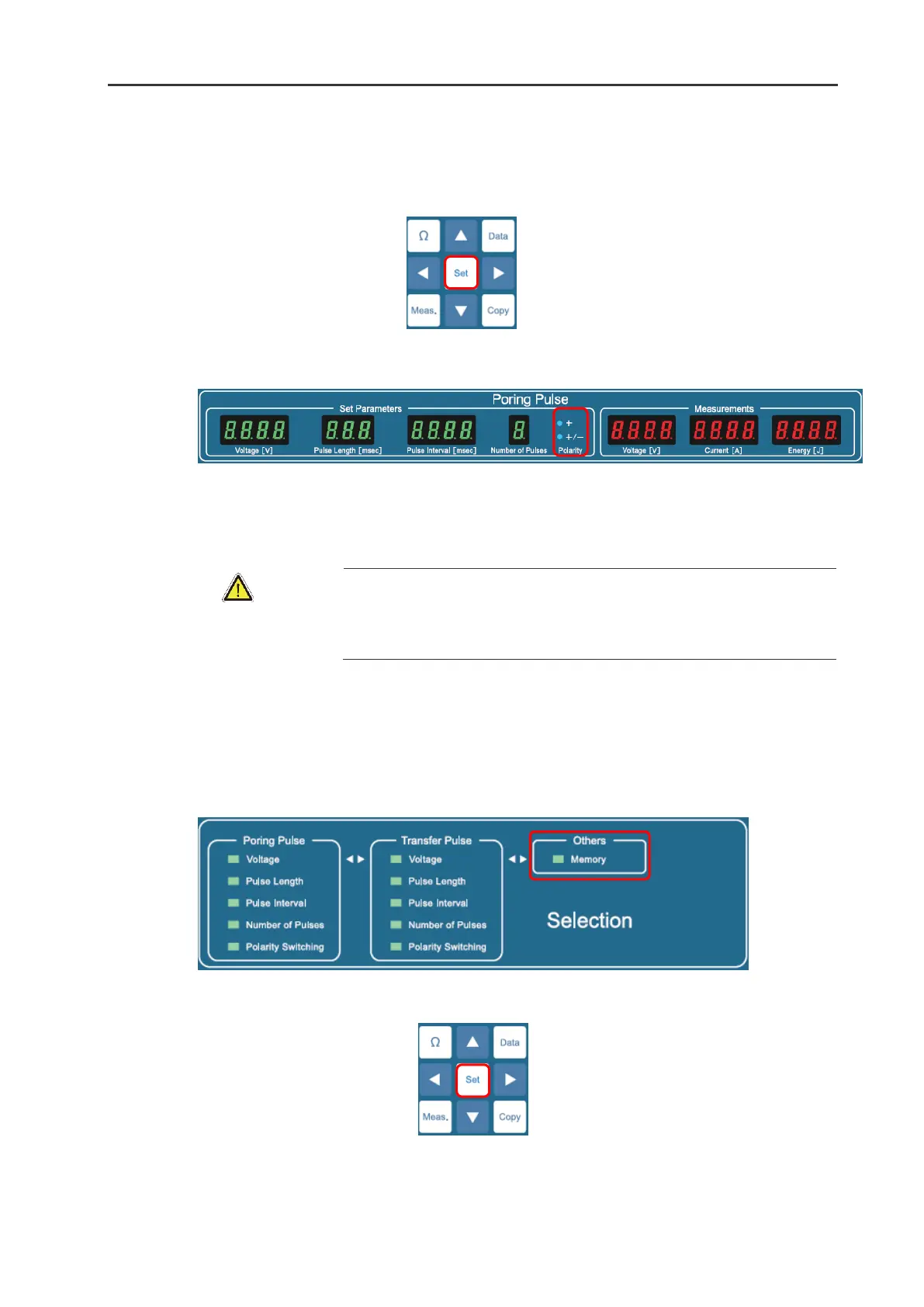
Press Set button to select “+” or “+/-“. Every time the Set button is pressed, “+” and”+/-“are alternated.
3
The status of the Polarity Switching function is displayed on Polarity indicator in the Set Parameters
frame in the Transfer Pulse window. The illuminated indicator indicates the selected option.
5.2.6
Setting Current Limit
A current limitation function is automatically built into the ELEPO21.
Please ensure that the “On” selection is illuminated in the Current Limit frame
when the ELEPO21 is used for In Vivo, In Utero, and In Ovo or Ex Vivo
electroporation.
When the current limit function is selected, the maximum effective current value will be 2 Amperes.
For your safety, please ensure the “On” option is selected in the Current Limit frame in the Selection
window for in vivo, in utero, in ovo and ex vivo electroporation.
1
In the Others frame in the Selection window select the Current Limit option by pressing
◄
▴
▾
▸
buttons.
2
Press the Set button to select On or Off. Each time the Set button is pressed, On and Off are alternated.
3
The status of the selected Current Limit is displayed in the Current Limit frame in the Selection window.
The illuminated indicator shows the selected setup item.


 To Next Page