EN
HR
24
Reset to factory settings / Vraćanje na tvorničke postavke
3 sec.
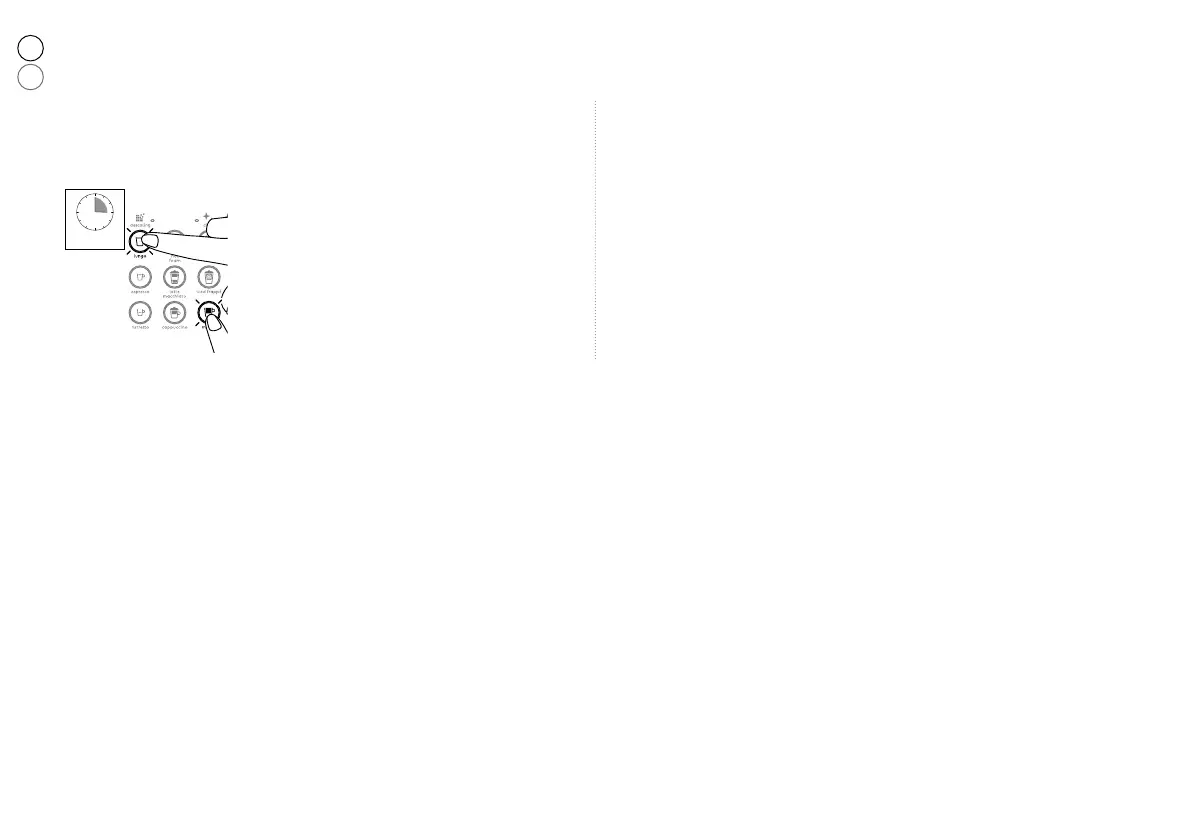
❷ Simultaneously press the Lungo and Mocha
keys for 3 seconds to activate the Factory
Settings Menu. The Lungo and Mocha keys
blink 3 times.
Istovremeno pritisnite Lungo i Mocha gumb
na tri sekunde kako biste aktivirali vraćanje na
tvorničke postavke. Lungo i Mocha gumbi će
zasvijetliti tri puta.
❶ Turn on the machine by pressing one of the coffee keys (Ristretto,
Espresso, Lungo).
Uključite uređaj pritiskom na Ristretto, Espresso ili Lungo gumb.
❸ The factory settings are restored. The machine automatically exits from the
Factory Settings Menu mode.
Postavke su vraćene na tvorničke postavke. Uređaj će automatski izaći iz
ovog podešavanja.






 To Next Page