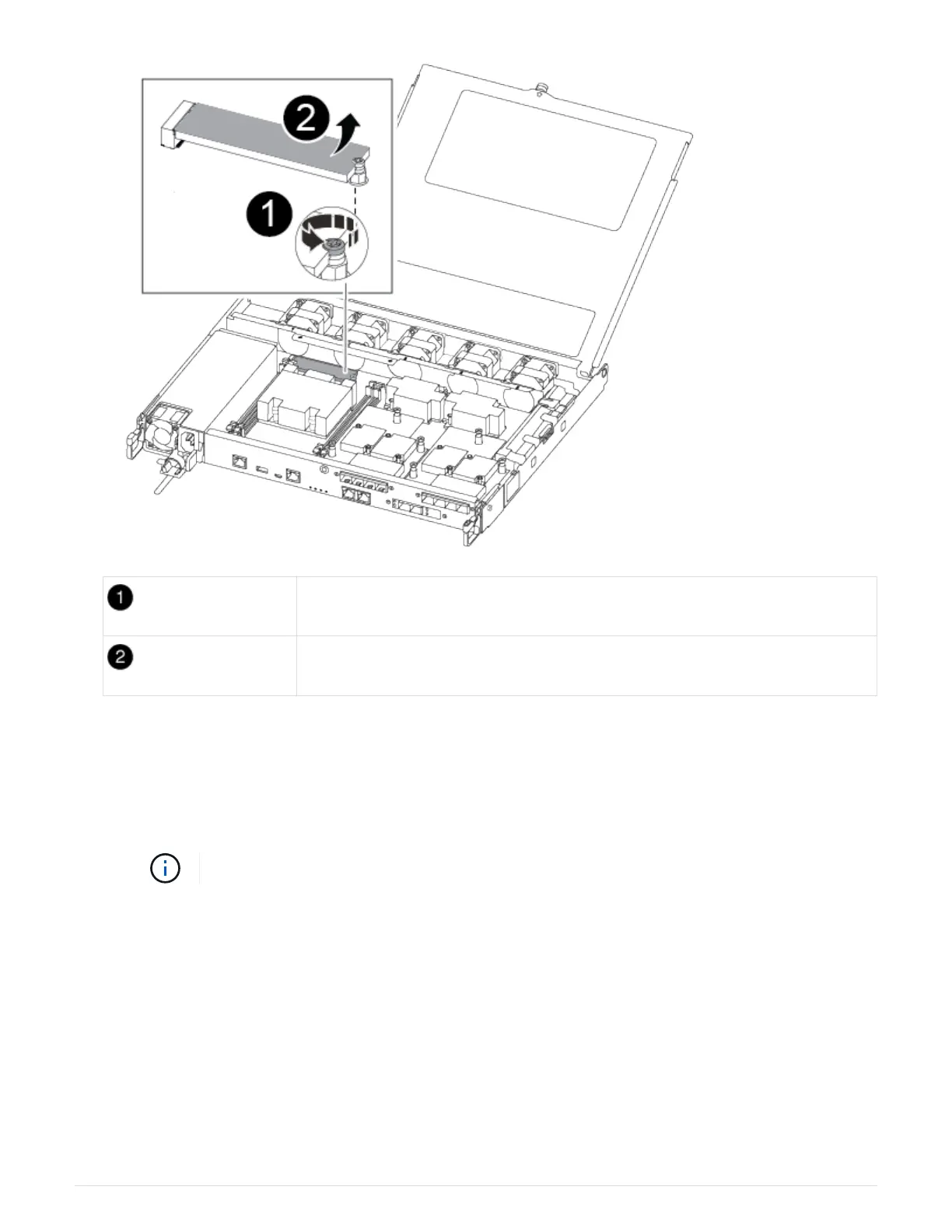
Remove the screw securing the boot media to the motherboard in the impaired
controller module.
Lift the boot media out of the impaired controller module.
a. Using the #1 magnetic screw driver remove the screw from the boot media, and set it aside safely on
the magnet.
b. Gently lift the boot media directly out of the socket and align it into place in the replacement controller
module.
c. Using the #1 magnetic screw driver insert and tighten the screw on the boot media.
Do not apply force when tightening the screw on the boot media; you might crack it.
Step 5: Move the DIMMs
To move the DIMMs, locate and move them from the impaired controller into the
replacement controller and follow the specific sequence of steps.
1. Move the DIMMs from the impaired controller module to the replacement controller module:
43












 To Next Page