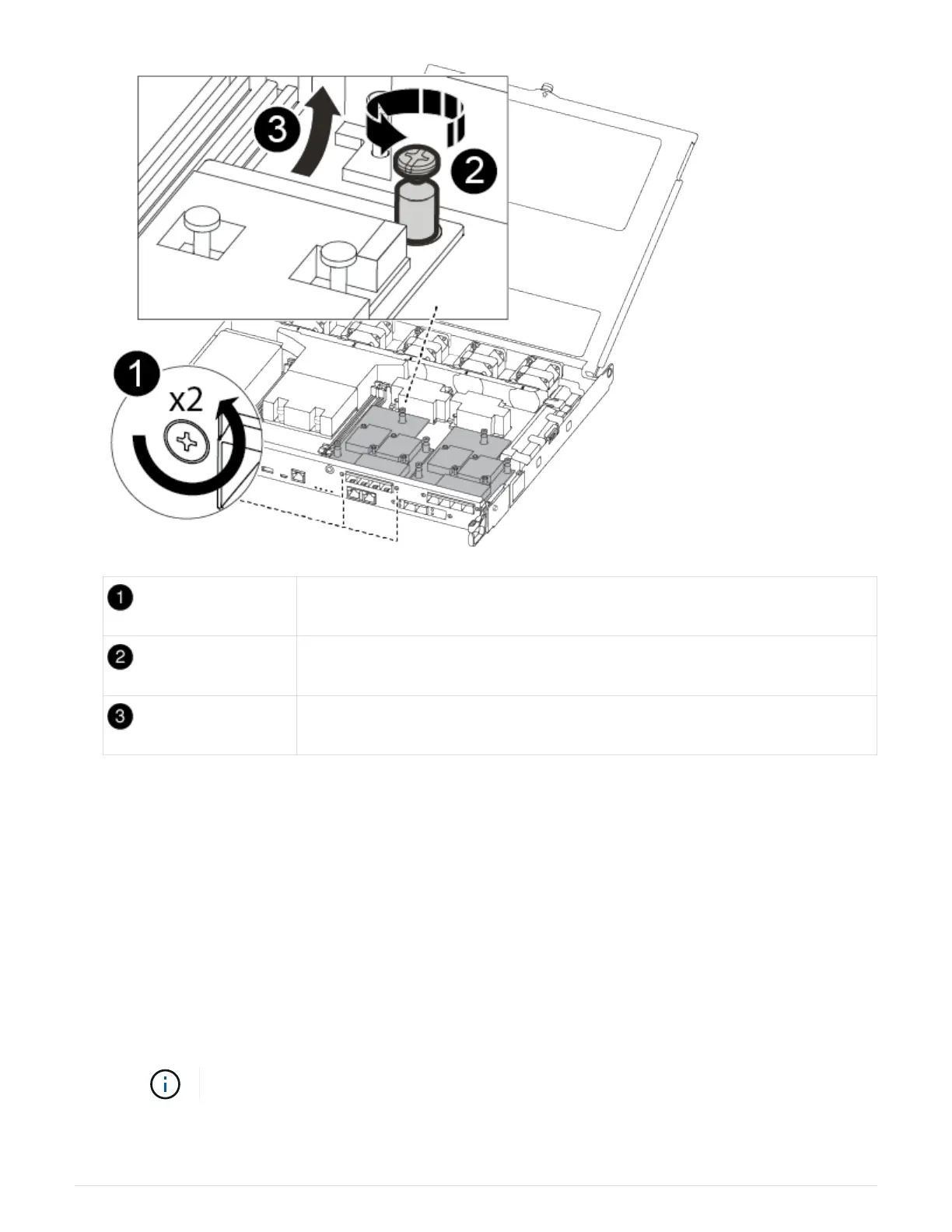
Remove screws on the face of the controller module.
Loosen the screw in the controller module.
Move the mezzanine card.
a. Unplug any cabling associated with the mezzanine card.
Make sure that you label the cables so that you know where they came from.
b. Remove any SFP or QSFP modules that might be in the mezzanine card and set it aside.
c. Using the #1 magnetic screw driver remove the screws from the face of the impaired controller module
and from the mezzanine card, and set them aside safely on the magnet.
d. Gently lift the mezzanine card out of the socket and move it to the same position in the replacement
controller.
e. Gently align the mezzanine card into place in the replacement controller.
f. Using the #1 magnetic screw driver insert and tighten the screws on the face of the replacement
controller module and on the mezzanine card.
Do not apply force when tightening the screw on the mezzanine card; you might crack it.
g. Repeat these substeps if there is another mezzanine card in the impaired controller module.
45












 To Next Page